
Speech to Subtitles
Integrated speech recognition automatically identifies spoken content in video and generates a subtitle timeline with timecodes, reducing manual transcription work.

场辞 создаёт субтитры для видео с помощью распознавания речи и поддерживает проверку, настройку стиля и экспорт.
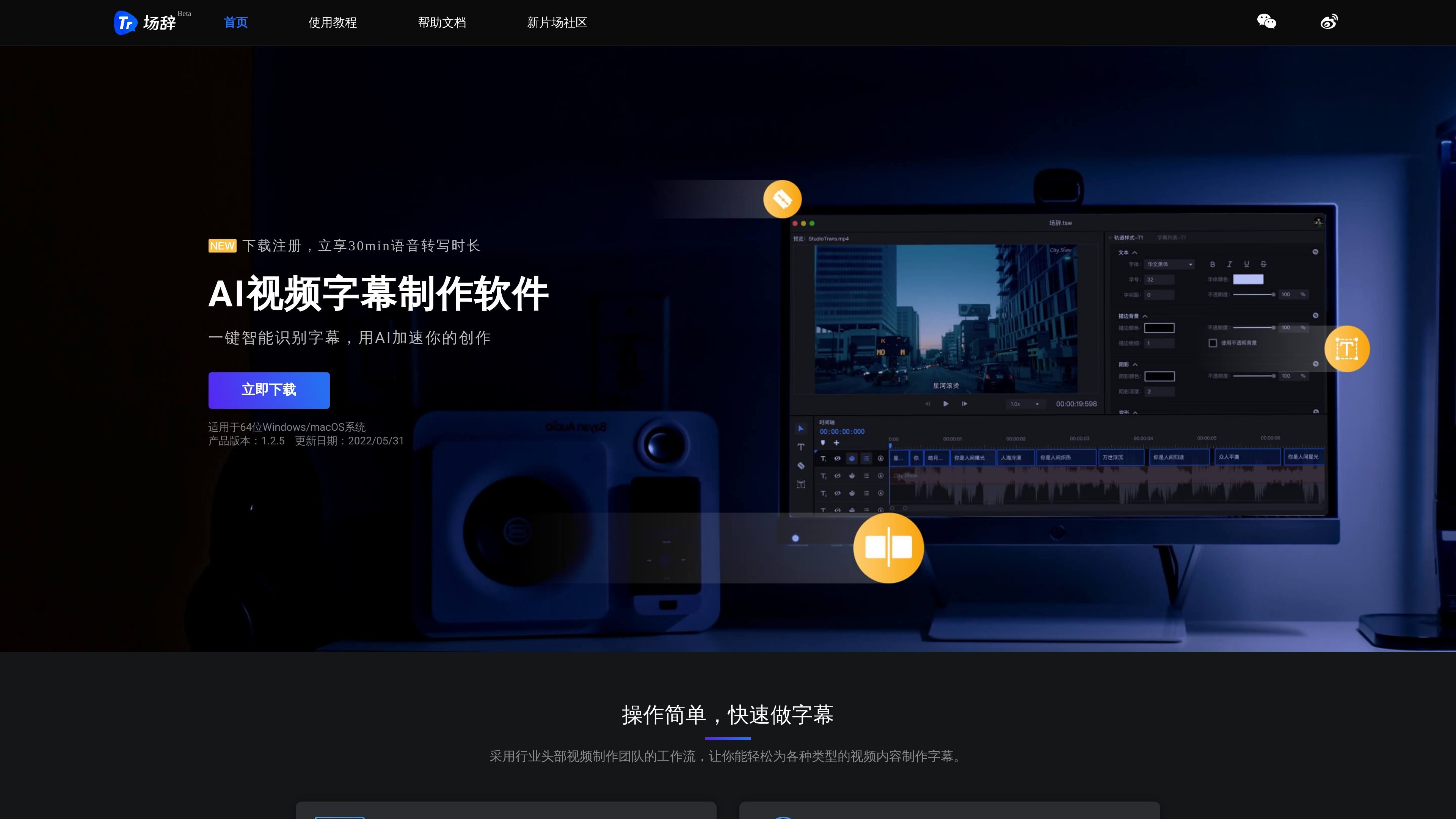
场辞 is a video subtitle creation tool based on speech recognition technology. It is mainly used to quickly convert speech in video or audio into subtitles, while also providing proofreading, style adjustments, and burn-in export capabilities. The page information shows that it is aimed at content workflows that require frequent subtitle production, emphasizing the full chain from recognition to finished output.
The official site says 场辞 supports importing common video, audio, and subtitle files, and offers multi-track subtitle editing, a visual timeline, real-time preview, and one-click export. The documentation page also covers shortcuts, track style settings, export formats, and common questions, suggesting that it is more of a dedicated subtitle editing tool than a simple speech-to-text service.
Integrated speech recognition automatically identifies spoken content in video and generates a subtitle timeline with timecodes, reducing manual transcription work.
Supports importing a variety of common audio, video, and subtitle files, making it easy to plug existing assets directly into the subtitle production workflow.
Provides multi-track parallel editing, a visual timeline editor, a subtitle list, and text editing, making it suitable for line-by-line proofreading and timing adjustments.
Supports real-time preview of subtitle effects, and allows dragging, scaling, and rotating subtitles during editing so the on-screen result can be checked directly.
Supports exporting SRT, ASS, TXT, and standard MP4, and can also burn subtitles into video with one click while configuring burn-in parameters.
Provides shortcuts, find and replace, and project creation/saving operations to help maintain efficiency in high-frequency subtitle production.
Suitable for individual creators and production teams that need to quickly turn interviews, courses, commentary videos, or other long-form videos into subtitles, starting with automatic recognition and then proofreading and fine-tuning.
Suitable for teams with a post-production workflow that want to export SRT first and then continue compositing subtitles and video in PR or other post-production processes.
Suitable for online education, micro-courses, and recorded class production, quickly generating subtitles after the teacher’s lecture content has been automatically recognized to reduce repeated manual transcription.
Suitable for short videos, vlogs, and program post-production, allowing subtitles to be quickly generated and then burned into the video directly, with burn-in parameters configured as needed.
Suitable for editing scenarios that require repeated adjustments to subtitle text, style, and timecodes, using multi-track editing, find and replace, and shortcuts to improve proofreading efficiency.
场辞 supports importing common video, audio, and subtitle files, and can export standard MP4 as well as SRT, ASS, and TXT files.
The help documentation says you can create subtitle blocks from the toolbar, or use the JK keys during playback to mark the start and end times and the start point of the next subtitle block.
You can set the current track’s font, font size, letter spacing, outline, scale, and alignment on the left side of the timeline, and preview the styling changes in real time.
The documentation notes that you should not close the current window during recognition, or the recognition results may be lost. If recognition fails, first check whether the network connection was interrupted; if it is not a network issue, contact customer support.
When exporting standard MP4, the documentation says the video uses H.264 encoding and the audio uses AAC encoding. CRF is constant quality mode, while ABR is average bitrate mode.
Данные о трафике приведены только для справки.