
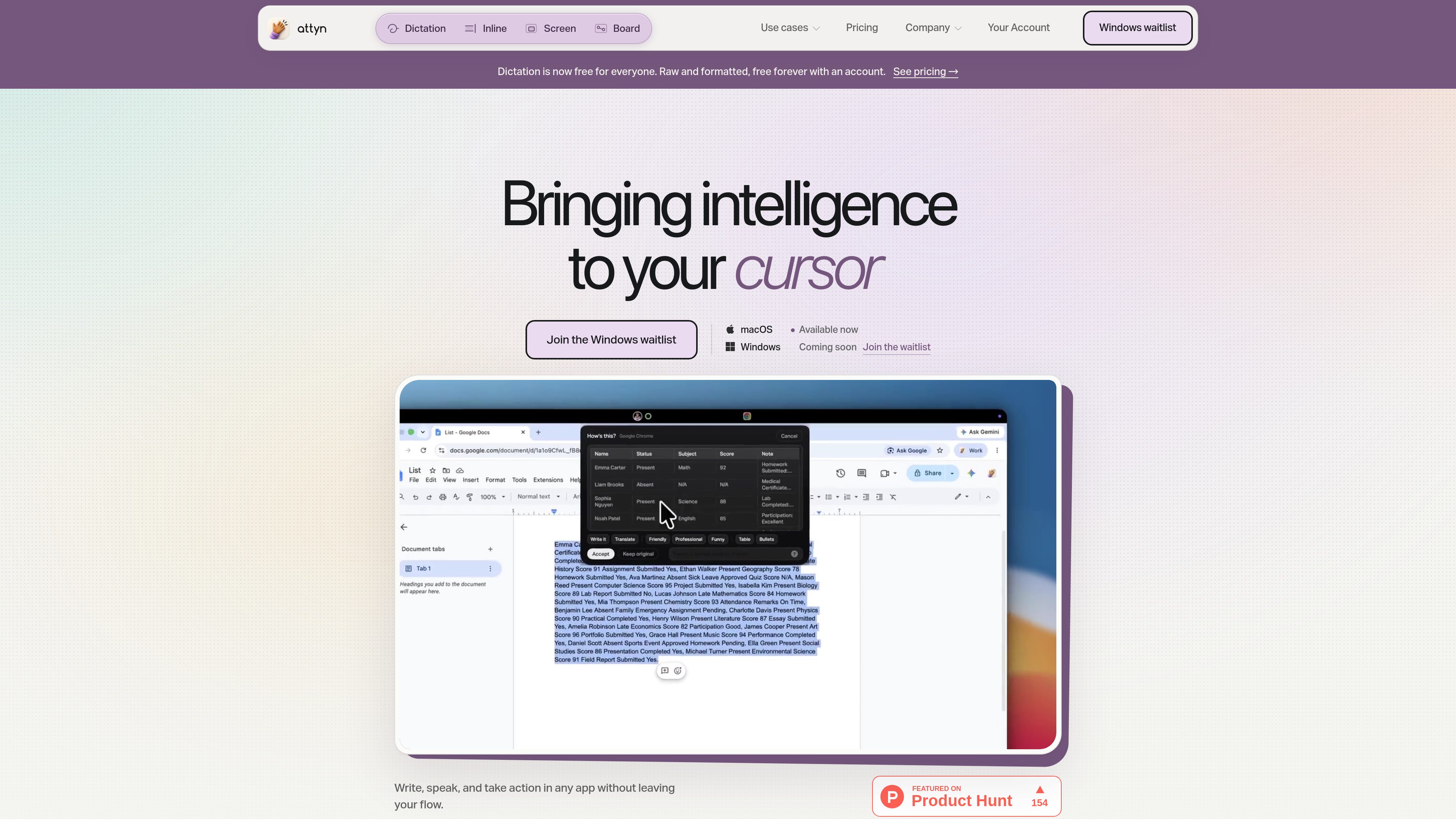
Inline Assist rewriting
Select text, enter an instruction, and Attyn rewrites or restructures the selection in place so the result stays in the current workflow.

Attyn — персональное AI-приложение для macOS, которое позволяет писать, диктовать, задавать вопросы о содержимом экрана и получать наглядные объяснения прямо у курсора. Работайте в привычных приложениях, не копируя текст в отдельную вкладку чата.
Attyn is a macOS AI application that brings writing, dictation, screen understanding, and visual explanations into the place where you are already working. Instead of moving text into a separate chat tab, it lets you ask, rewrite, speak, and learn from the cursor inside the app you have open.
The product centers on four workflows: Inline Assist rewrites selected text in place, Realtime Dictation turns speech into finished text at the cursor, Screen Assist answers questions about what is on screen, and Blackboard draws visual explanations on a floating board. Attyn also separates software access from AI usage, so users can bring a supported provider key, use Attyn Credits, or run a supported local model.
Select text, enter an instruction, and Attyn rewrites or restructures the selection in place so the result stays in the current workflow.
Speak and have finished text arrive at the cursor. The site says direct dictation is free forever with an account, and formatted dictation can also use selected intelligence when needed.
Ask questions about a screen region without taking a screenshot, uploading it, or re-explaining the context in another tool.
Use a floating board for diagrams, worked examples, and step-by-step explanations when a written answer is not enough.
Power requests with a supported provider key, Attyn Credits, or a supported local model, depending on the task and the setup you prefer.
Create personal or business profiles with context, memory, and actions that require approval, so the app can carry those rules across different apps and tasks.
Use Inline Assist when you have already written something and want to rewrite, translate, restructure, or polish it without copying the text into another AI interface.
Use Realtime Dictation to speak a message, note, or draft and have the completed text land at the cursor in the app you are already using.
Use Screen Assist when you need help with an error, chart, document, or page that you can see but do not want to retype or screenshot separately.
Use Blackboard when a concept is easier to understand as a diagram, sequence, or worked example than as plain text.
Use a supported local model for suitable everyday work, or switch to a provider key or Attyn Credits when a task needs more capable cloud intelligence.
Yes. The pricing page says Realtime Dictation, both raw and formatted, is free forever for anyone who installs Attyn and signs in.
No. The site says you can also bring a supported provider key or use a supported local model. Credits are one option for cloud intelligence when you do not want to configure your own API key.
Renting gives you software access while the subscription is active. Owning gives you a lifetime license for the purchased software tier; in both cases, AI usage remains separate.
The site says it works at the cursor in apps that accept text, and gives examples such as Gmail, Slack, Notion, Docs, WhatsApp, LinkedIn, Figma, Obsidian, Telegram, Discord, X, Zoom, Asana, Todoist, Calendar, and Dropbox. Those examples are illustrative rather than a fixed support list.
The site says Attyn is available for macOS today, with Apple silicon support starting at M1 and later M-series chips. Windows is listed as coming soon with a waitlist open.
Данные о трафике приведены только для справки.
| май | 0 |
|---|---|
| июнь | 0 |
| июль | 0 |
Аналитика трафика пока недоступна.
Аналитика трафика пока недоступна.