
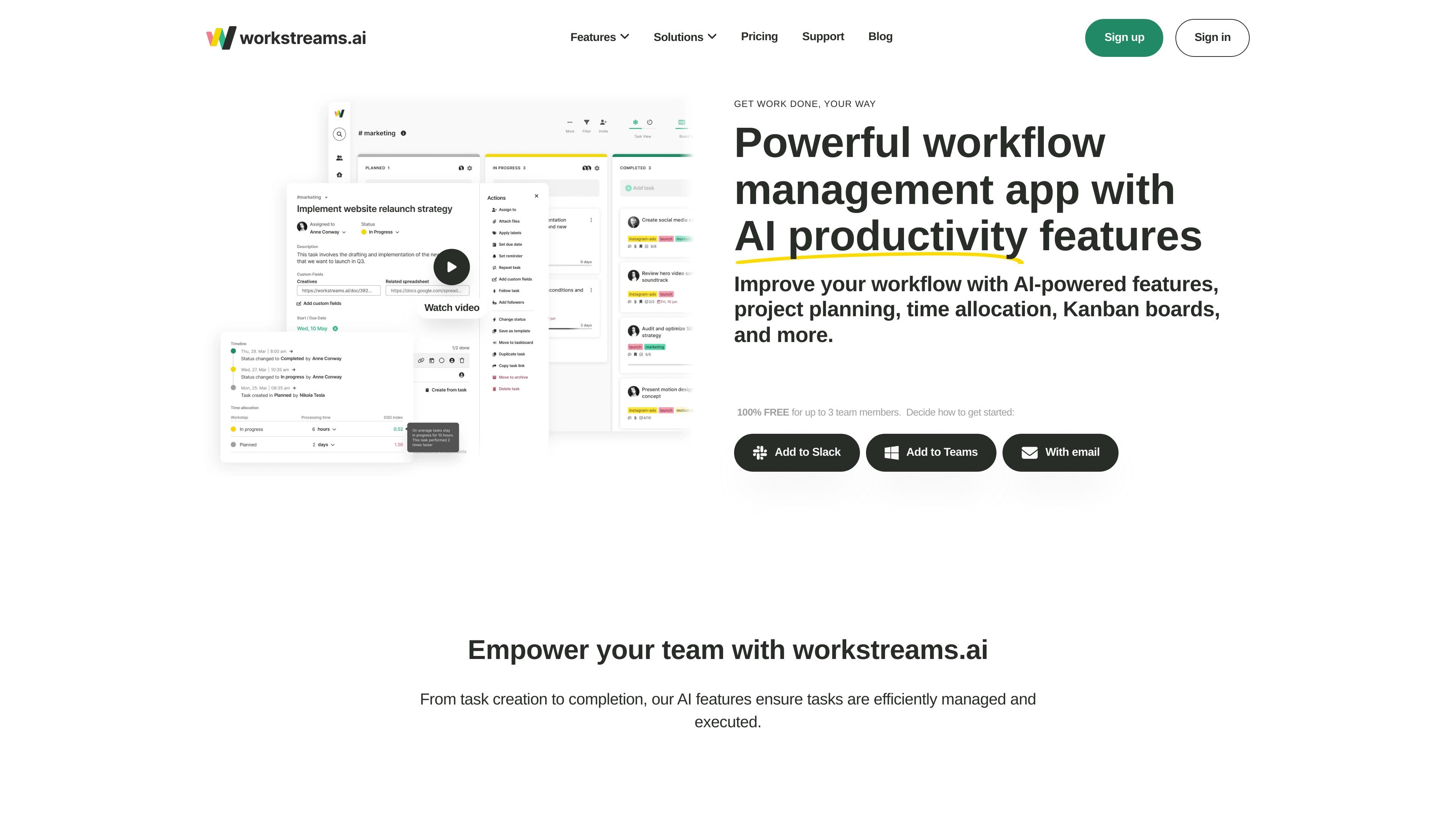
Custom Kanban workflows
Create or adapt taskboards with custom worksteps to reflect a team's process. Tasks can be filtered, moved between boards, archived, and viewed across one or multiple boards.

Visual task and workflow management for teams using Kanban boards, automation, and AI productivity tools.
Workstreams.ai is a visual task and workflow management platform for teams. It combines customizable Kanban taskboards, workflow automation, calendars, goals, and collaboration features in one workspace. Teams can create tasks from workstreams.ai, Slack, or Microsoft Teams, then manage ownership, discussions, deadlines, subtasks, and progress through configurable worksteps. AI tools can draft task descriptions, generate checkable subtasks, and support reusable prompt shortcuts. The product is intended for cross-functional teams that need a shared view of work and repeatable processes, including marketing, HR, sales, IT, and customer-focused operations.
Start with the Free plan for up to three team members or choose paid Pro for a larger team. Review AI-generated descriptions and subtasks before assigning work, and configure workflow ownership and handoff rules for the process your team actually uses.
Create or adapt taskboards with custom worksteps to reflect a team's process. Tasks can be filtered, moved between boards, archived, and viewed across one or multiple boards.
Generate task descriptions from prompts, refine the output, and turn detailed descriptions into checkable subtasks. Prompt history can be shared and frequently used prompts can be saved as shortcuts.
Set auto-assignees, workstep owners, and forwarding rules that move tasks to another workflow when they reach a defined step.
Manage start and due dates, recurring tasks, attachments, custom fields, labels, subtasks, and task discussions. Calendar views show daily, weekly, or monthly work, while time allocation helps compare task completion pace.
Create tasks directly in Slack or Microsoft Teams channels and receive notifications about important task changes. Slack channels can have connected customizable Kanban boards.
Use labels and goals to group related work across taskboards, search the workspace, and review tasks assigned to you or organized by channel and team.
Plan campaigns, landing pages, content production, and reporting through repeatable workflows, checklists, Kanban prioritization, and AI-assisted prompt collaboration.
Organize recruiting, onboarding, and employee-related work with task ownership, calendar views, attachments, and configurable process steps.
Track prospects through evaluation, pitch, and legal stages on flexible Kanban boards while keeping sales-team discussions connected to the work.
Coordinate development and IT processes with taskboards, workstep ownership, automated handoffs, due dates, and progress visibility.
Manage feedback, bug reports, customer requests, and feature releases as structured tasks with discussions, labels, and cross-board goals.
Tasks can be created in workstreams.ai workflows or directly in connected Slack and Microsoft Teams channels.
Yes. Tasks can be set to repeat at daily, weekly, monthly, or another chosen interval, and recurring tasks can be grouped into templates.
The in-app calendar has daily, weekly, and monthly views. Tasks assigned to you that have due dates can also be displayed on your Google or Outlook calendar.
Yes. The continuing Free plan is for teams of up to three members. Pro adds capacity for more team members and is charged per active app user, with annual, quarterly, or monthly billing choices. The 14-day Pro trial is separate from the Free plan.
Slack and Microsoft Teams support task creation and collaboration. Assigned tasks with due dates can also be displayed in Google or Outlook calendars; this is calendar display, not a promise of unrestricted two-way synchronization.
Os dados de tráfego são apenas para referência.

is.team
is.team is a project workspace where people and AI agents collaborate on shared boards. It combines task planning, card chat, meeting notes, workflow automation, and connections to tools such as GitHub, Slack, Google Drive, and Figma.

swit.io
A work collaboration platform combining team communication, project management, and task tracking.

hourtick.com
Hourtick combines task management, team chat, and time tracking for teams working with people and AI agents. It supports billable-time workflows, approvals, reporting, and integrations through a REST API and MCP server.