
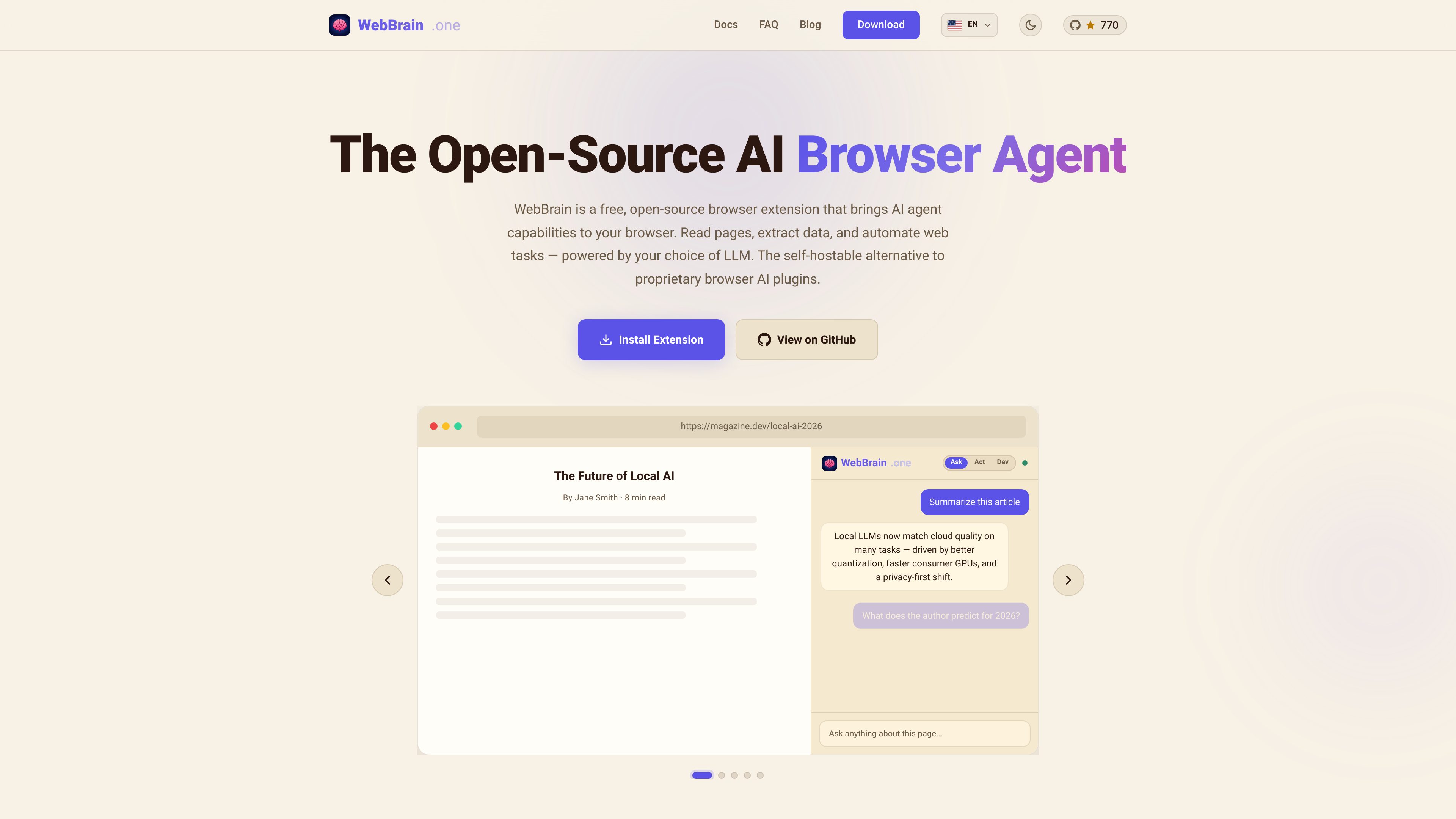
Page understanding
Reads articles, docs, dashboards, and forms, then answers questions based on the current page content.

WebBrain é uma extensão de navegador gratuita e de código aberto que leva recursos de agentes de IA ao Chrome, Firefox e Edge. Ela lê páginas, extrai dados e automatiza tarefas do navegador usando o provedor de LLM escolhido, incluindo modelos locais.
WebBrain is a browser extension that adds AI agent features to your browser sidebar. It can understand pages, answer questions from the current content, extract structured data, and automate tasks such as clicking, typing, scrolling, and navigating.
The product is designed as a free, open-source alternative to proprietary browser AI tools. It supports Chrome, Firefox, and Edge, and the docs say it works with multiple LLM providers, including local models that can run entirely on your machine.
Reads articles, docs, dashboards, and forms, then answers questions based on the current page content.
Clicks, types, scrolls, navigates, and interacts with pages on your behalf for repetitive or multi-step browser work.
Extracts tables, lists, links, and form data from web pages and can work with PDFs as well.
Works with local llama.cpp setups, OpenAI, Claude, and OpenRouter, so users can choose the model and deployment style they prefer.
Supports local LLM use for reduced data leakage and is described as open-source with no telemetry, tracking, or accounts required.
Uses smart context management to reduce token overflow, starts in read-only Ask Mode by default, and asks before consequential actions.
Open a page in the browser and ask for a summary or a direct answer from the visible content, without copying text into another tool.
Use natural language prompts to pull names, prices, addresses, links, or other structured fields from a page, including PDFs.
Let the agent click through pages, fill forms, scroll, and navigate when a workflow requires multiple browser actions.
Run WebBrain with a local LLM when you want browser assistance without sending page content to a cloud model.
Use profile autofill for saved plaintext details so the agent can move through simple sign-up flows more quickly, while keeping the feature off by default.
Yes. The site describes WebBrain as a free, open-source browser extension, and the FAQ says it is a free alternative to Claude's browser plugin.
The FAQ says WebBrain has versions for Chrome, Firefox, and Edge, with identical features across the Chrome and Firefox builds.
The product page says it works with local llama.cpp models, OpenAI, Claude, and OpenRouter. The docs also say you can connect any OpenAI-compatible API or run a local model.
It can read page content, answer questions, extract structured data, and automate browser actions such as clicking, typing, scrolling, and navigating.
Yes. The site says you can run it with a local model, and the docs describe local LLM use as a privacy-oriented option that can keep data on your machine. It does not claim fully offline use for every feature in every setup, so availability depends on the model and configuration.
Os dados de tráfego são apenas para referência.

harpa.ai
Extensão do Chrome e agente de navegador que combina modelos de IA com automação web para navegar, escrever, resumir e extrair dados.

chat4data.ai
Chat4Data é uma extensão de web scraping com IA para Chrome que extrai dados estruturados por meio de prompts em linguagem natural, oferece suporte a várias páginas e exporta para CSV, XLSX ou JSON.

reworkd.ai
Reworkd é uma plataforma completa de web scraping que usa LLMs para analisar páginas, gerar código de extração e automatizar a coleta de dados.

pandaextract.com
Extensão do Chrome para extrair dados estruturados de sites, com execução local e na nuvem.

okaapps.com
Aye é um navegador com IA para Mac e Windows que delega tarefas repetitivas em sites reais, como baixar mídias, responder a e-mails de suporte e operar redes sociais. Ele planeja, executa e verifica os resultados, mantendo as etapas sensíveis sob aprovação do usuário.

oxylabs.io
Plataforma de dados da web com proxies, APIs de scraping, ferramentas de navegador e conjuntos de dados personalizados para IA, pesquisa, e-commerce, marketing e segurança.