
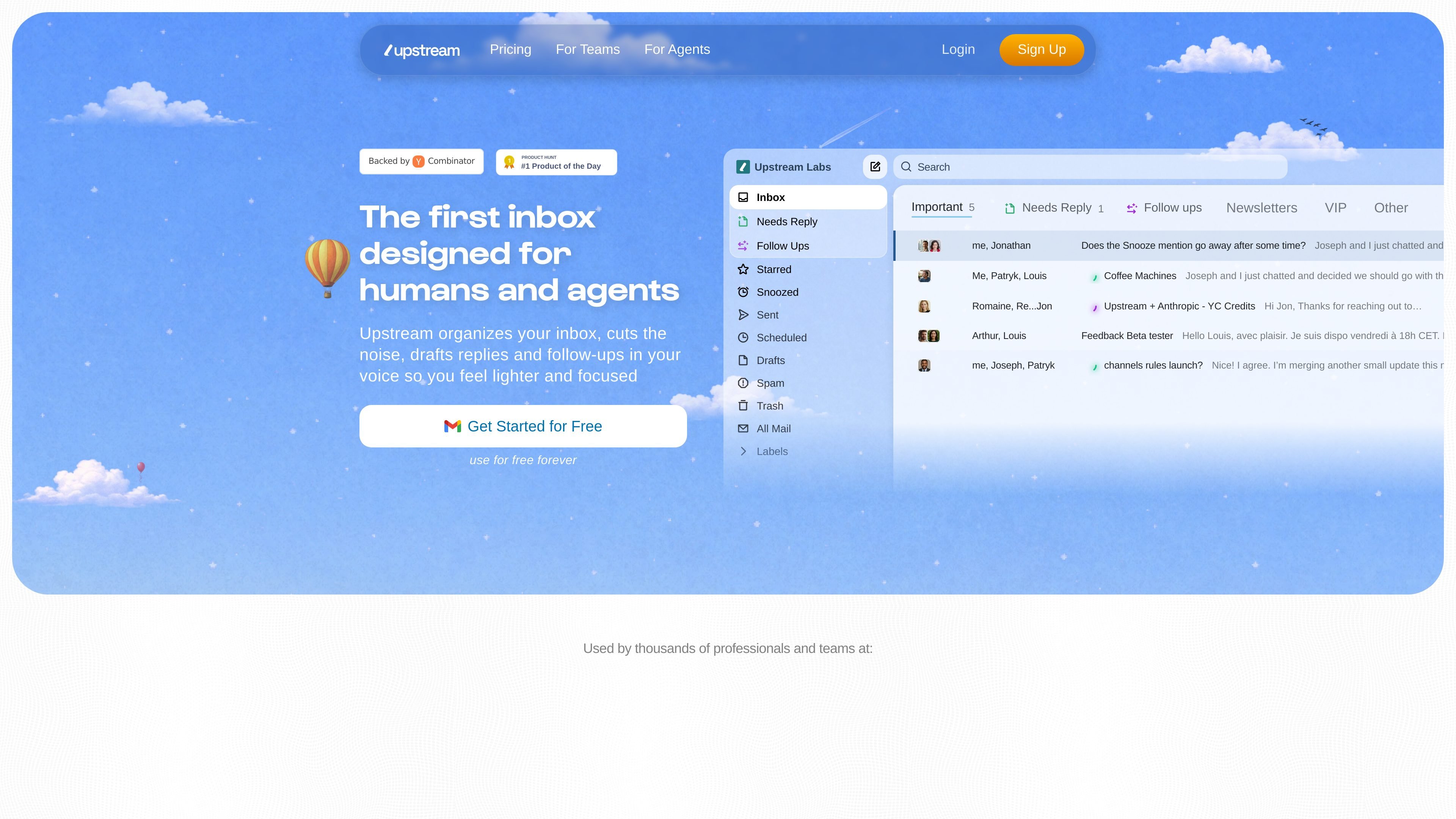
Inbox splits
Organize messages into views such as Needs Reply, Follow Ups, VIP, and Noise. Upstream says it can surface messages that need attention and move newsletters and cold emails out of the way.

An AI-powered Gmail inbox for organizing email, drafting replies, and coordinating team workflows.
Upstream is an AI-powered inbox built on top of Gmail. It organizes messages into workflow-specific views, surfaces email that needs a reply, and moves newsletters and cold outreach out of the way. It also drafts context-aware replies in the user's voice for review and sending. Team tools include comments, shared channels, and thread sharing, so individuals and teams can coordinate email work without giving the system permission to send messages automatically.
Organize messages into views such as Needs Reply, Follow Ups, VIP, and Noise. Upstream says it can surface messages that need attention and move newsletters and cold emails out of the way.
Generate reply drafts using the conversation context, recipients, and prior messages with them. Drafts are available when opening a message and can be edited before sending.
Upstream identifies writing patterns to create a personalized prompt for drafting in the user's voice. The Core plan supports up to three audience-specific voices; Pro and Max list unlimited voices.
Smart follow-ups help track messages that need another response. The pricing page lists three AI follow-ups per week on Core and unlimited follow-ups on Pro and Max.
Share threads and use team comments and channels to coordinate work. Pro adds private channels, unlimited channel and comment history, and unlimited team members.
The feature list includes snooze, send later, undo send, instant send, a command palette, multiple inboxes, and search.
Use splits such as Needs Reply, VIP, and Noise to find messages requiring attention while reducing the prominence of newsletters and cold outreach.
Review an AI-generated draft informed by the thread and recipient context, adjust it as needed, and send it yourself.
Use the follow-up workflow to identify conversations that need another response rather than relying only on memory.
Teams can share threads, add comments, and use channels to discuss email-related work. Pro and Max list expanded private-channel and collaboration limits.
The site says nothing is sent without the user's approval. AI-generated replies are drafts for review; the user sends them.
The site describes Upstream as working on top of Gmail.
Core is listed as free forever. It includes seven AI reply drafts and three AI smart follow-ups per week, custom voice for up to three audiences, split inboxes, team comments, unlimited channels and search, up to five team seats, and mobile access.
Pro is listed at $20 per member per month and Max at $60 per member per month, both billed yearly. The pricing page also offers a Max demo request.
Yes. The listed team features include thread sharing, comments, and shared channels. Pro adds private channels, unlimited channel and comment history, and unlimited team members.
Os dados de tráfego são apenas para referência.

mailmeteor.com
Mailmeteor is an email outreach and campaign platform for sending personalized messages from Gmail, Outlook, Google Sheets, Excel, or Google Docs. It also provides tracking, follow-ups, automation, and inbox assistance for supported workflows.

aimreply.com
AI email drafting and reply assistance for everyday, client, and team communication.

tryellie.com
AI email assistant that drafts replies in your voice for Gmail and Outlook.

chatgptservices.app
A ChatGPT-powered Gmail add-on for professionals handling replies, drafts, and multilingual email.

selzy.com
Create email campaigns, organize subscribers and automate follow-up messages with Selzy. Its email builder includes AI help for drafting and editing, while campaign analytics and A/B testing support your next round of improvements.