
Translation memory
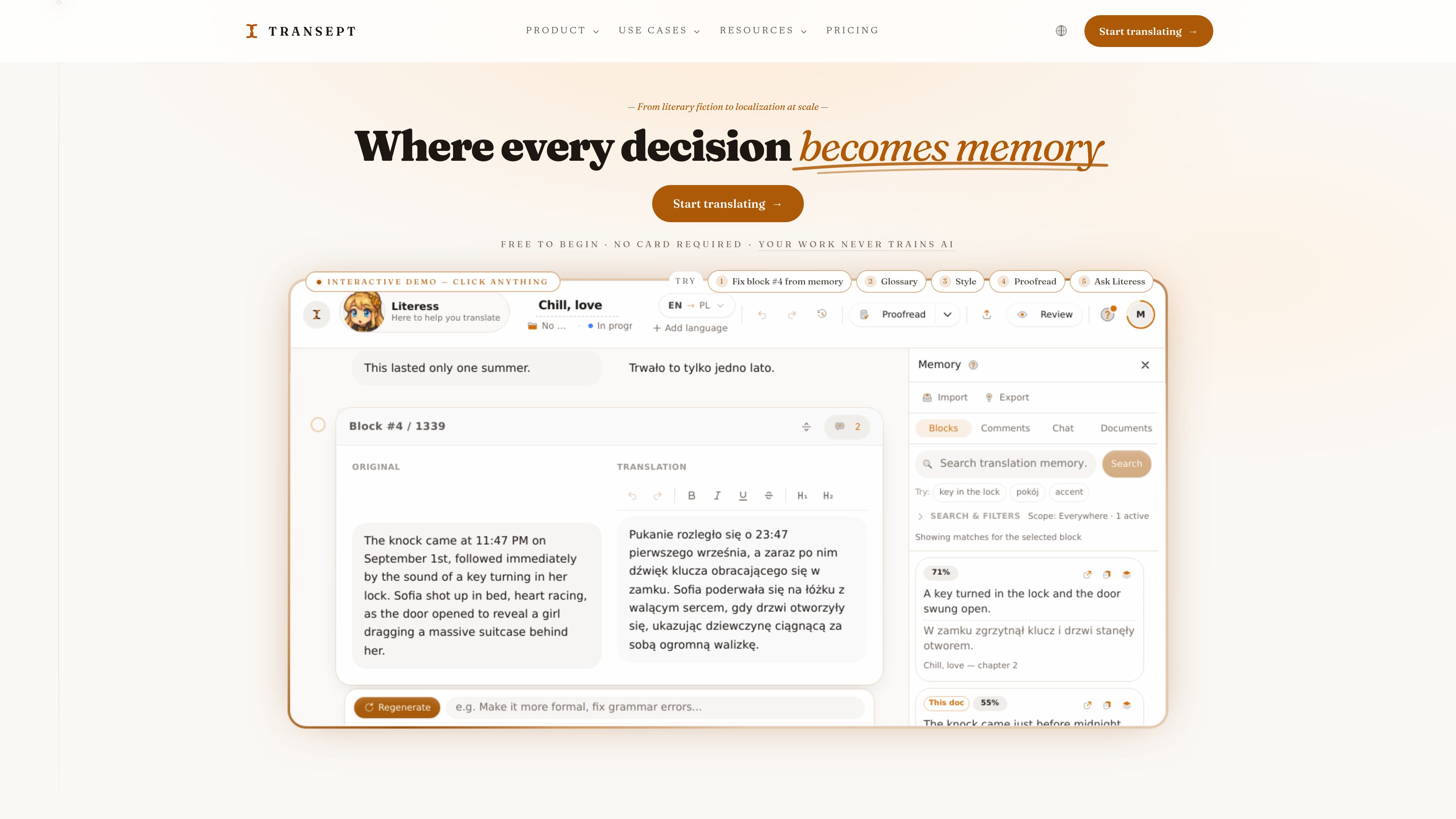
Past translations are stored and reused to keep terminology and phrasing consistent across documents, languages, and projects.

Transept AI is translation software that carries terminology, tone, and review decisions across documents, languages, and teams. It combines translation memory with glossaries, styleguides, workflows, proofreading, collaboration, and developer automation.
Transept AI is translation software built around reusable translation memory. It records terminology and tone decisions so they can be applied across documents, target languages, and team projects rather than recreated for every translation. The product combines an editor with glossaries, styleguides, quality checks, proofreading, review, and workflows that can chain translation steps together.
It supports document and project translation, batch runs across multiple target languages, and web-page localization from HTML. Developers can also automate runs through the API, webhooks, and MCP.
Past translations are stored and reused to keep terminology and phrasing consistent across documents, languages, and projects.
Define required terms, tone, voice, sentence-length preferences, and idiom handling; glossaries and styleguides can also be built from a document.
Chain translation, proofreading, and quality checks into a run, or process whole projects and multiple target languages in a batch.
Translate HTML text nodes while preserving inline styles, classes, IDs, scripts, and data attributes. Localized markup can be exported back to a CMS or custom stack.
Smart Proofread checks text and can fix paragraphs, while Vision Proofread renders localized pages to identify layout problems such as text overflow.
The API, webhooks, and MCP support automated workflows. Teams can use comments, real-time editing, and client or guest review links.
Import or paste an HTML landing page, pin CTAs and product terms in a glossary, apply a marketing styleguide, render the localized page for visual checks, and export the markup to Webflow, Framer, or another stack.
Run a launch bundle or other project across several target languages with one shared glossary and styleguide, reducing repeated setup and keeping terminology aligned across assets.
Translate book-length or other long documents in the editor, reuse established memory, and use Literess for project-aware drafting, proofreading, or editorial assistance.
Use the API to import documents, run workflows across languages, receive pushed webhook events, and read results back; MCP can give an AI assistant access to the translation loop.
Invite collaborators, exchange comments and real-time edits, and send client or guest review links so translated work can be checked before export or publication.
For HTML fragments, Transept translates the text nodes and preserves inline styles, classes, IDs, scripts, and data-* attributes. Image text is not replaced; it is flagged for redesign in the relevant design tool.
Yes. Batch translation can run a page across multiple target languages in one queue, applying the same glossary and styleguide to each language.
Vision Proofread renders the localized page and checks for visual problems, including layout breaks and text overflow such as a German compound noun exceeding a button width.
Yes. The developer offering describes API access for importing documents, running workflows, reading results, and receiving webhook events. MCP is also available for connecting an AI assistant to the workflow.
Plans use credits for AI work. Standard translation costs one credit per source word, while Pro mode costs three credits per source word. Manual edits, comments, exports, and translation memory do not use credits, and the price of a paid action is shown before it runs.
Os dados de tráfego são apenas para referência.

whaleread-astra.kunyu575.chatgpt.site
WhaleRead is a local-first macOS workspace for translating and reading TXT, Markdown, and EPUB books across languages. It combines side-by-side bilingual reading, human-confirmed review, and optional Ask AI with a workflow that keeps core book work on the Mac.

www.deepl.com
Translate text and documents, improve writing, and communicate across languages with voice tools and APIs.

aiphone.ai
Real-time call and conversation translation for people communicating across languages.

immersivetranslate.com
A bilingual translation tool for web pages, documents, videos, images, and meetings.

tipword.app
Tipword is a macOS word-translation utility that shows a word’s meaning beside it when you hold a modifier key and point at the word. It is designed for reading subtitles, PDFs, images, websites, documents, messages, and other content in Mac apps.