
Visual focus timer
Turn time into a visible countdown so you can track how long you have been working and when to switch tasks without relying only on internal cues.

Tiimo é um planejador diário visual com ferramentas de foco, tarefas, importação de calendário e planejamento assistido por AI para pessoas neurodivergentes e quem busca mais estrutura.
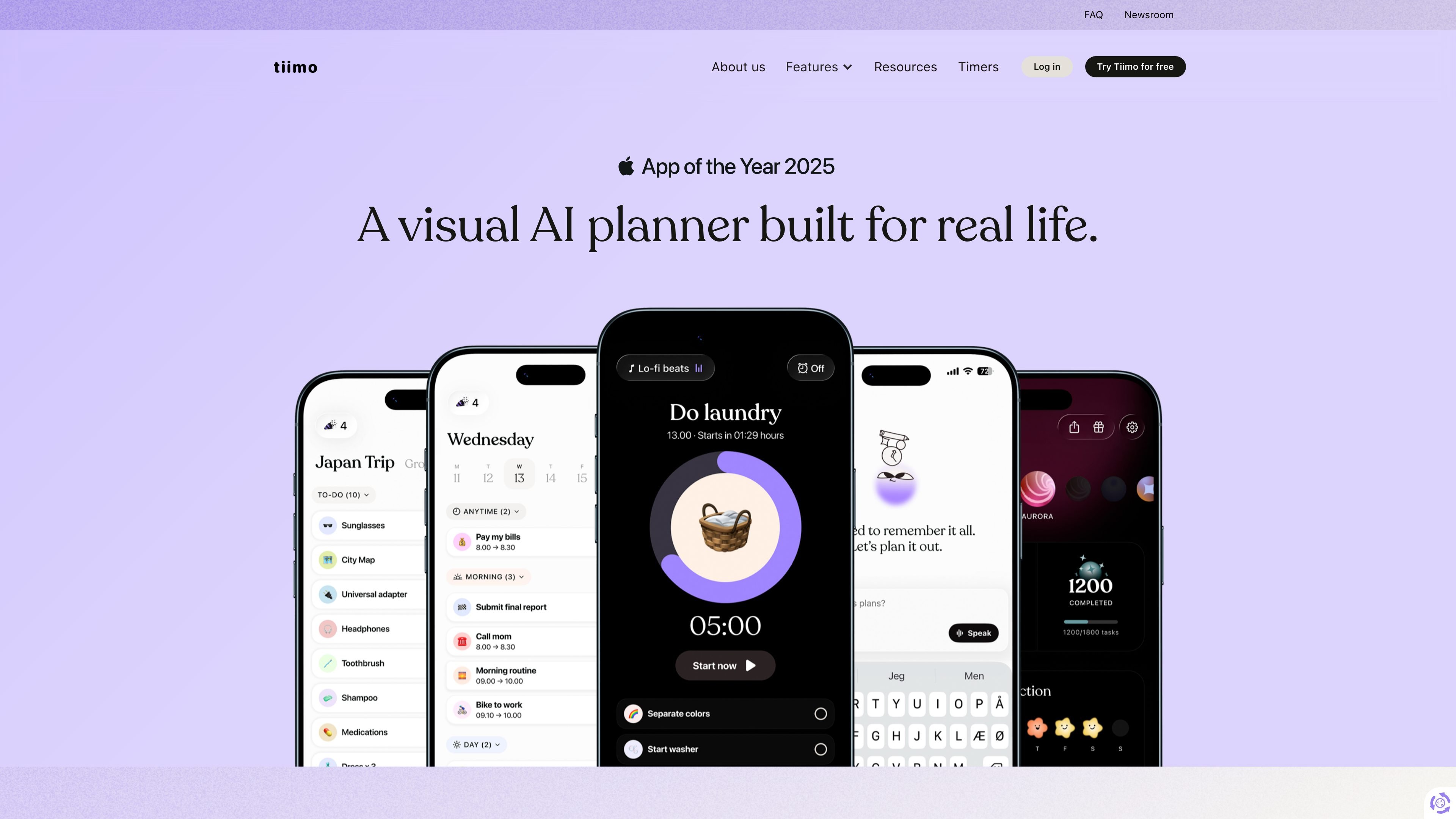
Tiimo is a visual daily planner built to support executive functioning and help people manage plans, tasks, and transitions with more clarity. The site positions it as an app for neurodivergent people, especially ADHD and Autism communities, while also noting that anyone who thrives with structure and flexibility can use it.
The product combines planning, to-do lists, focus tools, calendar import, widgets, and AI-assisted scheduling in one app that works across devices. Its core job is to make time and next steps easier to see, so users can get started, stay oriented, and follow through on everyday routines.
Tiimo also emphasizes personalization and cross-device continuity. Users can customize visuals and layouts, plan on mobile or web, and keep their schedule synced across phone, tablet, watch, desktop, and browser.
Turn time into a visible countdown so you can track how long you have been working and when to switch tasks without relying only on internal cues.
Organize tasks into a timeline you can follow more easily, with a schedule that shows what is coming up and what to do next.
Use Tiimo’s AI planning tools to turn a brain dump or spoken prompt into steps, time estimates, and a realistic schedule.
Capture errands, reminders, and ideas in a to-do list, then prioritize manually or with AI and drag items into your day.
Keep your plan visible through widgets, Live Activities, and Dynamic Island so you can check progress without opening the app.
Set up the planner to match your working style with colors, icons, layouts, sounds, fonts, and profiles.
Start with a brain dump, then let Tiimo turn scattered thoughts into steps, priorities, and time estimates you can actually schedule.
Use the visual timeline, to-do list, and calendar import to map out work, school, or daily routines in a format that is easier to follow at a glance.
Run a focus session with the countdown timer and keep the next step visible through widgets, Live Activities, or Dynamic Island while you work.
Move calendar events and tasks across devices so you can begin planning on desktop, continue on mobile, and check your schedule on watch or browser.
Adjust colors, icons, sounds, fonts, and profiles to build a setup that feels easier to return to and use consistently.
Tiimo is built to help people plan their day visually, manage tasks, and stay on track with features such as planning tools, to-do lists, and a focus timer. The site says it is designed for neurodivergent people, but it can be used by anyone who wants more structure and flexibility.
Tiimo is available on iOS, Apple Watch, iPad, Android, Mac, and the web. The FAQ says the web planner works on computers and browsers, and that using the same email lets you stay synced across devices.
The FAQ says Tiimo offers a free version with a selection of planning tools on iOS and Android apps, plus a 7-day free trial of Tiimo Pro when you subscribe yearly. Tiimo Pro unlocks access to all features across platforms, including the web app.
The pricing FAQ says you can import calendars from Apple, Google, or Outlook. Tiimo also describes widgets and Live Activities for keeping your plan visible on supported devices.
Tiimo says it was built with and for neurodivergent people, including ADHD and Autism communities, but it is intended for anyone who benefits from visual structure, reminders, and flexibility.
Os dados de tráfego são apenas para referência.

akiflow.com
Planejador e calendário por blocos de tempo para fluxos organizados

vimcal.com
Vimcal é um app de calendário para gerenciar muitas reuniões, com acesso multiplataforma, agendamento compartilhado e ferramentas de delegação para assistentes executivos.

routine.co
Workspace com IA para tarefas, calendários, notas, contatos e automações

flowsavvy.app
Aplicativo de calendário com IA que agenda tarefas e se adapta a mudanças

yestoki.com
Toki é um assistente de calendário com IA para gerenciar eventos, lembretes e fluxos de trabalho por texto, voz, imagens e capturas de tela, sincronizado com Google Calendar, Apple Calendar e Outlook.

pally.com
Pally é um assistente pessoal integrado às suas mensagens pelo iMessage ou RCS. Ele ajuda a gerenciar mensagens, reuniões, calendários, arquivos, tarefas e informações da web, além de organizar acompanhamentos e planos em uma única conversa.