
Calendar time tracking
Connect Google or Outlook calendars to capture activities and track time directly from the calendar workflow.
Calendar-based time tracking and productivity analytics for teams and individuals.
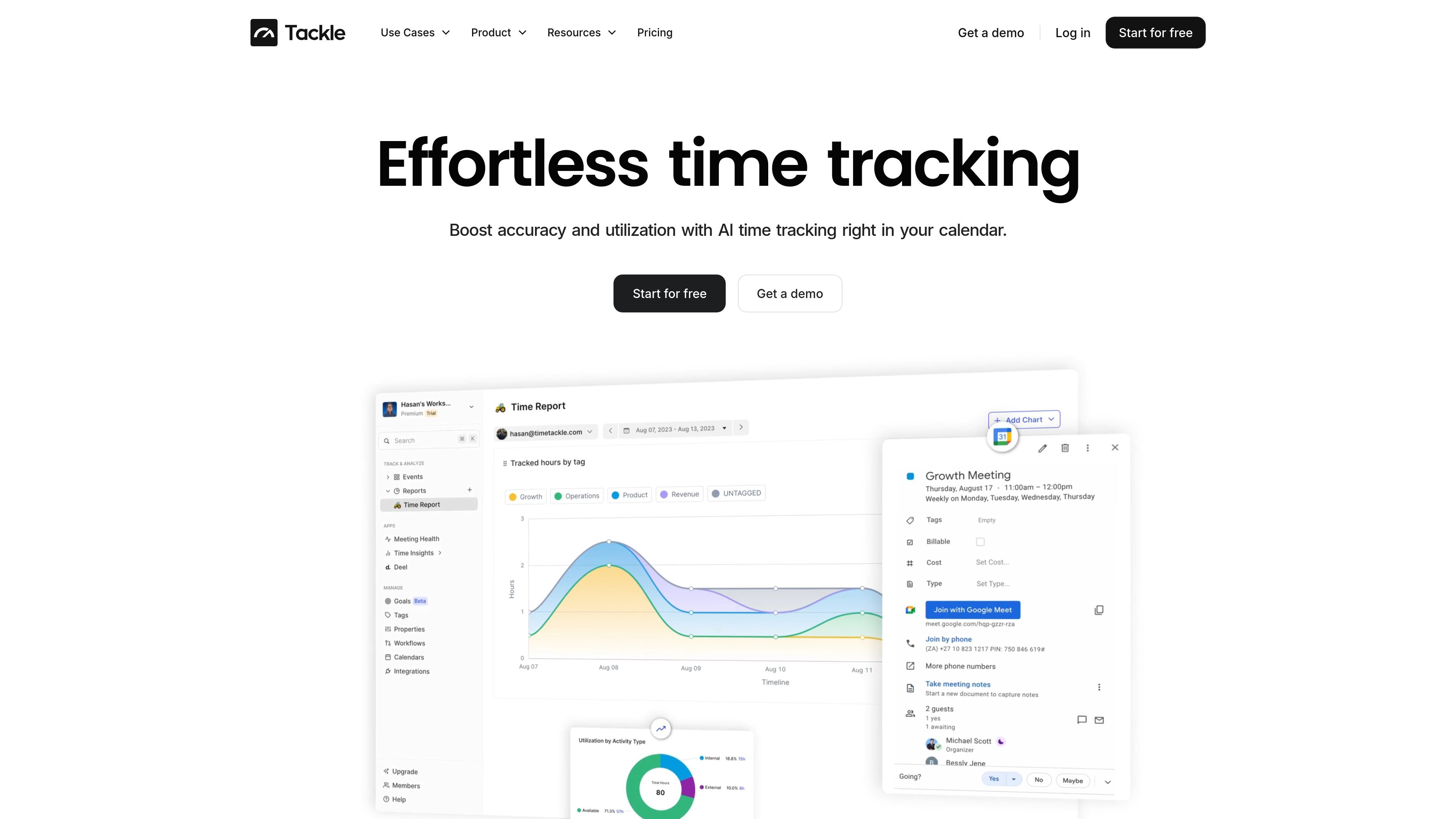
Tackle is a time tracking and productivity analytics platform built around Google and Outlook calendars. It captures calendar activity, lets users classify events with custom tags and properties, and turns the resulting data into reports, dashboards, and planning insights. Teams can use it to review how time is spent, monitor client and project work, assess meeting patterns, and align schedules with goals.
Connect Google or Outlook calendars to capture activities and track time directly from the calendar workflow.
Add tags and properties to calendar events so activities can be categorized for analysis, reporting, or project tracking.
Use charts, graphs, dashboards, filters, and segments to examine time spent, meeting patterns, people, organizations, and potential time sinks.
Create reports for attendance, billable hours, and operational analysis, then export data in formats including Excel, CSV, and PDF.
Apply rule-based tagging and use AI-powered tags to reduce manual classification, with a workflow builder for repetitive tracking and reporting tasks.
Set time-based goals, sync calendar data with Google Sheets, connect CRM systems, and use API or custom integrations where supported by the plan.
Track time across clients and projects, review operational effort, support billable-hour reporting, and connect time data with billing workflows.
Review how team calendars are allocated across work, meetings, and projects to improve visibility into capacity and delivery effort.
Audit calendar activity, compare time spent with organizational priorities, and identify space for strategic work and personal commitments.
Analyze time invested in prospects and opportunities, compare activity across team members, and assess which sales activities contribute to revenue work.
Monitor time by property or project, apply hourly rates for invoicing, and balance team allocation across concurrent engagements.
The product supports integrations with Google Calendar and Outlook calendars. It also lists CRM connections and Google Sheets synchronization.
Yes. Tackle describes automatic activity capture, rule-based tagging, browser extensions, workflow automation, and AI-powered tagging as parts of its time tracking workflow.
You can analyze calendar activity in dashboards and charts, create custom reports, export data, review billable hours or attendance, and use insights for goals, staffing, and schedule planning.
Yes. The product is designed for team reporting and shared productivity analysis, with use cases covering agencies, executives, customer-facing teams, product and engineering teams, and property managers.
Os dados de tráfego são apenas para referência.
