
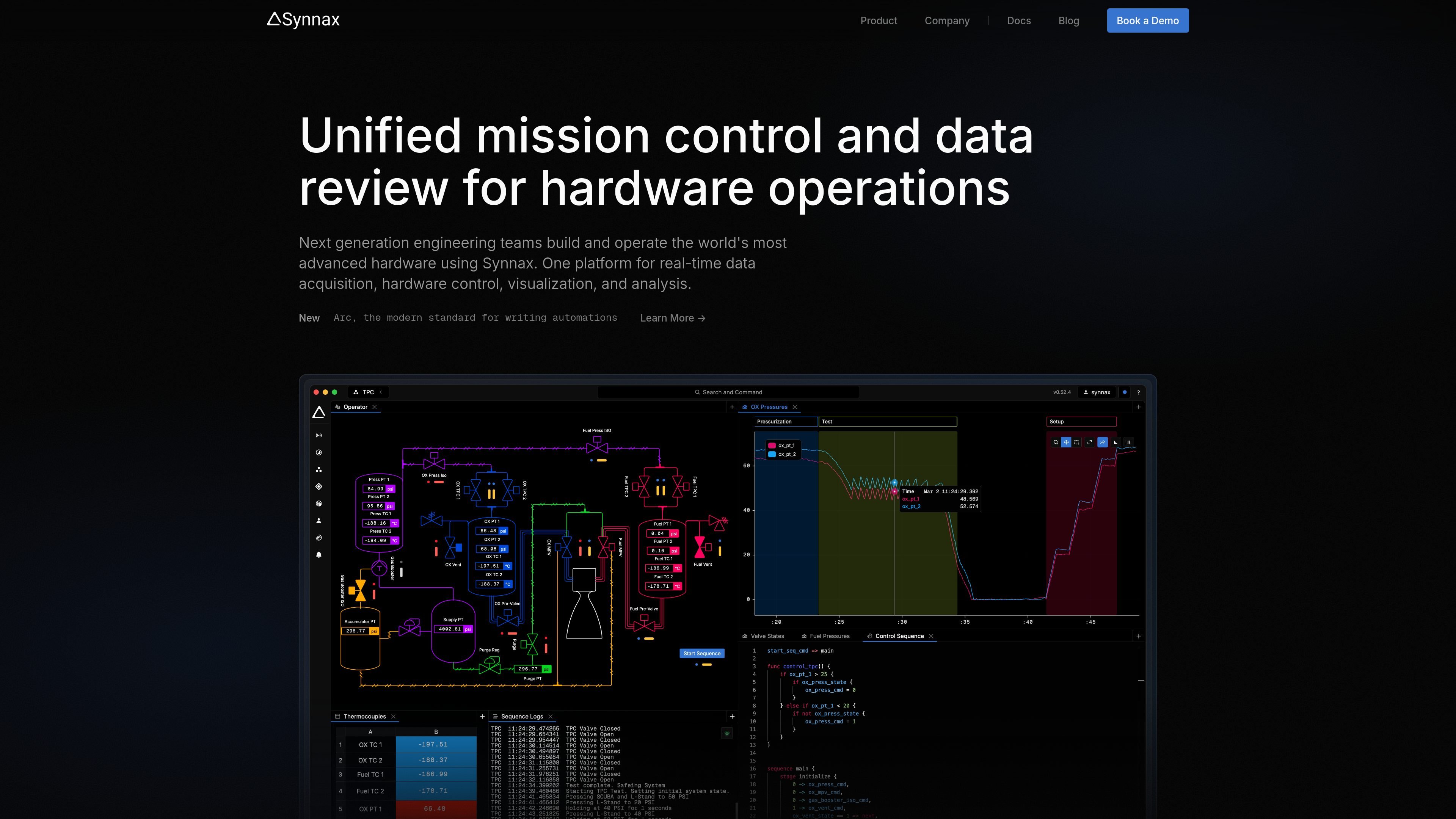
Interactive schematics and telemetry plots
Bind valves, sensors, and actuators to hardware channels on a visual canvas without programming. Plot live and historical telemetry, then pan, zoom, and annotate data with sub-millisecond precision.

Data acquisition, hardware control, and telemetry analysis for engineering teams.
Synnax is a platform for engineering teams that test and operate advanced hardware. It brings real-time data acquisition, hardware control, visualization, and analysis into one console, connecting live operations with later data review.
Teams can configure instrumentation, monitor system state, run automated procedures, and investigate recorded telemetry within the same environment. Its integrated storage engine retains high-rate channel data, while client libraries support custom applications and external processing.
Bind valves, sensors, and actuators to hardware channels on a visual canvas without programming. Plot live and historical telemetry, then pan, zoom, and annotate data with sub-millisecond precision.
Arc, Synnax’s hardware automation language, defines staged sequences and manages control authority. Deploy procedures to real-time hardware at rates up to 5 kHz, with manual handoffs and prioritized emergency overrides.
Store kilohertz-rate data from thousands of channels. Mark runs, events, and anomalies as named time ranges, attach metadata, and nest ranges into hierarchies to keep data traceable.
Attach Arc expressions to channels for calculations on live or historical samples. Stateful variables and vector math support workflows such as unit conversion, sensor voting, and FFT analysis.
Connect sources, conditions, and actions in a visual node editor. A unified status bar displays alarms alongside device and system health indicators.
Connect hardware through native drivers, including support for OPC UA, Modbus, and EtherCAT. Configure channels, sample rates, and physical signal mappings from one interface.
Connect acquisition devices, assign logical names to signals, and verify instrumentation through live dashboards before running a test.
Sequence pressurization, timed holds, and venting using sensor thresholds, with abort procedures and operator intervention available during execution.
Compare runs side by side and drill into unusual telemetry using annotated plots and event ranges to locate the relevant operating interval.
Use client libraries to connect AI models, external controllers, custom dashboards, or test runners to stored data and live streams.
Connect hardware to the Synnax cluster, configure channels and sample rates, and map physical signals to logical names. Teams can then stream telemetry and send actuator commands from the console.
Synnax provides native client libraries for Python, TypeScript, and C++. The website demonstrates streaming, writing, and reading channel data with its Python client.
Synnax’s contact form accepts requests for detailed pricing and product demos.
Os dados de tráfego são apenas para referência.
