
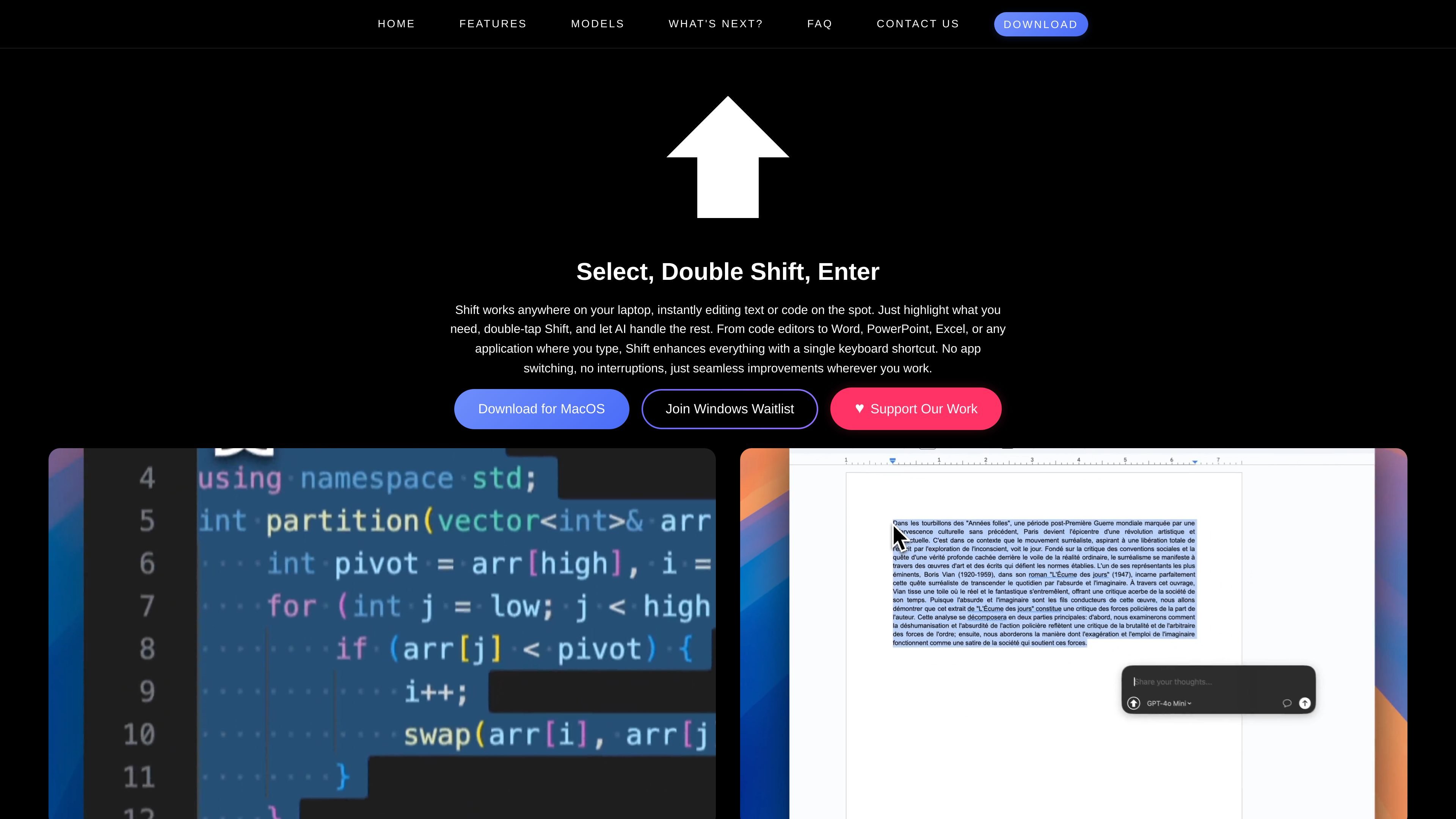
Quick Edit Mode
Select text in any application, double-tap the right Shift key, enter a prompt, and have the rewritten output replace the selected text directly in place.

Shift é um editor de texto e código para Mac que reescreve conteúdo selecionado com IA.
Shift is a text and code editing tool that works across applications on a Mac. It lets users highlight content, invoke the app with a double-tap of the Shift key, and ask an AI model to rewrite, generate, or refine the selected text without switching apps.
The product is built for people who want in-place editing in tools they already use, including code editors and common office apps such as Word, PowerPoint, and Excel. It also supports reusable contexts, chat-style follow-up, custom shortcuts, and prompt libraries for more structured workflows.
Select text in any application, double-tap the right Shift key, enter a prompt, and have the rewritten output replace the selected text directly in place.
Add up to four context blocks, keep them across prompts, and optionally clear them after each prompt so longer tasks can preserve relevant background.
Hold the right Shift key or use the chat icon to switch into a conversation-style workflow, with local chat history and optional memory retention.
Create unlimited custom shortcuts in Settings using double-press, two-key, or three-key combinations, and map them to a model, prompt template, or library selection.
Store reusable prompts, organize them into categories, and attach documents for longer instructions that need to be reused across tasks.
Use your own API keys for supported providers, including OpenAI, Anthropic, and Google, with cost and usage control handled in the app.
Revise sentences, paragraphs, or drafts directly in the app where they were written, which is useful when you want to polish copy without copying it into another tool.
Prompt an AI model to explain, transform, or rewrite code while staying in your editor, reducing context switching during development work.
Keep source material in a context block when a prompt depends on earlier text, such as notes, requirements, or a longer passage that needs continuity.
Maintain a running conversation about selected text when the task needs back-and-forth refinement rather than a single rewrite.
Save recurring instructions or specialized prompts in the library so repeatable workflows can be launched from custom shortcuts.
Shift is compatible with macOS and uses a keyboard shortcut to activate. The source says users download the app, sign up with an email or Google account, subscribe, grant accessibility permissions, and then start editing by double-pressing the right Shift key.
The source states that Shift is currently compatible with macOS. A Windows version is mentioned as coming soon, and the homepage also offers a Windows waitlist.
Shift can edit text or code inside any application where you type, including code editors, Word, PowerPoint, and Excel. It works by selecting text, opening Shift with a shortcut, entering a prompt, and replacing the selected text with the AI-generated result.
Shift uses a transparent pricing model with a base subscription and usage-based charges. The homepage says the base subscription is $6.99 per month and that usage fees are billed on actual token use, but the missing pricing page means the publicly available pricing details are limited to the homepage text.
Yes. The source says you can use your own API keys for OpenAI, Anthropic, and Google, and that the keys are stored securely in macOS Keychain and not transmitted to Shift's servers.
Os dados de tráfego são apenas para referência.

humanizeai.io
Humanize AI é uma ferramenta online de humanização de texto com IA e um assistente de escrita que reescreve textos gerados por IA de forma mais natural, preservando o significado e as palavras-chave. Também oferece ferramentas de escrita relacionadas, vários modos de reescrita e opções para fixar palavras-chave.

superhumanizer.ai
Humanizador de texto com IA que reescreve conteúdos naturalmente sem alterar o significado.

aihumanizer.ai
AI Humanizer é uma ferramenta baseada na web que reescreve textos gerados por IA para que soem mais naturais. Oferece um plano gratuito e opções pagas para quem deseja humanizar conteúdo, preservar seu significado e trabalhar em mais de 50 idiomas, segundo a descrição do serviço.

editgpt.app
Editor de escrita com IA para revisar, reescrever e acompanhar alterações com ChatGPT

humanizeai.com
Humanize AI é uma ferramenta web que reescreve textos gerados por IA para torná-los naturais e semelhantes aos escritos por pessoas, oferecendo também detecção, verificação gramatical, checagem de plágio e paráfrase para escritores, estudantes, profissionais de marketing e equipes.

naturalwrite.com
Natural Write é um assistente de escrita com IA baseado na web para humanizar, detectar, parafrasear e aprimorar textos. Ajuda estudantes, redatores de SEO, pesquisadores e candidatos a emprego a revisar conteúdos gerados por IA ou rascunhos antes da publicação ou entrega.