
AI stop import from text, files, and images
Add stops by pasting addresses, uploading a spreadsheet, or snapping a photo. Routerra’s AI extracts addresses from lists, manifests, package labels, and screenshots so you can skip manual entry.

Routerra planeja rotas de entrega com várias paradas, importação, otimização e navegação no Google Maps, Waze ou Apple Maps.
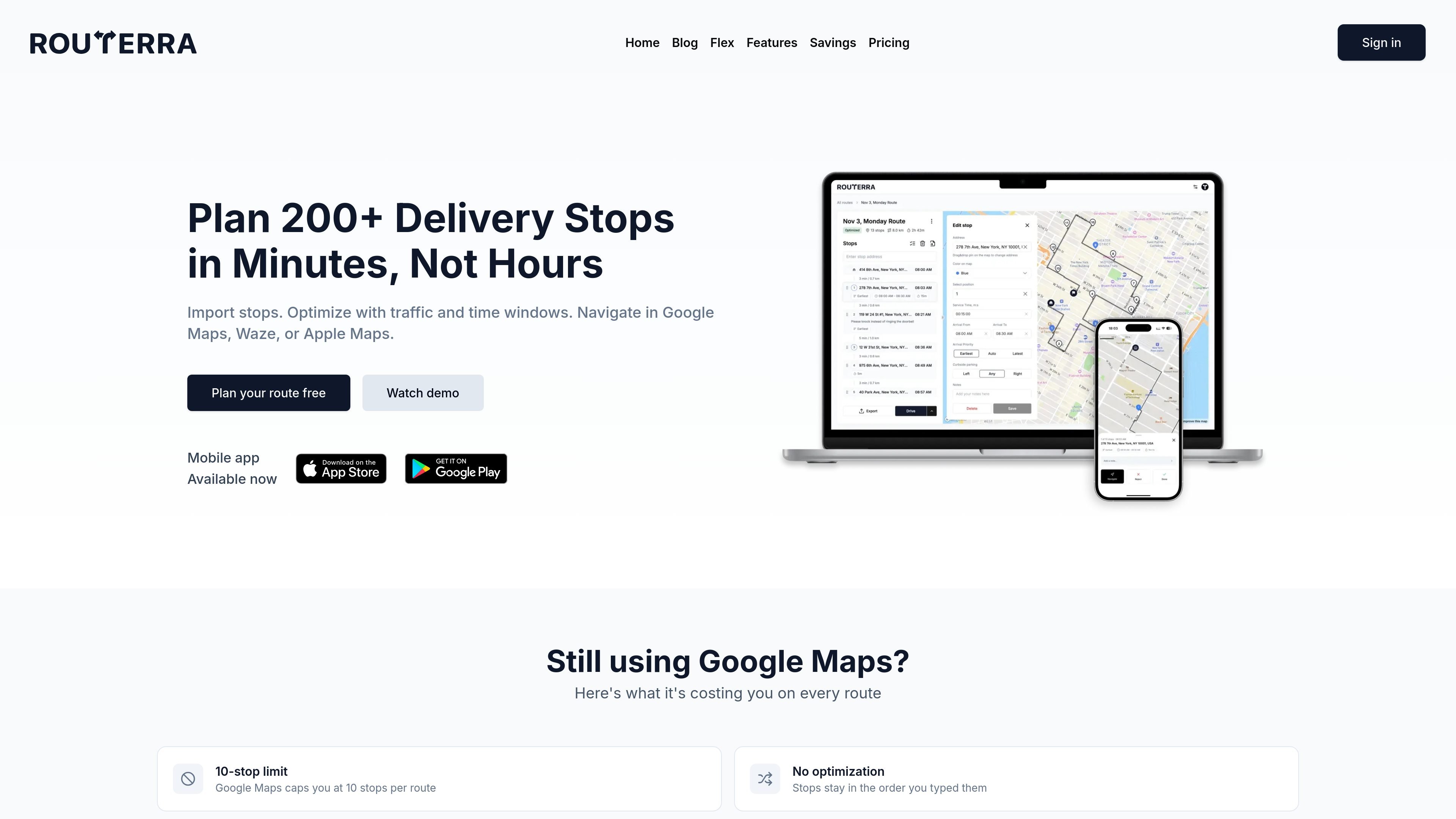
Routerra is a multi-stop delivery route planner built for drivers and small businesses that need to organize many stops quickly. It turns lists, spreadsheets, and photos into route-ready stops, then optimizes the order with traffic, time windows, and other routing constraints.
The product is positioned for delivery drivers, Amazon Flex users, couriers, and businesses that need to plan routes on desktop and navigate on mobile. It supports handoff to Google Maps, Waze, or Apple Maps and offers both a free plan and paid options for higher stop limits and AI import.
Add stops by pasting addresses, uploading a spreadsheet, or snapping a photo. Routerra’s AI extracts addresses from lists, manifests, package labels, and screenshots so you can skip manual entry.
Optimize routes with live or real-time traffic, time windows, priorities, service times, vehicle type, and avoid settings. The optimizer can build routes around the constraints you set.
Reorder stops manually when plans change. You can drag stops, select positions, and adjust the route before exporting or driving it.
Send routes to Google Maps, Waze, or Apple Maps, or export as CSV, XLSX, PDF, or a read-only link. That keeps the route usable for both solo drivers and teams.
Use Drive Mode to step through stops, mark deliveries completed or skipped, add notes, and jump to any location in the route. It supports on-the-road status tracking without leaving the route view.
Set defaults for start location, service time, optimize-by preference, vehicle type, and road-avoidance rules so recurring routes follow the same setup.
Paste or upload a stop list, optimize the order, and launch the route in a navigation app. This is the main workflow for drivers who want to save time before a shift starts.
Import stops from screenshots in the Flex app, optimize the route, and follow a sequence that reduces backtracking. The site specifically highlights this scenario for Amazon Flex drivers.
Plan a route on desktop, then use Drive Mode to navigate stop by stop on the road. This fits couriers and field workers who need both planning and execution in one flow.
Set arrival windows, priorities, and service times for stops such as appointments or customer deliveries. The route optimizer uses those constraints when building the order.
Use read-only links, CSV/XLSX exports, or PDF output when a route needs to be shared or kept outside the app. The site presents these options for teams and operational handoff.
Routerra lets you add stops from a pasted list, spreadsheet, or photo, then optimize the route and send it to Google Maps, Waze, or Apple Maps for navigation.
The source shows a free plan with up to 20 stops per route and a Pro plan starting at $8 per month for 200 stops, AI import, and traffic-aware optimization. Annual billing is also offered for Pro.
Yes. Routerra’s route-planning workflow is designed to work on desktop and then hand off navigation to a phone through Google Maps, Waze, or Apple Maps.
The feature pages and home page show imports from text lists, spreadsheets such as CSV and Excel files, and images or screenshots that AI can read into stops.
The product site presents Routerra as a delivery route planner for multi-stop delivery routes, Amazon Flex drivers, couriers, small business delivery, and field service or sales routes.
Os dados de tráfego são apenas para referência.