
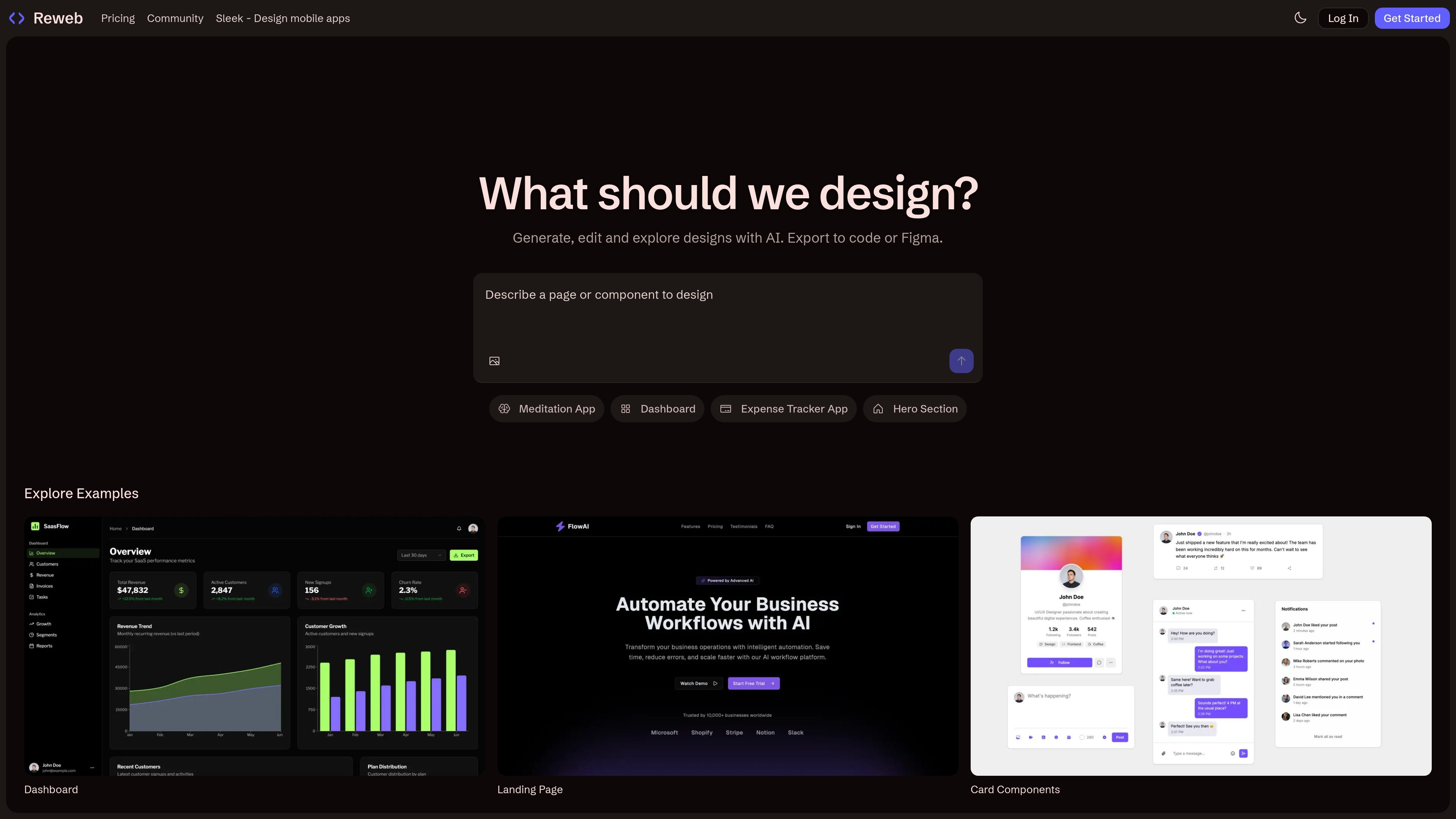
AI-assisted design generation
Create or explore designs with AI instead of starting from a blank canvas. The homepage presents examples such as a meditation app, dashboard, expense tracker app, hero section, landing page, and card components.

Ferramenta de design com IA para Figma que transforma capturas em designs editáveis e exporta UI para Figma ou código
Reweb is an AI design tool for Figma that helps turn screenshots into editable designs, generate UI with AI, and export work as production-ready React components. Its homepage positions the product around generating, editing, and exploring interface designs with AI, rather than around general-purpose image generation.
The product is aimed at UI and product design workflows where a user wants to move from an idea, screenshot, or example into something editable and exportable. The site also shows example layouts such as a meditation app, dashboard, expense tracker app, hero section, landing page, and card components, which suggests Reweb is oriented toward practical interface building tasks.
Create or explore designs with AI instead of starting from a blank canvas. The homepage presents examples such as a meditation app, dashboard, expense tracker app, hero section, landing page, and card components.
Turn screenshots into editable designs. This is the central promise described in the product metadata and positions the tool around design-to-editable workflows.
Edit existing work with AI. The homepage copy says you can generate, edit, and explore designs with AI, which suggests Reweb is meant for iterative UI work rather than one-off generation.
Export designs to code or to Figma. The pricing page specifically mentions export to Figma and export to code, and the product description says it produces production-ready React components.
Use plan-based credits for AI work. The pricing page distinguishes free, Pro, and Team access with limited or higher AI usage, making credits part of the product workflow.
Support collaboration on team plans. The pricing page calls out team collaboration and centralized billing as part of the Team tier.
Use Reweb when you already have a screenshot or visual reference and want to turn it into an editable design instead of recreating the interface manually.
Generate new UI sections such as landing pages, dashboards, hero sections, or card components with AI and then refine them in the same workflow.
Move from design to implementation by exporting production-ready React components or exporting back to Figma when the work needs to stay in a design tool.
Use the Team plan when multiple people need to collaborate on UI work and keep billing centralized.
Start on the free plan to explore the workflow before moving to a paid plan for more credits or collaboration.
Reweb offers a free plan, and its pricing page also lists paid Pro and Team plans for higher usage and collaboration needs.
The pricing page says you can change or cancel your plan at any time.
The pricing page indicates that Reweb supports exporting designs to Figma and to code.
If you use up your AI credits, Reweb’s pricing page indicates you can purchase additional credits or upgrade your plan.
The Team plan is described as including team collaboration and centralized billing.
Os dados de tráfego são apenas para referência.

www.ditto.site
Ditto é um clonador de sites de código aberto que transforma uma URL pública em código componentizado para Next.js ou Vite. Oferece uma base determinística e editável para criadores, com self-hosting, API hospedada ou MCP.

launched.site
Criador de sites com IA para criar páginas editáveis e monetizáveis rapidamente

mobirise.com
Criador de sites offline gratuito para Windows e Mac com prompts de IA, blocos de arrastar e soltar e exportação de código

unicornplatform.com
Criador de sites com IA e sem código para landing pages, blogs e diretórios

codedesign.ai
Criador de sites com IA para criar, hospedar e exportar sem código

spreadsimple.com
Crie sites sem código a partir do Google Sheets para catálogos e lojas