
Meeting notes with delivery context
Notes produces summaries, decisions and next steps, and can add meeting structure and observations about the recording user's own delivery. It supports Zoom, Microsoft Teams, Google Meet and in-room recording.

Social AI agents for meeting notes, conversation practice and coaching feedback.
PokaMind is a suite of social AI agents for meetings, conversation practice and coaching. Its shared layer adds context about how a person communicated—such as pace, vocal tone and, when enabled, the speaker’s own accent or on-camera body language—to the work each agent returns. The agents have separate jobs: Notes prepares meeting records, Practice simulates the other side of a conversation, Coach turns an instructor’s voice note into individual written feedback, and EMORI is a desk robot for spoken practice that is in pilot. Sessions are started by a person; the system does not join calls on its own. PokaMind presents these signals as observable communication details, not assessments of emotion, mood or personality.
Practice and Notes are listed for web and Android. Notes for iOS is marked coming soon, while EMORI is in pilot. Contact PokaMind through its demo route to discuss the product and access requirements.
Notes produces summaries, decisions and next steps, and can add meeting structure and observations about the recording user's own delivery. It supports Zoom, Microsoft Teams, Google Meet and in-room recording.
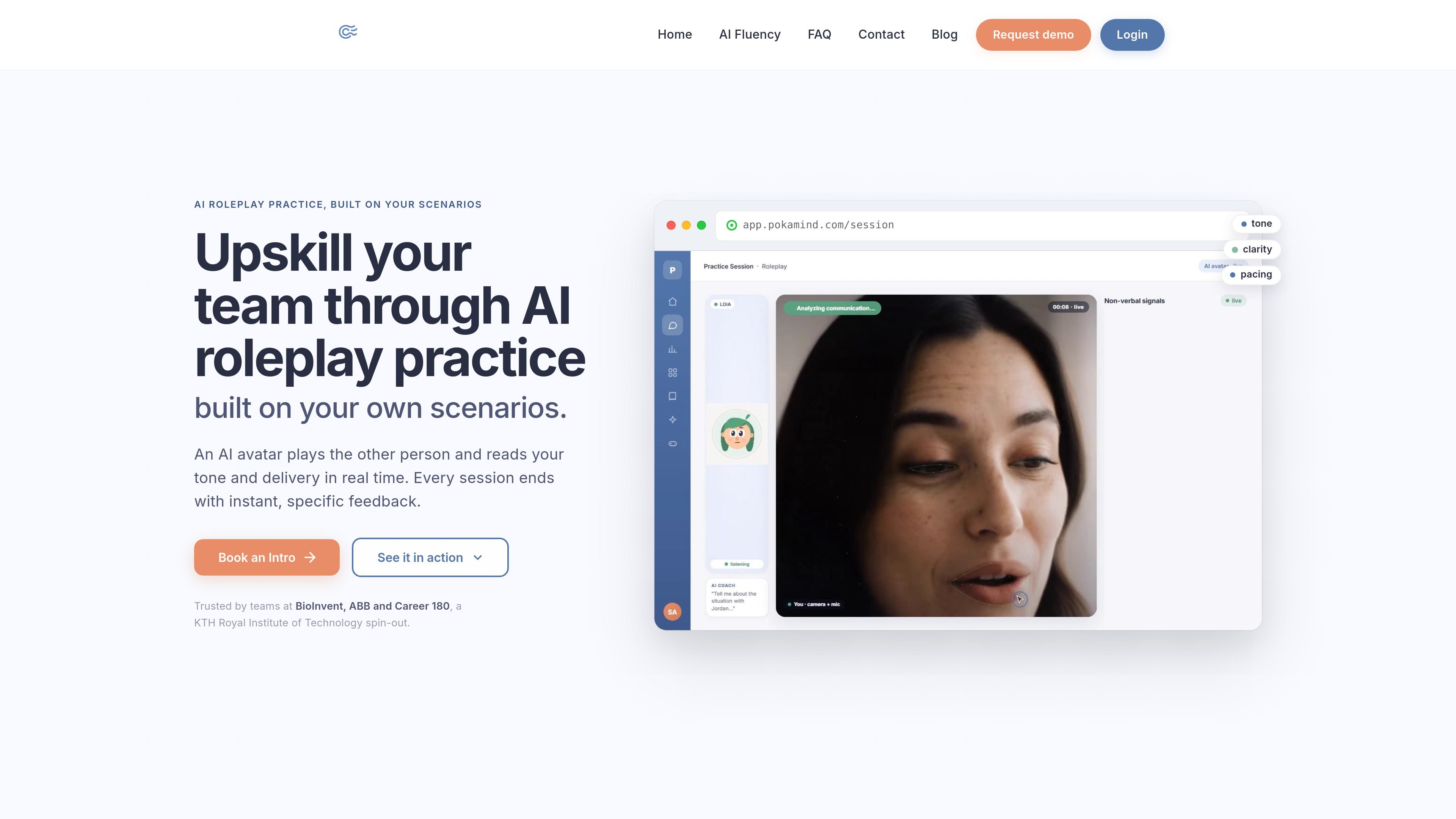
Practice plays the other person in a rehearsal and returns a breakdown of the user's delivery, including pace, vocal tone and optional accent-practice guidance.
Coach converts an instructor's voice note into a note for each person. The coach checks each draft before it is sent; the source says only the text is kept, not the voice recording.
The shared layer can report observable signals such as pitch, pace, words and on-camera body language. Accent feedback concerns the user's own speech and can be turned on; the system says it does not infer emotions or personality.
Users can share context with Claude, ChatGPT or Microsoft Copilot through MCP, and send notes to Slack, Salesforce or HubSpot. Users choose what to share and can disconnect the assistant connection.
Notes can capture recorded online or in-room meetings, produce notes in nine listed languages, and provide a translated copy for a reader who needs another language.
Use Notes to capture decisions, next steps and unresolved questions, then revisit how discussion and follow-up unfolded across meetings.
Use Practice to simulate a negotiation or other difficult exchange and identify delivery details to adjust before speaking with the real counterpart.
An instructor can record a post-session voice note with Coach, review the drafted individual notes, and share them with the people they coach.
Use EMORI, currently in pilot, as a desk robot for spoken roleplay and a readout of the user's delivery.
No. A person starts recording; PokaMind says its agents do not join calls on their own. Participants should be told first, and recording should not proceed if anyone objects.
Notes supports Zoom, Microsoft Teams and Google Meet, as well as recording meetings in a room using a phone or laptop.
The transcript, notes and analysis are retained; the audio is not stored. Speakers are labeled Speaker 1, Speaker 2 and so on, and you can name them. Labels can be wrong; PokaMind says it does not identify people by voice.
Yes. PokaMind connects to Claude, ChatGPT or Microsoft Copilot through MCP. Users choose the context they share and can disconnect the connection.
PokaMind describes its analysis as observable communication signals, not emotions, mood or personality. It says it does not provide per-person scores or compare people. Its stated usage rules exclude hiring, ranking and evaluating people.
Practice is for adults at work, aged 18 and over; it is not offered to schools or universities. You start a session yourself, the camera is optional, and the other side is labeled as an AI.
Os dados de tráfego são apenas para referência.

tldv.io
AI meeting notes and conversation insights for sales, product, and customer teams

avoma.com
AI meeting notes, scheduling, call coaching, and revenue insights for customer-facing teams.

www.meetjamie.ai
AI meeting intelligence for professionals and teams that turns conversations into searchable notes and follow-up workflows.

rimo.app
AI transcription and meeting notes for individuals and teams working in 60+ languages.

sowork.com
A shared virtual office for team presence, instant conversations, chat, and AI meeting notes.

jottoo.com
Jottoo is a browser-based meeting notes workspace that records or imports audio, transcribes conversations, creates structured summaries, and turns follow-ups into tasks. It is designed for people who want meeting documentation and action tracking without adding a meeting bot.