
Generate repeat patterns
Create seamless designs from text prompts or image references. The image workflow can extract a repeat from a fabric photo, product image, or sketch.

AI tools for creating and preparing seamless patterns for textile and print production.
PatternedAI is an AI-assisted surface pattern design platform for creating and preparing seamless artwork. Designers can generate repeats from text prompts, turn reference images into repeat patterns, and refine existing designs through editing, recoloring, and restyling tools. Production workflows include seam repair, resolution upscaling, mockup previews, and exports for raster or vector printing. It is intended for textile and fashion work as well as applications such as home textiles, wallpaper, packaging, and other printed products. Users can start with a one-time balance of 100 free credits; paid plans add access to selected tools and higher usage allowances.
Create seamless designs from text prompts or image references. The image workflow can extract a repeat from a fabric photo, product image, or sketch.
Recolor patterns automatically or with custom colors, restyle designs, and edit artwork to refine variations.
The seam-fixing tool addresses broken or misaligned edges so a tile can repeat more cleanly.
Upscale patterns while preserving repeat alignment, with plan-dependent enlargement limits. The site describes high-resolution PNG output at 300 DPI for Standard and Pro plans.
Convert raster patterns and illustrations into scalable vector artwork, choose the output color count, and preserve tiling when seamless mode is enabled. Export formats depend on plan and include SVG, Adobe Illustrator, or per-color TIFF files.
View patterns on product mockups and use the seamlessness checker to assess repeat behavior before production.
Generate a design direction from a prompt, then create coordinated color variations for seasonal collections or buyer review.
Upload a square PNG or JPG pattern to recolor, restyle, edit, upscale, vectorize, or repair its repeat instead of rebuilding it from scratch.
Reduce a design to a chosen color count and export supported color-separated AI or TIFF outputs for workflows that require per-color production files.
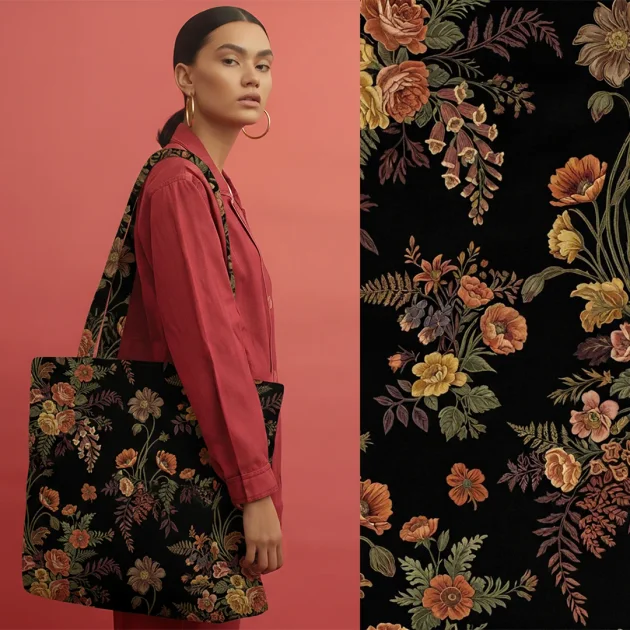
Place a pattern on available mockups to review its appearance on fashion, home decor, accessories, or packaging before printing samples.
The site states that generated patterns are royalty-free and may be used on unlimited commercial products.
Uploads are private and are not shared or used for training. Generated patterns are private on Pro and Business plans; selected text-generated designs on Standard may appear in the public gallery.
PNG is available for raster production. Depending on plan, exports also include SVG, Adobe Illustrator files, and individual color TIFFs in a ZIP folder. The site describes the AI and TIFF outputs as supporting color-separated workflows.
Yes. Square PNG or JPG patterns can be uploaded for editing and preparation. The vectorizer also accepts PNG, JPG, and WEBP, and can process standalone artwork with seamless mode turned off.
New users receive 100 free credits once. Credits reset each billing cycle and do not roll over; some tools require a paid plan even when credits remain. The pricing page lists separate Standard, Pro, and Business feature and monthly credit allowances.
Os dados de tráfego são apenas para referência.
