
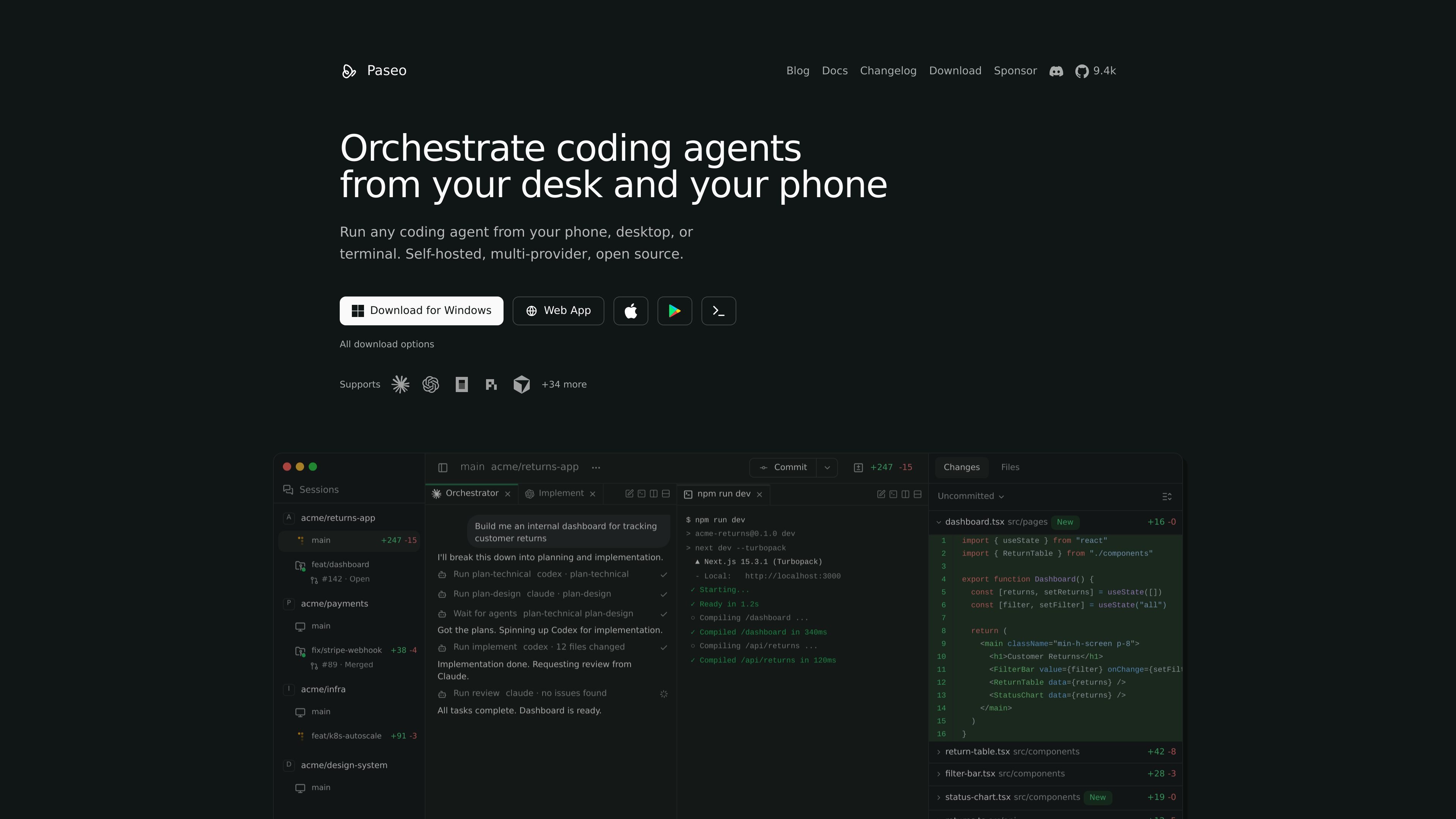
Run agents on your machine
Start agents on a laptop, VM, or dev server and connect from desktop, web, mobile, or CLI. The daemon keeps the agent running on the machine where your code and tools already live.

Paseo executa agentes de código localmente e permite controlá-los de qualquer dispositivo.
Paseo is a self-hosted daemon for running coding agents such as Claude Code, Codex, Copilot, OpenCode, Cursor, Gemini CLI, and Pi on your own machine. It lets you start and manage agents from phone, desktop, web, or terminal while the work stays in your local dev environment.
The product is built around remote control rather than cloud execution. According to the site and docs, agents run locally, can be connected through a direct link or an end-to-end encrypted relay, and can be launched in optional git worktrees for isolated feature work. Paseo also includes a local voice workflow and a CLI for scripting agent operations.
Start agents on a laptop, VM, or dev server and connect from desktop, web, mobile, or CLI. The daemon keeps the agent running on the machine where your code and tools already live.
Use Claude Code, Codex, Copilot, OpenCode, Pi, and other supported agents through Paseo without replacing their native harnesses. The site says your subscriptions, skills, config, and MCP servers keep working.
Launch tasks in isolated git worktrees when you want parallel work or branch-specific changes. The CLI docs show worktree support for feature development and for keeping agent work separate from your main directory.
Review diffs inline, preview the app in the browser, commit, open a PR, and merge from the same workspace. Paseo is positioned as a place to manage the full review-to-ship flow.
Use the built-in relay or connect directly to a remote daemon. The docs say the relay is end-to-end encrypted and that you can also use your own tunnel or local network access.
Control the app from the terminal with commands such as `paseo run`, `paseo ls`, `paseo attach`, `paseo send`, and `paseo logs`. The CLI is the same interface exposed by the daemon API.
Launch an agent on your laptop or VM, then keep checking progress from a phone, browser, or desktop app without staying at the machine.
Run multiple feature branches in separate worktrees so different agents can work in parallel without stepping on the same files or port.
Use the CLI in scripts or lead-agent workflows to start tasks, wait for completion, stream output, and send follow-up instructions.
Preview a branch in the browser, inspect diffs inline, and then commit, open a PR, and merge after review.
Use local speech input and output to talk to an agent without sending your code off machine, then optionally connect speech providers if configured.
Yes. Paseo is free and open source. The site says you need Claude Code, Codex, Cursor, OpenCode, or Pi installed with your own credentials.
Paseo runs agents locally on your machine and says it does not send your code anywhere. For remote access, you can use the optional end-to-end encrypted relay, connect on your local network, or use your own tunnel.
Paseo supports Claude Code, Codex, Cursor, OpenCode, Pi, and additional agents listed on the supported agents page. The docs also say any ACP-compatible agent can be configured.
No. The CLI docs say Paseo can run headless, and the desktop app just bundles the daemon with a UI. You can use the CLI, web app, or mobile app to connect.
By default, voice runs locally on your device: the app transcribes speech and sends it to your agent as text. The site also says OpenAI speech providers can be configured optionally for transcription and text-to-speech.
Os dados de tráfego são apenas para referência.

conductor.build
Conductor é um app para Mac que executa agentes do Claude Code, Codex e Cursor em paralelo, em espaços de trabalho isolados, para delegar tarefas, revisar diffs e fazer merges localmente.

voidleap.com
Voidleap Code é um IDE para desktop voltado a desenvolvedores profissionais e engenheiros de IA que criam software com agentes de IA. Ele é executado localmente no Mac e no Windows, oferece suporte a contas de provedores de nuvem ou modelos locais e permite inspecionar e controlar prompts, chamadas de ferramentas, contexto e alterações em arquivos.

ollama.com
Execute modelos abertos localmente ou na nuvem para programação, automação, análise e fluxos de agentes.

agents.craft.do
Craft Agents é uma aplicação desktop de código aberto para trabalhar com agentes de IA, conectando modelos, APIs, servidores MCP, ficheiros locais e um navegador integrado.

e2b.dev
E2B executa agentes de IA em sandboxes isolados com SDKs de Python e JavaScript para pesquisa, programação e análise de dados.

coder.com
Coder executa agentes de programação com IA e ambientes de desenvolvimento na sua infraestrutura.