
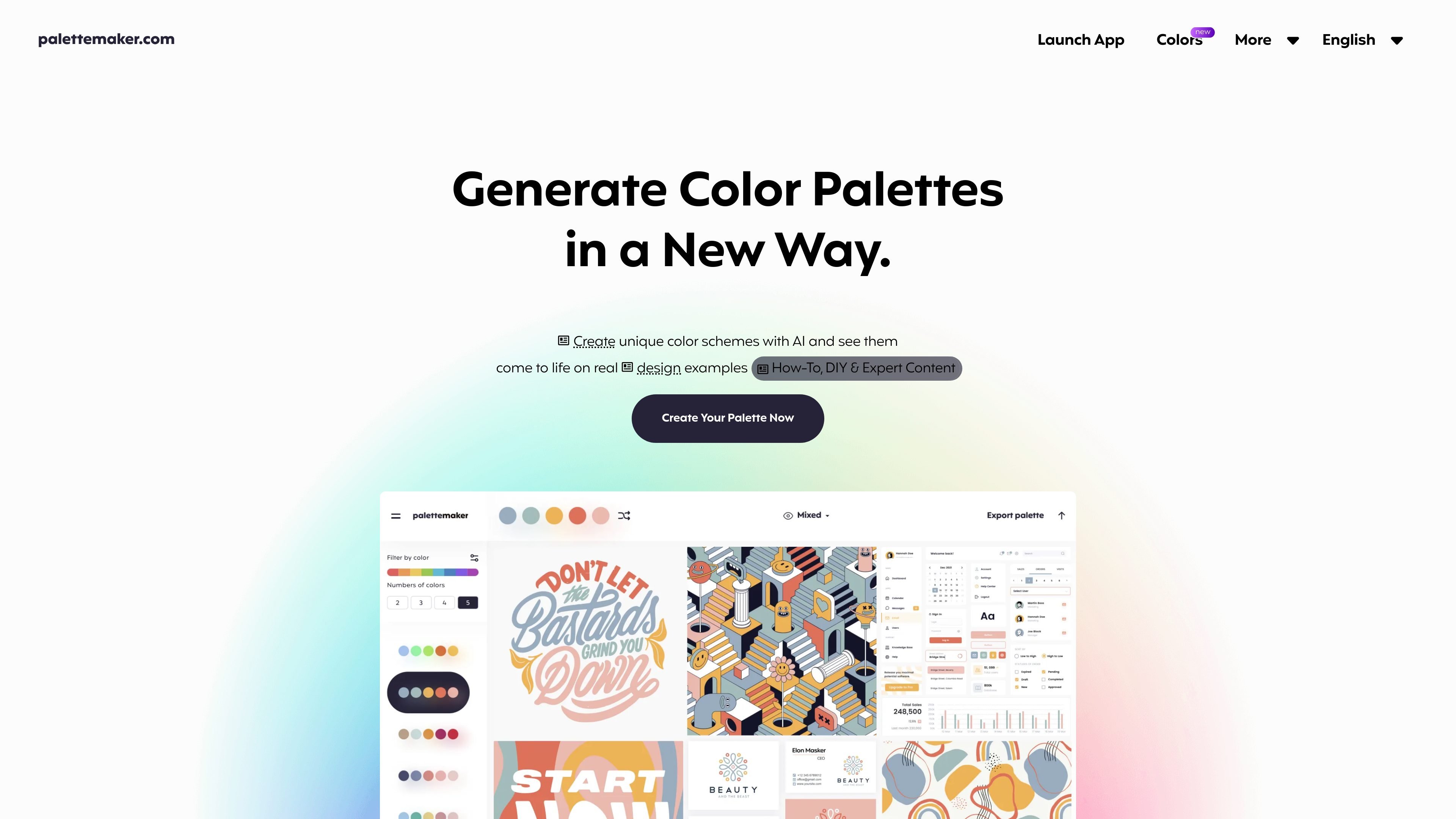
Preview palettes on design examples
Apply a color scheme to pre-made examples in fields including logos, UI/UX, patterns, posters, and illustrations to assess how the colors work in context.

Create color palettes and preview them across logo, UI, illustration, and other design examples.
PaletteMaker is a free web-based color palette tool for designers and other creatives. It helps users build color schemes and judge how they behave by applying them to pre-made examples from areas such as logo design, UI/UX, patterns, posters, and illustration. This context makes it possible to compare a palette against a design type before choosing colors for a project.
Apply a color scheme to pre-made examples in fields including logos, UI/UX, patterns, posters, and illustrations to assess how the colors work in context.
The editor supports palettes with two, three, four, or five colors, accommodating schemes with different numbers of color roles.
Change a single color cell or remove it from the palette, allowing focused edits without rebuilding the entire scheme.
Use the randomize control to explore alternate color combinations while working with the selected palette.
Browse schemes by color tone and number of colors, then apply a selected palette to the working palette.
Export palettes as Procreate files, Adobe ASE, images, or code for use in other creative workflows.
Apply a candidate palette to logo examples to see how its colors read in a branding context before settling on a scheme.
Test palette options against UI/UX examples when choosing colors for an interface, rather than judging swatches in isolation.
Preview schemes on illustration, poster, and pattern examples to assess how a combination supports different graphic compositions.
Export a selected scheme as a Procreate file, Adobe ASE, image, or code for continued use in a design workflow.
Yes. The site describes PaletteMaker as a free web app and says its current features are free to use.
Select a scheme from the palette browser to apply it, then randomize colors, change individual colors, or delete color cells.
PaletteMaker supports palettes containing two, three, four, or five colors.
The site lists Procreate, Adobe ASE, image, and code exports.
Yes. The site says the tool is intended for both designers and non-designers.
Os dados de tráfego são apenas para referência.

typogram.co
A design platform for logo creation, brand assets, and typography.

relic.space
Relic is a clipboard manager that saves what you copy, makes it searchable, and syncs your history across computers and phones. It is designed for people who need to recover text, files, images, links, and other copied material without sending it to themselves manually.