
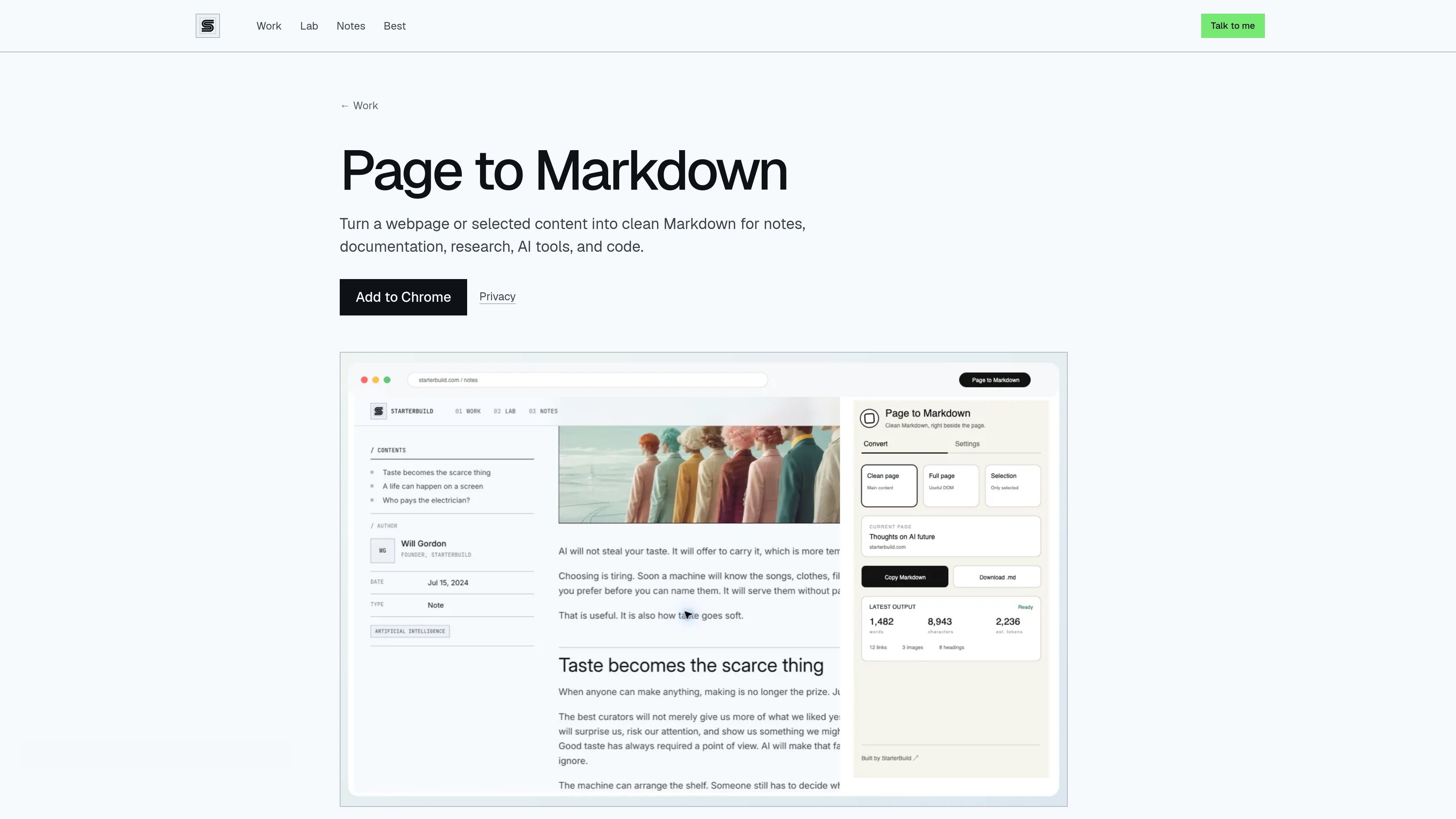
Three page conversion modes
Convert the main content, the full page, or only the text selected in the browser. Clean page mode removes navigation and other clutter, while full page mode keeps useful rendered content in reading order.

Page to Markdown is a free Chrome extension that converts webpages or selected content into clean, usable Markdown. It is designed for notes, documentation, research, AI tools, and coding workflows.
Page to Markdown is a free Chrome extension that converts webpages or selected content into clean Markdown. It can process a page’s main content, the full page, or text highlighted by the user, with output intended for notes, documentation, research, AI tools, and coding workflows.
The extension runs conversion locally in Chrome. It preserves useful structure such as headings, links, images, lists, blockquotes, tables, fenced code blocks, and expandable details when available. The resulting Markdown can be copied or downloaded as a .md file.
Convert the main content, the full page, or only the text selected in the browser. Clean page mode removes navigation and other clutter, while full page mode keeps useful rendered content in reading order.
Highlight the portion of a page you need and use Selection mode or the browser’s “Copy selection as Markdown” command.
Preserves headings, links, images, lists, and blockquotes instead of flattening the source into an undifferentiated block of text.
Tables, fenced code blocks, and expandable details are preserved when available, supporting technical notes and code-related workflows.
Send the generated Markdown to the clipboard or download it as a ready-to-use `.md` file.
Conversion takes place locally in Chrome after an explicit request. The extension has no account requirement, server, AI API, cloud sync, analytics, advertising, or runtime network requests.
Convert a clean version of an article or reference page for use in research notes without carrying over navigation and other page clutter.
Select only the relevant passage and copy it as Markdown when supplying structured webpage content to an AI workflow.
Use full-page or clean-page conversion to turn web-based instructions and references into Markdown that can be copied or downloaded for documentation.
Preserve headings, tables, fenced code blocks, and expandable details when available while extracting technical material from a webpage.
Yes. Highlight the content you need and use Selection mode, or choose “Copy selection as Markdown” from the browser’s right-click menu.
Clean page mode removes navigation and other clutter, full page mode keeps useful rendered content in reading order, and Selection mode converts only the text you highlighted.
No. Conversion runs locally in Chrome and does not send page content to StarterBuild or a third party. The extension has no server, AI API, cloud sync, or runtime network requests.
Generated Markdown remains in memory only long enough to copy or download it. Converted page content, HTML, selections, and page URLs are not stored.

www.diffbot.com
Diffbot transforms unstructured public web content into structured data for AI applications. Its APIs and agent skills support web search, page extraction, crawling, entity resolution, natural-language processing, and Knowledge Graph research.

www.valyu.ai
Valyu provides search, content extraction, answer, and DeepResearch APIs for AI agents and knowledge-work applications. It combines open-web results with financial, scientific, biomedical, legal, economic, and other specialist sources, returning cited content and research outputs.