
Screen-based lookup
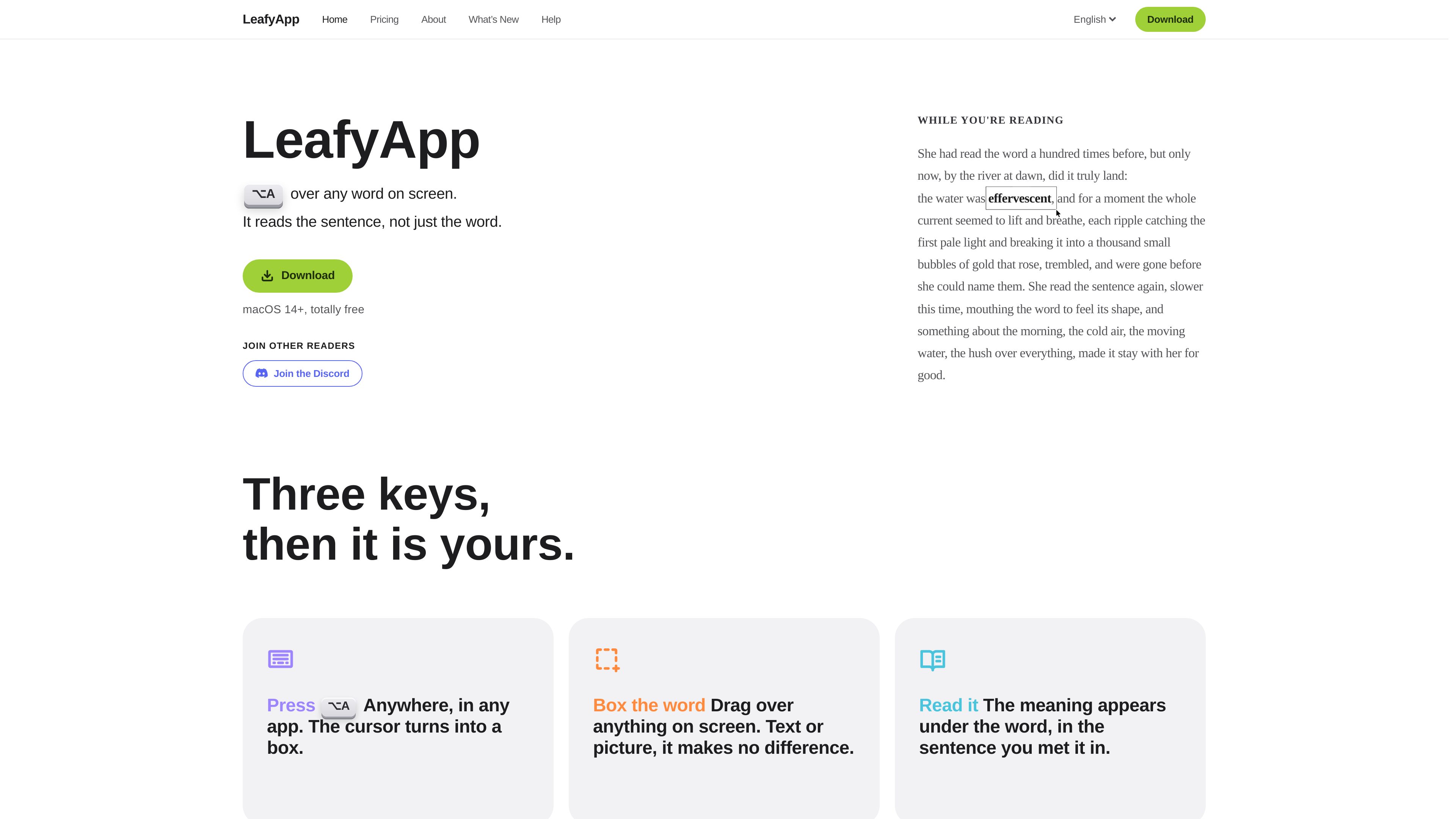
Press ⌥A and drag over a word or passage in any app. LeafyApp can work with selectable text and text embedded in images, PDFs, videos, screenshots, diagrams, and subtitles.

LeafyApp is a macOS vocabulary builder that lets readers look up words or text in images directly from the screen, save the surrounding sentence, and review the results later. It is designed for language learners and anyone reading material with unfamiliar terms.
LeafyApp is a vocabulary builder for Mac that lets readers look up words without leaving the app they are reading. Press ⌥A, drag a box around text on screen, and LeafyApp returns a definition or translation in context. The selection can come from ordinary text or from visual content such as PDFs, videos, screenshots, diagrams, and subtitles.
The app saves each lookup with the sentence it came from, along with its source and the date found. Saved words can be placed in folders for languages, courses, books, or other reading projects, then reviewed using scheduling based on FSRS-5. Existing vocabulary can be imported from common file formats or Anki exports, and saved words can be exported for use elsewhere.
LeafyApp runs from the macOS menu bar and supports macOS 14 and later. Screen Recording and Accessibility permissions are required during setup. The free plan provides 12 lookups per day, seven days of history and statistics, and CSV export; paid plans provide unlimited lookup and translation plus longer-term history and additional export formats.
Press ⌥A and drag over a word or passage in any app. LeafyApp can work with selectable text and text embedded in images, PDFs, videos, screenshots, diagrams, and subtitles.
A lookup uses the sentence where the word appeared rather than treating it only as an isolated dictionary entry. The saved item retains the surrounding sentence, source, and date.
Words are available for later review without first building a deck. LeafyApp uses the FSRS-5 scheduling algorithm, with intervals described as ranging from one hour to ten years.
Drag saved words into folders for a language, course, book, or other collection. Each folder keeps its own count, helping separate different reading projects.
Import vocabulary from CSV, TSV, Excel (.xlsx), JSON, plain text, or Anki (.apkg) files. Export options include CSV on the free plan and Anki, Excel, JSON, and PDF on paid plans.
LeafyApp runs from the macOS menu bar. Its help documentation also describes using PopClip to define, translate, and save selected text anywhere on the Mac.
Look up unfamiliar words in a webpage or book while keeping the original sentence attached to the saved vocabulary item. This supports later review based on the material actually read.
Box labels, captions, axis text, or other terms that cannot be selected in a PDF, diagram, screenshot, or video. LeafyApp reads the selected screen region instead of requiring the source to contain selectable text.
Save terminology from papers, manuals, and other dense documents into separate folders, preserving the source context for review rather than creating a bare word list.
Import an existing Anki export or other vocabulary file, then export saved LeafyApp entries to Anki. This allows words found during reading to be incorporated into an established flashcard workflow.
Use language, course, book, or custom folders to keep vocabulary collections distinct, then review the saved items through LeafyApp's scheduled system.
LeafyApp requires macOS 14 or later, plus Screen Recording and Accessibility permissions. Screen Recording lets it inspect the selected area of the screen, while Accessibility is used for its selection interface.
According to the download page, the selected picture is not saved or uploaded. A lookup sends the word and the sentence it came from. Nothing is captured until you drag a selection box.
The free plan includes 12 lookups per day. Paid monthly and yearly plans provide unlimited lookups and translation. Saved words, searching, folders, import, export, and review are described as free, without a limit on those library functions.
Yes. LeafyApp supports imports from CSV, TSV, Excel (.xlsx), JSON, plain text, and Anki (.apkg) exports. A spreadsheet template is also available, with Word as the required field and optional fields such as definition, translation, context, notes, language, and folder.
Yes. The help documentation describes sending words to Anki, and the paid plans list Anki export. The site also documents importing Anki .apkg files.
Os dados de tráfego são apenas para referência.

keysake.ai
Keysake is a Mac input method for Chinese speakers learning English. It shows relevant English expressions alongside Chinese text as you type and lets you save language from your own messages and notes for later review.

luxfall.online
Lexfall is an iPhone vocabulary app for advanced learners and native speakers who want broader command of English in general, academic, medical, legal, and business contexts. It delivers C1–C2 words through daily notifications and Home Screen and Lock Screen widgets, with contextual learning and spaced review.

praktika.ai
AI language tutors for practicing speaking, grammar, vocabulary, listening, and reading.

langbuddy.ai
LangBuddy.ai gives language learners an AI conversation partner on WhatsApp or iMessage, with in-chat corrections, text conversation and voice-note listening practice.

issen.com
ISSEN offers real-time voice practice with an AI language tutor. Choose conversation topics, adjust tutor style and review vocabulary through drills and flashcards.

lingolette.com
AI language practice for learners building speaking, reading, and writing fluency.