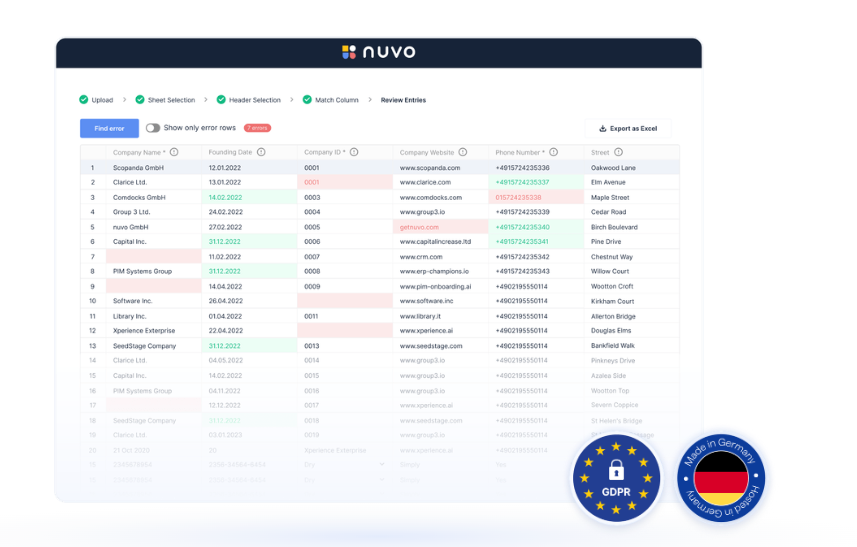
Embed a branded data importer
Add the Data Importer to a web application so customers can upload files through a self-service interface styled for your product.

Embed self-service data imports or automate file pipelines that map, validate, and clean customer files into your software’s target schema.
Ingestro helps software teams bring customer files from external sources into their products. Embed the Data Importer SDK for user-led uploads, or use Data Pipelines for scheduled and event-triggered imports from connected sources. Both workflows map incoming data to a target schema and provide validation and cleaning steps before delivery.
The Data Importer supports spreadsheet and document formats including CSV, Excel, PDF, XML, and JSON, with a white-label interface for customer-facing uploads. Data Pipelines connect file sources to a destination, run recurring or event-triggered jobs, and let teams review executions and address failed runs. Ingestro is the current name for nuvo’s data-import software; Data Importer and Data Pipelines continue under the Ingestro brand.
Add the Data Importer to a web application so customers can upload files through a self-service interface styled for your product.
AI-assisted mapping matches incoming file columns to the target data model you define for your application.
Configure validation rules, cleaning functions, and callbacks to check and transform imported records, including column merges or splits, joined sheets, and nested data.
Connect file sources and destinations, then run imports on a schedule or trigger a job when a customer sends a file through email or HTTP(S).
Review pipeline runs, address a failed execution with a one-time fix, or update the configuration for future runs.
Manage pipelines in the Ingestro user platform, embed white-label interface components, or use the API to design workflows and dashboards.
Embed an importer in a SaaS product so customers can upload spreadsheets or other files and map them into the product’s target structure.
Schedule imports from file storage or process them when customers send a file by email or HTTP(S).
Define target data models, validation rules, and cleaning steps for customer files instead of handling each format through separate manual import routines.
The Data Importer accepts CSV, Excel, PDF, XML, JSON, and other formats. Data Pipelines also handles TSV files and connects to (S)FTP, HTTP(S), AWS S3, Azure Blob Storage, Google Cloud Storage, or email.
A software team integrates the Data Importer SDK into its application so customers can upload files through a self-service interface. Data Pipelines can be managed in Ingestro’s user platform, through embedded interface components, or with the API.
AI-assisted mapping matches incoming columns to the target structure. Teams can configure validation rules and cleaning functions, then review pipeline executions and correct failed runs or update settings for later runs.
Paid plans combine a monthly base rate with usage charges based on completed imports made with a production license key. A 14-day free trial is available through sales or email or GitHub sign-up; development-license imports and testing-key activity are free.
Os dados de tráfego são apenas para referência.