
Terminal coding agent
Install Freebuff globally with npm, change into a new or existing project, and start an agent from the terminal. The CLI requires Node.js 18 or later and supports macOS, Windows, and Linux.

Freebuff is an ad-supported coding-agent suite for building and modifying software through the CLI, desktop app, web builder, or cloud workspace. It also includes an AI chat product for research and in-depth answers, with free access and optional paid plans.
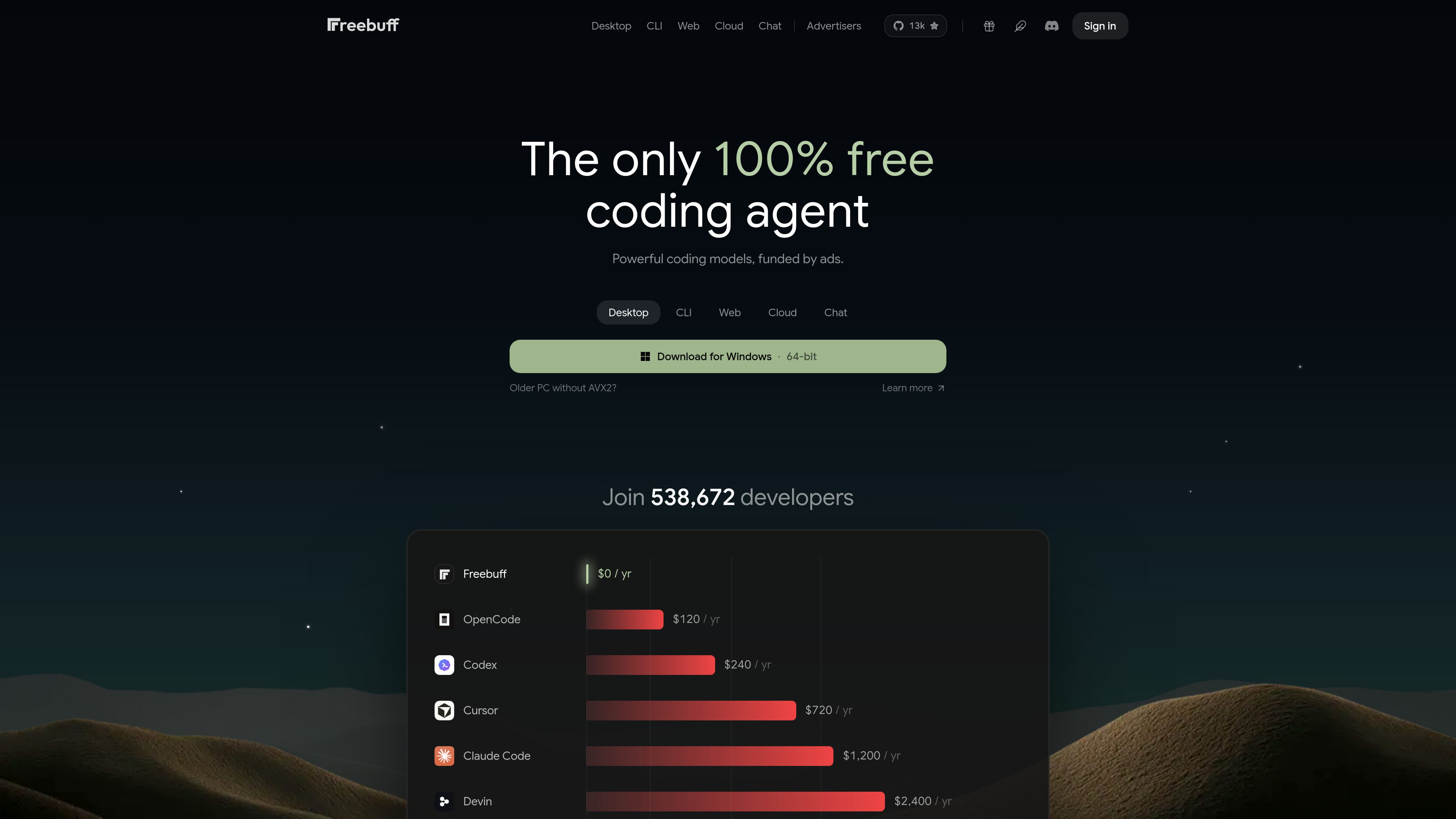
Freebuff is an ad-supported coding-agent suite for software development. It combines a terminal CLI, desktop application, prompt-based web app builder, GitHub-connected cloud IDE, and separate AI chat product. The core service is available without a subscription, API key, or credit card, subject to model allowances and other usage limits.
The products cover both new and existing projects. Freebuff Web starts an app from a prompt and provides managed hosting with a live URL, while Freebuff Cloud connects to a public or private GitHub repository and creates a cloud sandbox with an editor, terminal, real sandbox, and live preview. The CLI and Desktop products support local development, with Desktop allowing multiple agents to run in separate workspaces.
Freebuff’s free usage is funded by text ads. Users receive daily Freebucks to spend across supported models; the site notes that availability depends on country and VPN use, and that session and usage limits apply. Paid Starter, Plus, and Pro plans are also available, with plan allowances listed on the pricing page.
Install Freebuff globally with npm, change into a new or existing project, and start an agent from the terminal. The CLI requires Node.js 18 or later and supports macOS, Windows, and Linux.
Freebuff Desktop runs multiple coding agents in parallel on a computer, assigning each agent its own workspace. Installers are provided for macOS, Windows, and Linux, including platform-specific builds for Apple Silicon, Intel, Windows ARM64, older Windows CPUs, and Linux architectures.
Freebuff Web is designed for starting a new app from a prompt. It includes fully managed agentic hosting and provides the resulting app on its own URL.
Freebuff Cloud accepts public or private GitHub repositories, clones the selected project, boots a real cloud sandbox, and provides an automatically configured live preview. The workspace includes an editor, terminal, and sandbox.
Free users receive 100 Freebucks each day to allocate across available models. Allowances refill at midnight Pacific, do not carry over, and are affected by model availability, country, VPN use, and session limits.
Freebuff Chat is a separate AI chat experience for researching questions and producing answers that the site describes as deeply reasoned.
A developer can install the CLI, open an existing project, and describe a coding task without configuring a provider API key. This fits quick implementation, refactoring, or review work inside a familiar terminal workflow.
A user working on several tasks can run agents in parallel, keeping each one in a separate workspace rather than mixing changes in a single working directory.
Someone starting without an existing repository can use Freebuff Web to describe a new application, then work with the agent and access the hosted result through its app URL.
A developer or team can connect a public or private repository, let Freebuff create a sandbox and live preview, and share the preview while working on the existing codebase. Projects exported or synced from other app builders can follow the same repository-based workflow.
Users can use Freebuff Chat when they need an AI-assisted research and answer workflow rather than direct code changes in a repository.
The core Freebuff experience is offered free of charge and supported by text ads. Free usage is subject to daily model allowances, availability by country or VPN, and session or fair-use limits. Starter, Plus, and Pro paid plans are also available.
The CLI and Desktop pages state that no API key or credit card is required to start. The CLI is installed with npm, and it requires Node.js 18 or later.
Web starts a new app from a prompt and provides Freebuff-managed hosting. Cloud connects to an existing public or private GitHub repository, boots a cloud sandbox, and provides a live preview for that codebase.
Both products support macOS, Windows, and Linux. Desktop provides separate installers for several hardware and operating-system variants; the CLI runs through Node.js.
Yes. The Cloud page explicitly supports both public and private GitHub repositories. Freebuff clones the selected repository into a cloud sandbox and configures a preview.
Os dados de tráfego são apenas para referência.

thunkable.com
Thunkable is a no-code app development platform for building, testing, and publishing native iOS and Android apps. Its AI Builder lets users create and update app projects through prompts, with visual and code-based tools for further control.

superapp.dev
Superapp is an AI app builder that turns plain-English product descriptions into native Swift apps for Apple platforms. It supports browser-based building without a Mac, cloud previews, code export, and App Store publishing workflows.

v0.app
Vercel’s AI agent for teams building web interfaces and full-stack applications.
appto.store
A Mac app factory for building, preparing, publishing, and monitoring iOS apps with your own AI agent.

about.appsheet.com
Google AppSheet is a no-code platform for building business applications and automations from connected data sources. It supports desktop and mobile apps for workflows such as operations, field work, project management, human resources, sales, and marketing.

capacity.so
Capacity is an AI app-building platform for creating web, mobile, and desktop apps from plain-language instructions. Its desktop offering runs on Mac or Windows and can use Claude or ChatGPT subscriptions for building.