
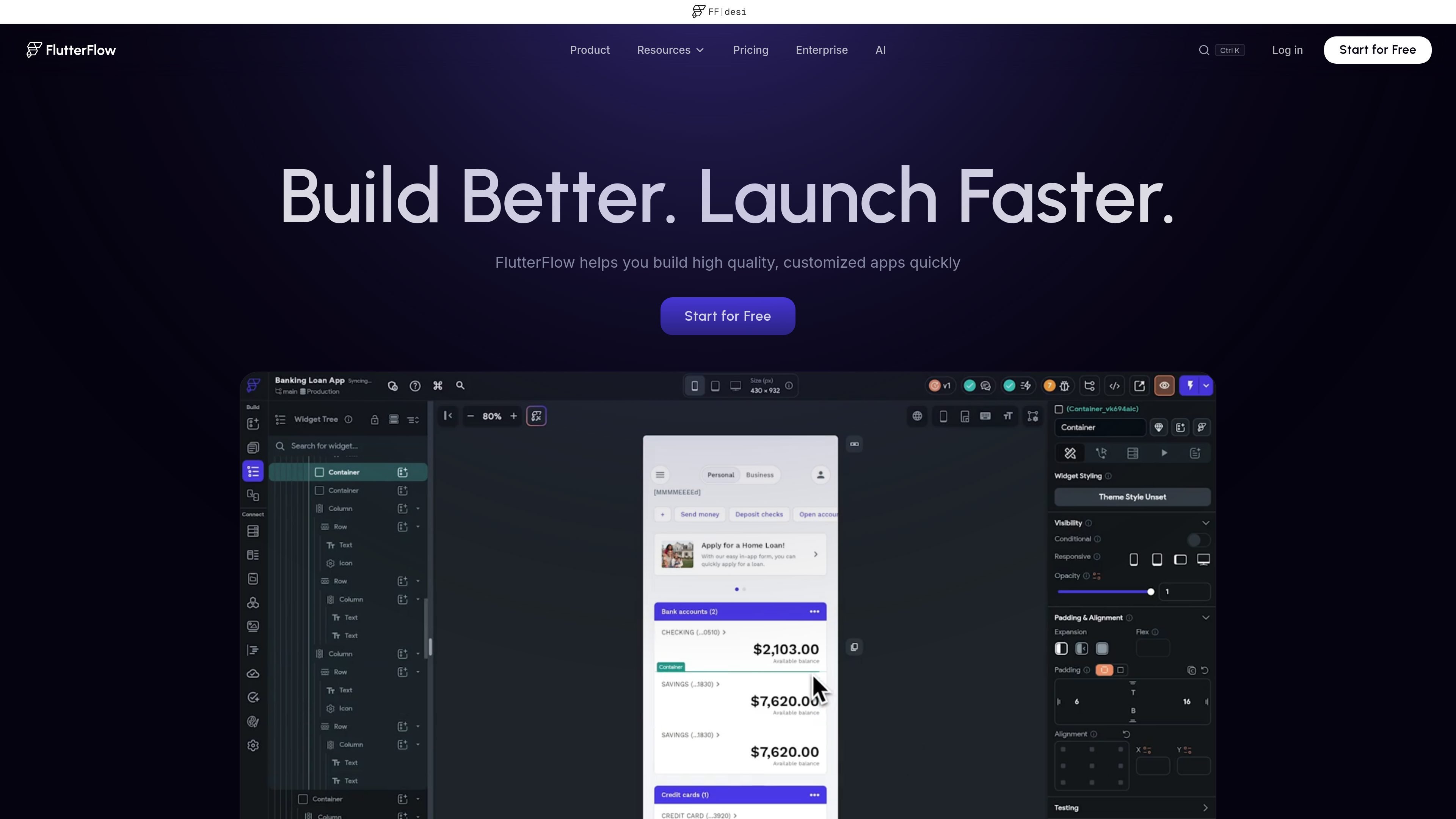
Visual UI and logic builder
Compose interfaces from more than 200 configurable UI elements, adjust widget properties, and define app behavior with the visual Action Flow Editor.

A visual development platform for building and deploying mobile, web, and desktop apps.
FlutterFlow is a browser-based visual development platform for building customized mobile, web, and desktop applications. It combines visual interface design and app logic tools with connections to data services, testing workflows, team collaboration, deployment, and downloadable source code. Teams can use it to develop responsive apps visually while retaining options to extend projects with custom Dart code and Flutter widgets.
Compose interfaces from more than 200 configurable UI elements, adjust widget properties, and define app behavior with the visual Action Flow Editor.
Connect projects to Firebase or Supabase, or work with a custom backend through REST APIs. The platform also lists integrations for payments and maps.
Extend visual projects with custom Dart functions and Flutter widgets, and write and deploy Google Cloud Functions for backend tasks.
Create and reuse design systems across projects, or import themes from Figma. Higher-tier plans also list Figma frame import.
Preview designs, test on local devices, use a debug panel, and create automated tests on eligible plans.
Team features include comments and branching. Projects can be exported as source code and deployed to app stores or the web; plan availability varies.
Use configurable components, live previews, and visual logic to shape an app before committing to a more code-intensive workflow.
Connect app screens to Firebase, Supabase, or a REST backend to create experiences backed by live data.
Add custom Dart functions or Flutter widgets when a project needs behavior beyond the visual builder, and use cloud functions for backend tasks.
Use project collaboration, comments, and branching to review and develop changes with other editors.
Test on devices and use the available publishing and deployment options for web, iOS, or Android distribution.
FlutterFlow supports mobile, web, and desktop applications, including responsive apps designed for different device sizes.
Yes. The platform supports custom backends through REST API connections, as well as Firebase and Supabase integrations.
Yes. Source code download is available on paid plans, with code download listed for Basic and higher tiers.
Collaboration features include comments and branching. The Growth plan lists real-time collaboration for two users, while Business lists collaboration for up to five users.
Yes. The pricing page lists a Free plan at $0, with up to two projects. Paid plans and included limits vary by tier.
Os dados de tráfego são apenas para referência.
As análises de tráfego ainda não estão disponíveis.
As análises de tráfego ainda não estão disponíveis.
As análises de tráfego ainda não estão disponíveis.