
Import and combine data
Upload CSV files and Excel files, connect Google Sheets, or connect other data sources, then combine data in a few clicks. This is aimed at removing manual copy-paste and VLOOKUP-style work.

DataSquirrel.ai é uma plataforma web de análise de dados com AI para usuários empresariais não técnicos. Limpe, analise, visualize e compartilhe planilhas e dados conectados sem fórmulas, tabelas dinâmicas, SQL ou programação.
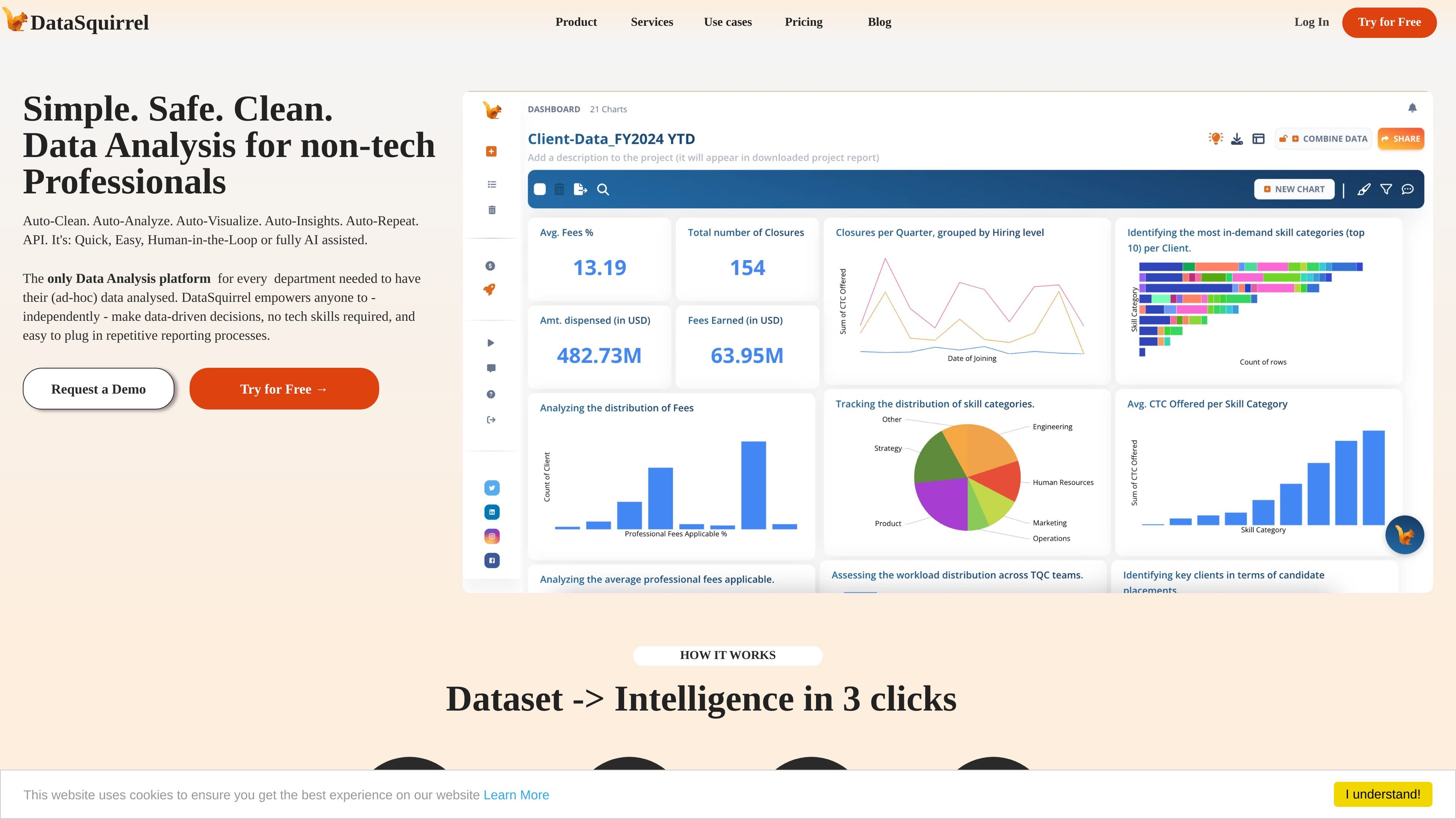
DataSquirrel.ai is an AI-assisted data analysis platform for non-technical business users. It is built to help people upload, connect, clean, analyze, visualize, and share data without needing formulas, pivot tables, SQL, or coding.
The product centers on a guided workflow that turns spreadsheets and other business data into cleaned datasets, charts, dashboards, and reports. The site positions it for management, teams, and consultants who need fast analysis, collaboration, and repeatable reporting from ad hoc or recurring data work.
Upload CSV files and Excel files, connect Google Sheets, or connect other data sources, then combine data in a few clicks. This is aimed at removing manual copy-paste and VLOOKUP-style work.
DataSquirrel identifies common issues such as duplicates, inconsistent formats, missing values, casing problems, and white space, then suggests or executes cleaning actions before analysis.
The product can generate analysis outputs automatically, and the site highlights one-click analysis, auto-insights, and guided workflows that return key metrics and charts from the dataset.
Users can customize views with filters, segmentation, date and number grouping, themes, and other chart adjustments to shape reports for different audiences.
Charts, dashboards, and reports can be shared by link or email, commented on in-app, and exported in formats such as PNG, PDF, and PPT according to the source pages.
The pricing page lists scheduled data recalculations and recurring report distribution, which supports repeat analysis and reporting on updated data.
A manager can upload operational spreadsheets, let the system clean and summarize the data, and quickly review charts or dashboards for ad hoc decision-making.
Teams can combine messy Excel and CSV files, run root-cause analysis, and share annotated visuals so stakeholders can review findings together.
Consultants can merge data from multiple client sources, produce client-ready reports, and reuse the same workflow when similar requests come in again.
Departments with recurring reporting needs can schedule recalculations and automated distribution so updated data is processed in the same way each cycle.
Users handling sensitive business information can anonymize data before sharing or analysis, reducing exposure when working with confidential datasets.
DataSquirrel is designed to work with CSV files, Excel files, Google Sheets, and connected data sources. The source also mentions API-based connectivity for some plans.
Yes. The product describes support for sharing interactive visuals by link or email, leaving comments on charts, and scheduling recurring data refreshes and report distribution.
The product emphasizes a guided workflow with auto-cleaning, auto-analysis, and customizable visuals. It is positioned for non-technical business users who do not want to work with formulas, pivot tables, SQL, or coding.
The source says DataSquirrel does not send raw data to ChatGPT or other large language models. It also states that sensitive data can be anonymized by default and that the platform is positioned around GDPR/PDPA compliance.
Pricing is offered as monthly plans with a free tier shown on the pricing page, plus Lite and Pro subscription plans. The page also mentions one-time limited-feature access and separate sales follow-up for integrations and team plans.
Os dados de tráfego são apenas para referência.

formulabot.com
Análise de dados com IA para perguntas, gráficos, planilhas e relatórios

gptexcel.uk
Assistente de planilhas com IA para fórmulas, SQL, scripts e análise de dados

pandada.ai
Pandada AI é uma ferramenta de análise de dados baseada no navegador para limpar arquivos, fazer perguntas e criar gráficos ou relatórios. Compatível com formatos comuns de documentos e planilhas, oferece um plano Basic gratuito e um nível Plus pago.

excelmatic.ai
Ferramenta de análise de planilhas com IA no navegador que transforma Excel, CSV, tabelas PDF e capturas de tela em gráficos, painéis, resumos e relatórios revisáveis.

graphy.app
Graphy é uma ferramenta web de criação de gráficos que transforma dados de planilhas, arquivos, APIs ou buscas com AI em gráficos e dashboards compartilháveis, ideais para visuais de marca, relatórios rápidos e experiências incorporáveis.

atlas.new
Atlas é uma plataforma GIS baseada no navegador para equipes criarem mapas, analisarem dados de localização e compartilharem trabalhos espaciais. Oferece mapeamento com assistência de AI, análise espacial, painéis e colaboração, sem exigir experiência prévia em GIS.