
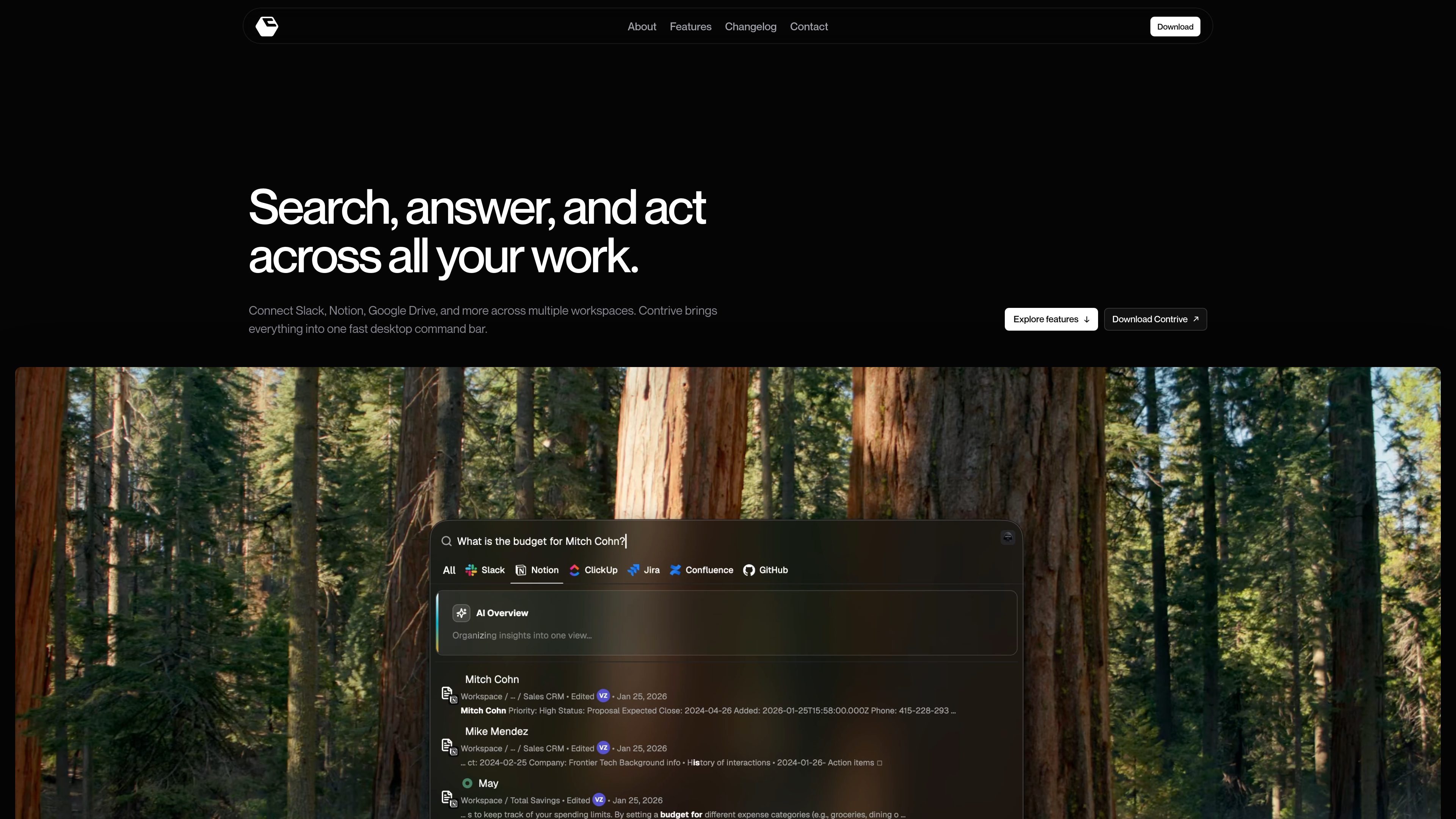
Cross-app search from one command bar
Search across connected workspace tools without moving between separate apps or browser tabs.

Contrive é um aplicativo independente para desktop que permite pesquisar, obter respostas de IA e agir no Slack, Notion, Google Drive e outros apps compatíveis por uma única barra de comandos, sem alternar entre abas do navegador.
Contrive is a standalone desktop application that lets users search, get AI-generated answers, and take action across connected workspace apps from one command bar.
It is built for macOS and Windows and is positioned around fast access to permitted workspace knowledge, with separate workspace contexts, role-based access controls, and support for multiple connected apps.
Search across connected workspace tools without moving between separate apps or browser tabs.
Ask in natural language and get AI-generated answers that use relevant workspace context the user is allowed to access.
Connect tools to more than one workspace, keep knowledge and permissions separate, and switch between workspaces when needed.
Create docs and pages, open and assign tasks, send messages and updates, and run workflows from the command bar.
Use roles and permissions to limit what teammates can search and what connected tools they can use.
Open Contrive with a keyboard shortcut on Mac or Windows and change the shortcut anytime in settings.
Use Contrive when the answer may be spread across Slack, Notion, Drive, docs, or issue trackers and you want one place to search them.
Ask a question in natural language and use the AI overview to turn several relevant search results into a concise answer.
Keep knowledge and permissions separated when you need to move between different workspaces or shared tool sets.
Create a page, assign a task, or send an update directly from the search flow instead of opening each app separately.
Invite teammates, assign roles, and let them search permitted workspace content without exposing tools or data they should not see.
Contrive is a standalone desktop application for searching, getting AI answers, and taking action across connected workspace apps from one command bar.
The download page says Contrive is available for macOS and Windows.
The site names supported workplace services including Slack, Notion, Google Drive, Google Docs, Gmail, Calendar, GitHub, GitLab, Jira, Linear, ClickUp, Confluence, Trello, and Asana, and the FAQ also mentions Slack, Notion, ClickUp, Jira, Confluence, and GitHub.
Yes. The site says you can connect multiple workspaces, keep their knowledge and permissions separate, and switch context when needed.
According to the privacy policy, Contrive uses the permissions you grant through connected services, encrypts OAuth tokens at rest, and processes selected workspace text to provide semantic search and AI overviews.
Os dados de tráfego são apenas para referência.

cuey.io
Uma extensão do Chrome para comparar, em uma barra lateral, respostas do ChatGPT, Claude, Gemini e outros modelos de IA. Identifique concordâncias, divergências e possíveis lacunas sem alternar entre ferramentas de IA.

sai.simular.ai
Sai é um robosecretário com IA que comanda uma frota autônoma de computadores para realizar tarefas rotineiras em apps, sites e ferramentas de desktop. Entre com o Google e delegue tarefas pelo serviço Sai.

www.stashformac.com
Stash é um utilitário para macOS que permite acessar apps e controles do sistema pelas bordas e pelos cantos da tela sem mantê-los visíveis. Inclui Hidden Dock, App Launcher, Edge Sliders, Corner Dials, App Profiles e um app complementar para iPhone chamado Stash Deck.

chathop.tech
ChatHop é uma extensão do Chrome para transferir conversas com IA entre serviços de chat compatíveis sem perder o contexto. Troque de assistente, copie conversas para outras ferramentas ou baixe-as sem precisar explicar tudo novamente.

layoutr.app
Layoutr é uma ferramenta no navegador para layouts de ambientes e plantas, permitindo testar móveis em escala real. Envie ou desenhe uma planta, calibre as dimensões, posicione móveis reais e veja o resultado em 3D sem criar uma conta.

iconsforfree.com
Icons for free é uma coleção no navegador de ícones de contorno originais Line 01 para sites, apps, apresentações e projetos paralelos. Personalize o traço e a cor e baixe arquivos SVG ou PNG sem criar uma conta; os ícones são distribuídos sob CC0 1.0.