
Version-specific documentation lookup
Retrieves documentation and code examples for the library and version relevant to a coding task, rather than relying only on an assistant’s general training data.

Context7 brings current, version-specific library documentation and code examples into AI coding assistants through an MCP integration. It helps developers generate code against the APIs and package versions they are using.
Context7 is an MCP-based documentation service for AI coding assistants. It retrieves current, version-specific library documentation and code examples from library sources and places that context directly into an assistant’s prompt.
Its core purpose is to give coding agents more relevant information about the libraries and versions involved in a task. This addresses common problems described in the product documentation, including examples based on old training data, generic answers, and hallucinated APIs.
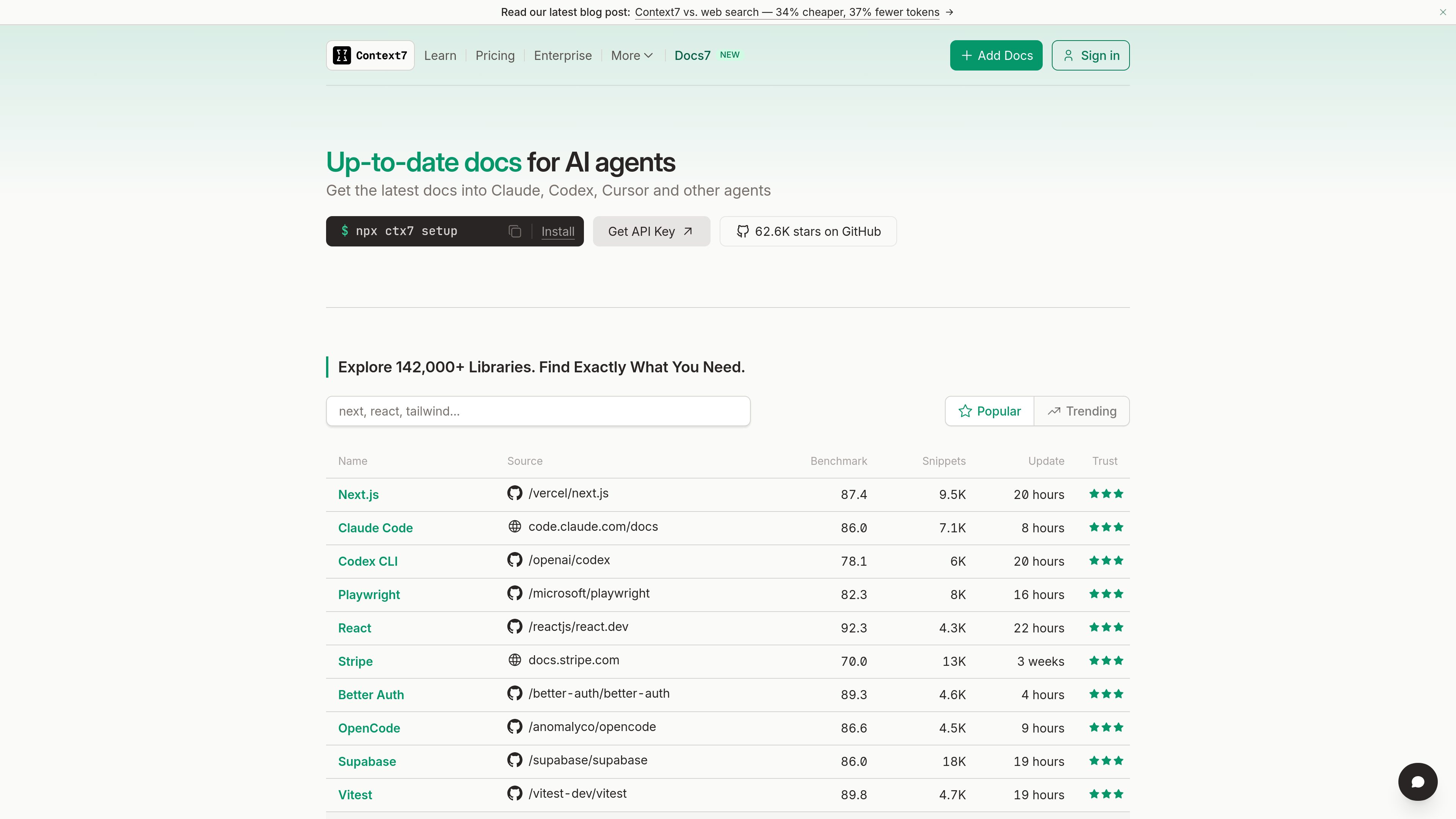
A typical workflow is to install Context7 with npx ctx7 setup, select a supported coding agent, and add use context7 to a natural-language coding prompt. Context7 can be used with agents such as Claude Code, Cursor, Codex, Opencode, Antigravity, VS Code, Devin Desktop, Cline, Trae, and Gemini CLI. The service also provides a searchable directory of more than 142,000 libraries.
Retrieves documentation and code examples for the library and version relevant to a coding task, rather than relying only on an assistant’s general training data.
Places the retrieved library context directly into the AI coding assistant’s prompt through Context7 MCP, so developers can request documentation within their existing coding workflow.
The `npx ctx7 setup` command wires Context7 into a selected coding agent and provides configuration options for supported tools.
Installation guidance covers Claude Code, Cursor, Codex, Opencode, Antigravity, VS Code, Devin Desktop, Cline, Trae, Gemini CLI, and other agents.
The Context7 library directory lets users search a catalog of more than 142,000 libraries and inspect available documentation sources.
Paid plans extend the service beyond public repositories with private repository access and team collaboration; Enterprise adds options such as SSO and self-hosted deployment.
A developer can ask an AI coding assistant to build a feature with a framework such as Next.js or React and add `use context7` so the response is grounded in current library documentation.
When a package’s API or syntax may have changed, Context7 can supply version-specific examples before the assistant generates implementation code.
Prompts for tasks such as configuring a Cloudflare Worker or integrating a service can use Context7 to bring the relevant platform documentation into the coding session.
Teams working with private repositories can use the Pro or Enterprise offering for private library parsing, team collaboration, and, on Enterprise, organizational controls such as SSO or self-hosting.
Install it with `npx ctx7 setup`, choose your AI coding agent, and add `use context7` to the prompt. Context7 then retrieves relevant documentation and code examples for the request.
The installation page lists Claude Code, Cursor, Codex, Opencode, Antigravity, VS Code, Devin Desktop, Cline, Trae, and Gemini CLI, along with additional agents documented by Context7.
The plans documentation says that Context7 receives the documentation lookup query and library name, not the user’s code, conversation history, or full prompt. The LLM is instructed not to include private information such as API keys, passwords, or proprietary code in lookups.
Private repositories are available on Pro and Enterprise plans, not on the Free plan. Enterprise also includes private-repository support alongside additional team and deployment options.
The documented plans are Free for public repositories, Pro for private repositories and team collaboration, and Enterprise for organizations needing features such as SOC-2, SSO, dedicated support, or self-hosted deployment.

thecatenary.app
Catenary is a local-first desktop IDE for running and coordinating multiple AI coding agents on an infinite canvas. It helps developers keep terminals, editors, browsers, worktrees, and agent context visible in one workspace.

coldiq.com
ColdIQ is a unified GTM data API for Claude Code, AI agents, and developers. It lets teams search leads, enrich contacts, find emails, and access multiple data providers through an API, MCP server, or agent interface.