
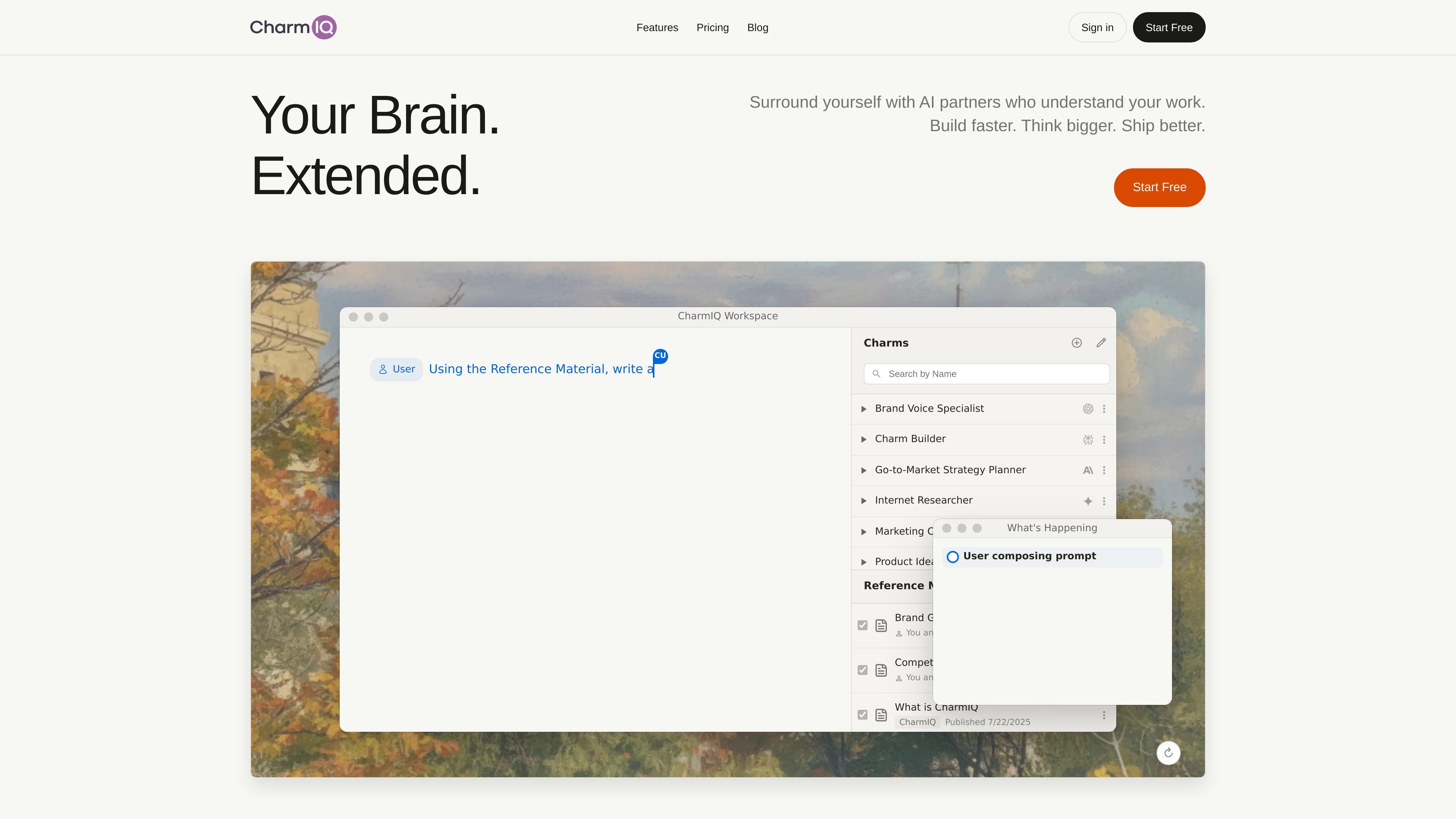
Canvas and context controls
Work on an infinite canvas with AI embedded in the workspace. Reference Materials and breakpoints help control the context used during document-based tasks.

An AI workspace for teams and individuals to research, write, and build with custom advisors.
CharmIQ is an AI workspace that turns documents into collaborative thinking spaces. It brings reusable AI advisors, multiple model providers, and tools for creating content and applications into one environment for individuals and teams.
Its document-centered approach supports work that involves reference material, iteration, and several kinds of expertise. Users can assemble specialized advisors called Charms and work with them across projects, from research and planning to writing and software development.
Work on an infinite canvas with AI embedded in the workspace. Reference Materials and breakpoints help control the context used during document-based tasks.
Configure Charms for roles such as technical architect, market strategist, content editor, or policy advisor. Each advisor brings its configured expertise and context to projects.
Switch AI models during a task. The website lists providers including OpenAI, Anthropic, Google, Perplexity, and xAI, allowing users to choose models for different kinds of work.
Create tools, calculators, and dashboards inside the workspace using HTML, CSS, and JavaScript.
Multiple users and Charms can work simultaneously in shared spaces, bringing AI expertise into collaborative projects.
Generate and edit visual content through multiple AI providers. Listed models include DALL-E 3, GPT-Image1, Imagen 3, Veo 2, and Veo 3.
Use market and strategy advisors to develop launch plans around a product's goals, market, and constraints, then turn decisions into documented solutions.
Bring AI teammates into code review, documentation, and testing, and build tools informed by the project's codebase.
Combine research assistants, editors, and style coaches to synthesize information, draft reports, and refine writing around a user's voice and standards.
Configure advisors around each client's domain to support analysis and recommendations with relevant context.
Create an assistant with business-specific pricing, services, and service areas to help respond to client inquiries, as illustrated by the site's photographer testimonial.
Configure a specialized AI advisor around a role and relevant context. The site describes Charms as reusable after configuration, with examples ranging from research analysts to business consultants.
CharmIQ supports HTML, CSS, and JavaScript for creating interactive applications within the workspace, including calculators and dashboards.
The website offers a “Start Free” entry point.
Os dados de tráfego são apenas para referência.