
Conversation-grounded replies
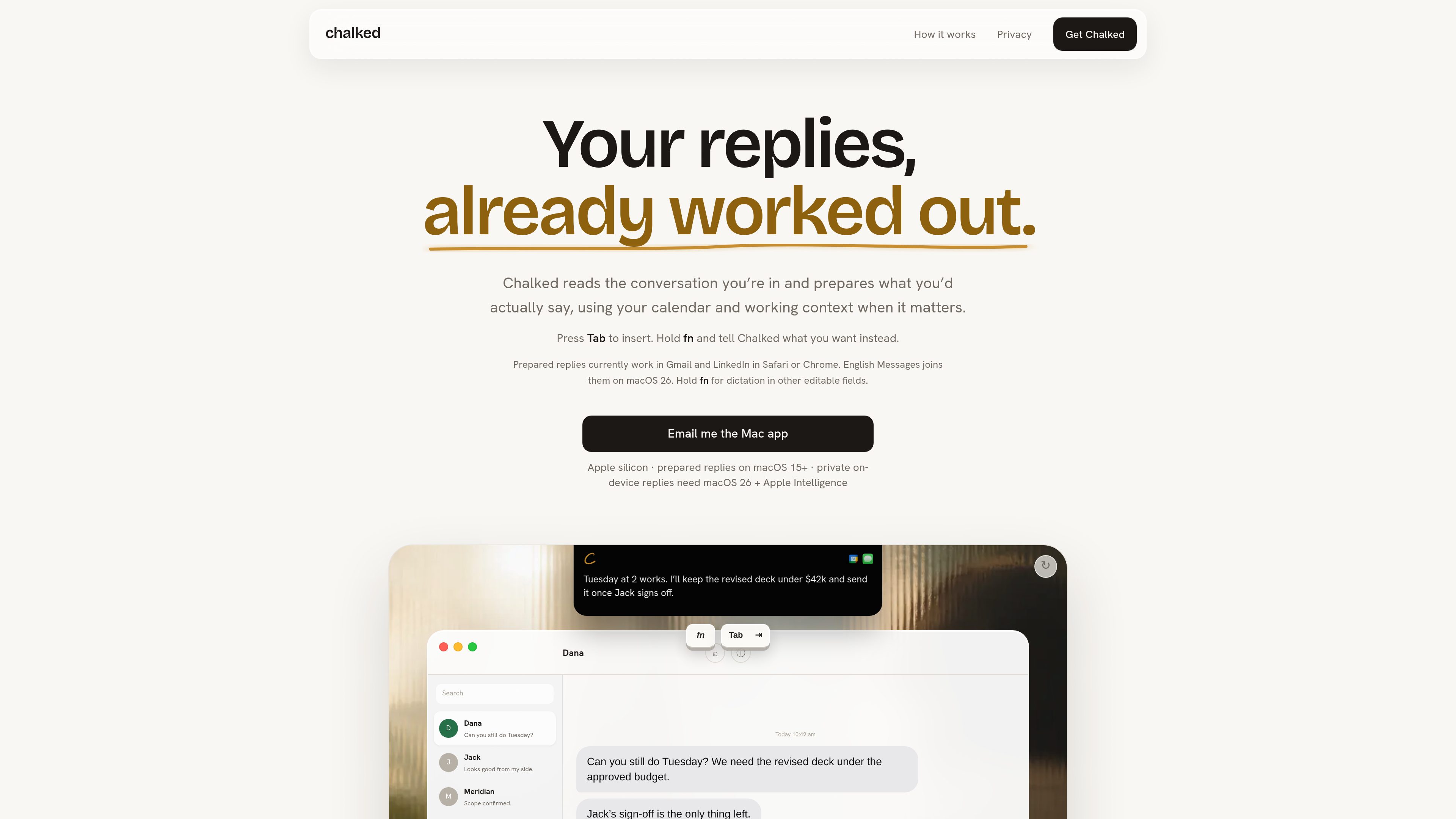
Chalked starts with the thread you are currently replying to and prepares a complete response using relevant conversation details rather than asking you to reconstruct the context elsewhere.

Chalked is a Mac reply assistant that reads the conversation you are in and prepares context-grounded responses for Gmail, LinkedIn, and, on macOS 26, Messages. It uses calendar and working context when relevant, while leaving review, editing, and sending to you.
Chalked is a reply assistant for Mac that prepares context-grounded responses inside the conversations where work already happens. It reads the current thread and can use relevant calendar and working context to suggest a reply. Prepared replies currently work in Gmail and LinkedIn in Safari or Chrome, while English Messages support is available on macOS 26.
The product is designed as a review-first workflow. A prepared reply can appear at the edge of the notch or at the cursor; pressing Tab inserts it into the verified composer. Holding fn lets you dictate a different intended outcome. Chalked does not send messages automatically, so you decide whether to edit, ignore, or send the inserted text.
Chalked starts with the thread you are currently replying to and prepares a complete response using relevant conversation details rather than asking you to reconstruct the context elsewhere.
When it matters to the reply, Chalked can use calendar information and working context to ground details such as timing, commitments, and dependencies.
When a prepared reply is ready, press Tab to insert it at the cursor in the same verified composer. The text remains available for review and editing before you send it.
Hold the fn key to dictate what you want instead of accepting the prepared reply. This can be used to change an outcome, such as adjusting a proposed time or preserving a stated budget limit.
Captured commitments retain their source and status. You can inspect, correct, export, or remove them, and changed commitments can supersede older entries instead of leaving both marked current.
The product says it reads a bounded current conversation through Accessibility, without screenshots or screen recording. Private mode keeps reply context on the Mac; Best Quality shares the disclosed bounded packet only after you enable it.
An agency operator can reply to a client about timing, budget, and approval dependencies while keeping the commitments that shape the work explicit and sourced.
A consultant can use retained, inspectable context when responding to a client days after the earlier conversation, rather than rebuilding the engagement from memory.
A founder can handle customer, investor, and team messages from the supported surfaces while carrying forward relevant commitments between replies.
When a suggested reply has the wrong time or outcome, the user can hold fn and state the change, then review the revised text before inserting it.
Chalked is a Mac app for Apple silicon. Prepared replies currently work in Gmail and LinkedIn in Safari or Chrome. English Messages support requires macOS 26.
No. Tab inserts a suggestion at your cursor, and you can edit it, ignore it, or send it yourself.
No. Chalked prepares replies quietly and shows them when ready. Voice through the fn key is an optional way to change the intended outcome.
It can retain sourced commitments and working context that may improve later replies. Captured items keep their source and status and can be inspected, corrected, exported, or removed.
The site says Chalked reads a bounded current conversation through Accessibility, without screenshots or screen recording. Private mode keeps reply context on the Mac. Private on-device replies require macOS 26 and Apple Intelligence.

selzy.com
Create email campaigns, organize subscribers and automate follow-up messages with Selzy. Its email builder includes AI help for drafting and editing, while campaign analytics and A/B testing support your next round of improvements.

mailmeteor.com
Mailmeteor is an email outreach and campaign platform for sending personalized messages from Gmail, Outlook, Google Sheets, Excel, or Google Docs. It also provides tracking, follow-ups, automation, and inbox assistance for supported workflows.

tryellie.com
AI email assistant that drafts replies in your voice for Gmail and Outlook.

enginemail.io
Engine Mail é um aplicativo de e-mail nativo para macOS que unifica várias caixas de entrada com auxílio de escrita por IA, bloqueio de rastreadores, verificações contra phishing e automação da caixa de entrada. Compatível com Gmail, Outlook, iCloud Mail, Yahoo Mail, Zoho, Exchange e contas IMAP/SMTP.