
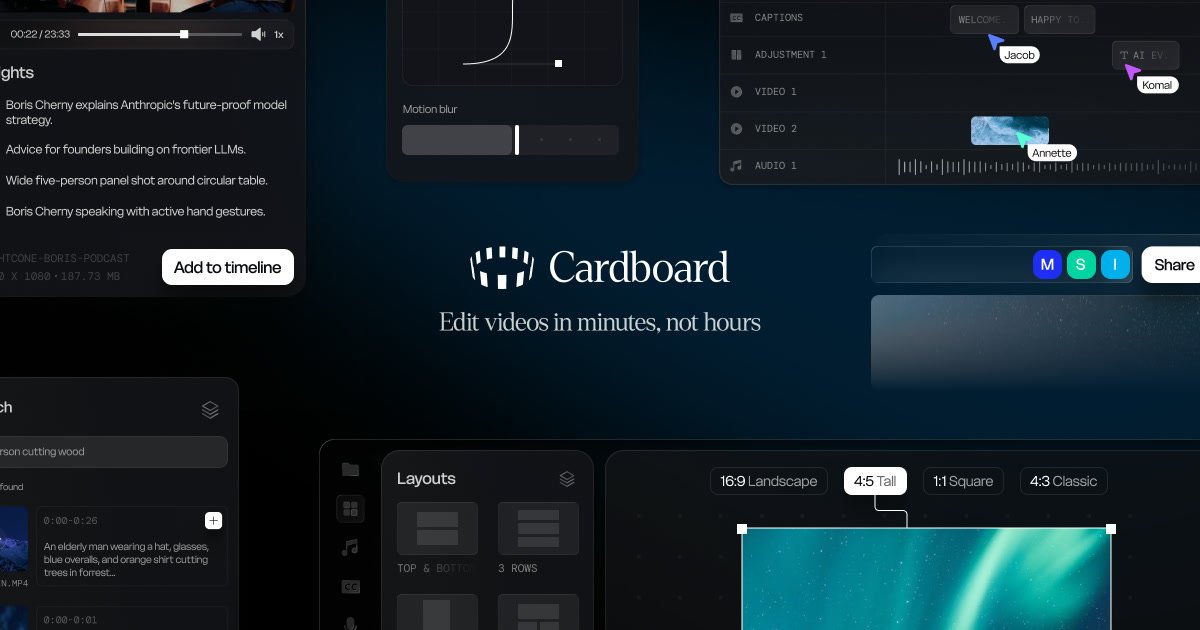
AI-assisted editing
Describe an edit in natural language and Cardboard assembles cuts, captions, reframes, and compositions in the browser.

Cardboard é um editor de vídeo com IA no navegador para cortar, legendar, reenquadrar e compor vídeos sem downloads.
Cardboard is a browser-based AI video editor that turns footage into finished social and marketing videos without requiring installs or downloads. The site positions it as a tool for editing by description: you tell it what you want, and it helps cut, caption, reframe, and compose the result.
The product emphasizes faster assembly and finishing. It can review footage, surface usable moments, build edits from selected clips, create captions and voiceovers, and prepare versions for different aspect ratios and platforms. Pricing pages show individual plans for creators and editors, along with a custom plan for teams and collaborative workflows.
Describe an edit in natural language and Cardboard assembles cuts, captions, reframes, and compositions in the browser.
Find quotes, reactions, people, emotions, and scenes across hours of footage without scrubbing through timelines.
Turn one video into vertical, square, and landscape versions while keeping the important action in frame.
Generate animated captions in multiple styles and translate captions across languages.
Create AI voiceovers, remove silences and filler words, and use audio tools such as ducking, cleanup, and leveling.
Support collaborative work with shared workspaces, comments at exact timecodes, and centralized billing for teams.
Use Cardboard to turn long clips or rough footage into a shorter finished edit by finding usable moments, assembling a sequence, and adding captions or voiceover.
Prepare the same source video for different placements by generating vertical, square, and landscape versions with active reframing.
Clean up spoken-word edits by removing silences and filler words, leveling audio, and adding captions or translated captions.
Work on shared projects where multiple people need comments, centralized billing, and collaborative editing in one browser-based workspace.
Localize a video for additional audiences by translating captions or using AI voice dubbing instead of re-recording from scratch.
Cardboard is a browser-based AI video editor. The source shows it can cut footage, add captions, reframe videos, compose edits, translate captions, and generate AI voiceovers.
The pricing page shows individual plans for solo creators and higher-volume editors, plus a custom Teams plan for studios and collaborative workflows.
Cardboard runs in the browser and the site explicitly says there are no installs and no downloads.
The pricing page says exports support multiple platforms, and the product pages show 4K 60fps exports, export presets, and language translation features.
Yes. The pricing page says you can cancel anytime from account settings, and access continues until the end of the billing period.
Os dados de tráfego são apenas para referência.

www.veed.io
VEED é uma plataforma de IA baseada na web para criar, editar, legendar, aplicar branding e dublar vídeos em um único fluxo de trabalho.

submagic.co
Editor de vídeo com IA para transformar vídeos longos em clipes curtos com legendas

wisecut.ai
Wisecut é um editor de vídeo com IA que transforma vídeos longos em clipes curtos e oferece ferramentas para legendas, remoção de silêncios e edição baseada em storyboard. Foi criado para criadores que reutilizam conteúdo em Reels, YouTube Shorts, TikTok e formatos semelhantes.

rendercut.io
Ferramenta no navegador para transformar vídeos ou áudio em clipes curtos com legendas, B-roll, GIFs e exportação para TikTok, Reels e YouTube.

snapvid.ai
SNAPVID é um editor de vídeo com IA baseado na web que transforma vídeos enviados em vídeos curtos para Instagram, TikTok e YouTube Shorts, com legendas, vídeos de stock e edição assistida por IA.

subtitlegenerator.app
SubtitleGenerator é uma ferramenta de legendagem com IA baseada no navegador, que permite gerar, corrigir, estilizar e exportar legendas de vídeos enviados. É voltada para criadores que querem agilizar o processo e começar sem precisar se cadastrar.