
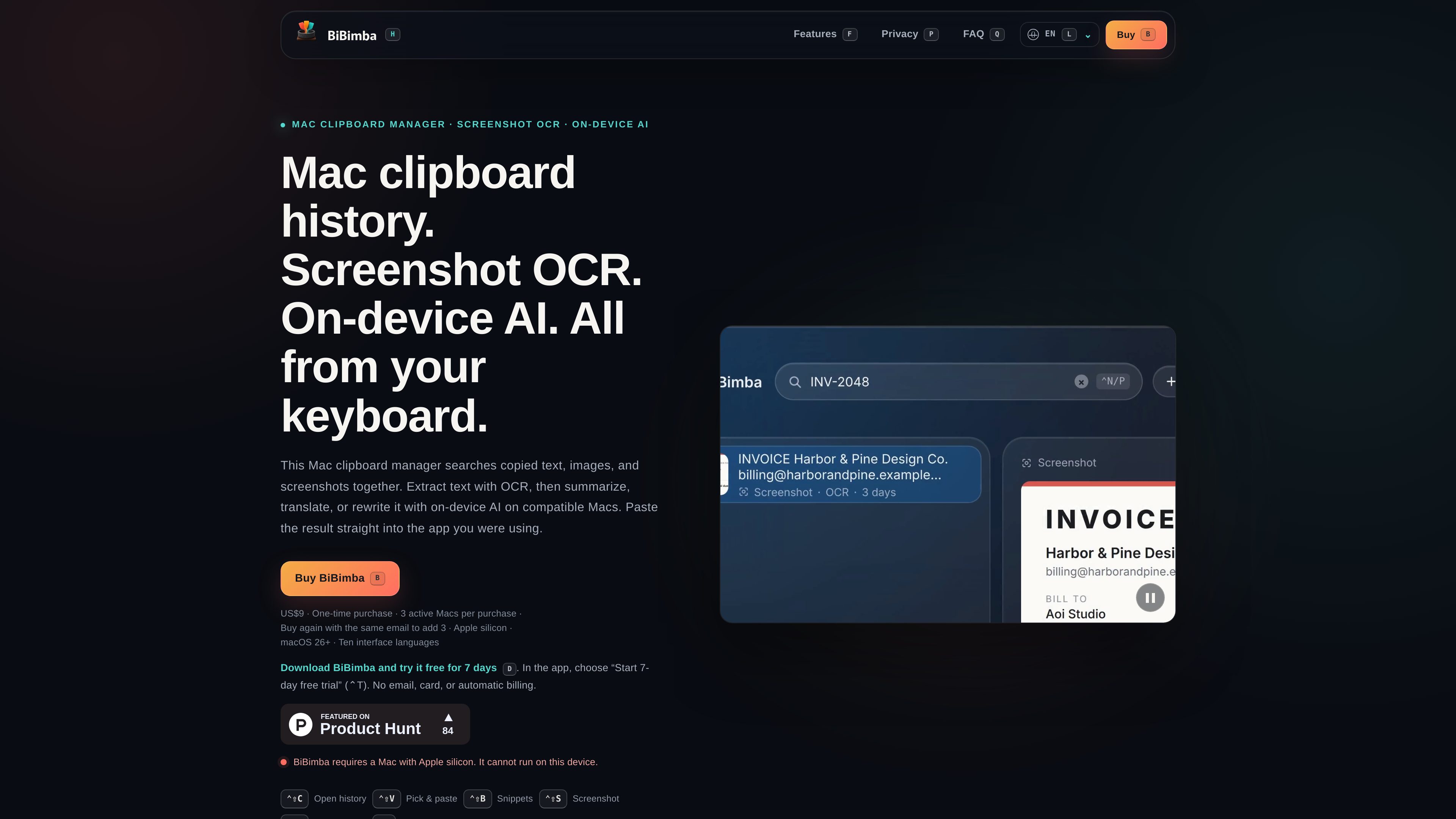
Searchable clipboard and screenshot history
Search copied text, images, screenshots, text inside copied images, and snippets together, then select an item and paste it into the app currently in use.

BiBimba is a Mac clipboard manager for searching clipboard history, screenshots, copied images, and snippets. It also provides screenshot OCR and keyboard-driven on-device text actions on compatible Apple silicon Macs.
BiBimba is a keyboard-driven clipboard manager for Apple silicon Macs running macOS 26 or later. It combines searchable clipboard history with screenshot and copied-image OCR, allowing users to find text, images, screenshots, and snippets and paste selected items back into the app they are using.
The app keeps clipboard and screenshot history on the Mac. Users can choose how many items to retain and for how long, remove individual items, and use keyboard shortcuts for common actions. OCR makes text inside screenshots searchable and can extract table data into Markdown, JSON, or HTML.
BiBimba also provides keyboard-triggered text actions, including translation, summaries, business-email rewrites, bullet lists, structure, and saved instructions. Summaries, rewrites, and some other actions require a compatible setup with Apple Intelligence enabled.
Search copied text, images, screenshots, text inside copied images, and snippets together, then select an item and paste it into the app currently in use.
Automatically read text in screenshots and copied images so it can be searched or copied. Detected tables can be converted to Markdown, JSON, or HTML.
Run actions such as translation, summarization, business-email rewriting, bullet-list conversion, structure, and saved instructions from the keyboard.
Store clipboard and screenshot history on the Mac, choose how many items to keep and for how long, and delete items that are no longer needed.
Use shortcuts for opening history, picking and pasting, managing snippets, taking screenshots, running screen OCR, and opening text actions; shortcut activity can be adjusted in Settings.
Install the notarized app from a DMG, with support for Japanese, English, Simplified and Traditional Chinese, Korean, Spanish, French, German, Portuguese, and Arabic.
When the original source is no longer open, search clipboard history for copied text, images, or snippets and paste the selected result into the current Mac application.
Run OCR on a screenshot or copied image to find text later, copy the recognized content, or convert a detected table into Markdown, JSON, or HTML.
Select text and use keyboard actions to translate it, summarize it, turn it into bullet points, or rewrite it as a business email before inserting the result into another app.
Set retention limits for clipboard and screenshot records and delete individual items when the information is no longer needed.
BiBimba requires a Mac with Apple silicon and macOS 26 or later. Summaries, rewrites, and some other features additionally require a supported setup with Apple Intelligence enabled.
Yes. On an eligible Mac, you can explicitly start one seven-day trial in the app. No email address or payment card is required, and there is no automatic billing. The trial lasts 168 hours from activation, and saved history is not deleted when it ends.
A one-time purchase allows the purchaser to use BiBimba on up to three simultaneously active Macs used primarily by that purchaser. Another purchase with the same email address adds three more active-Mac slots. The license is not a transferable or shared license key.
Download the DMG from the product site, move BiBimba to the Applications folder, and open it. The app is distributed with Apple notarization.
Clipboard and screenshot history is stored on the Mac, and the product states that it has no clipboard or feature-usage analytics. Crash reports are not uploaded automatically; users can choose to share a report manually with support.