
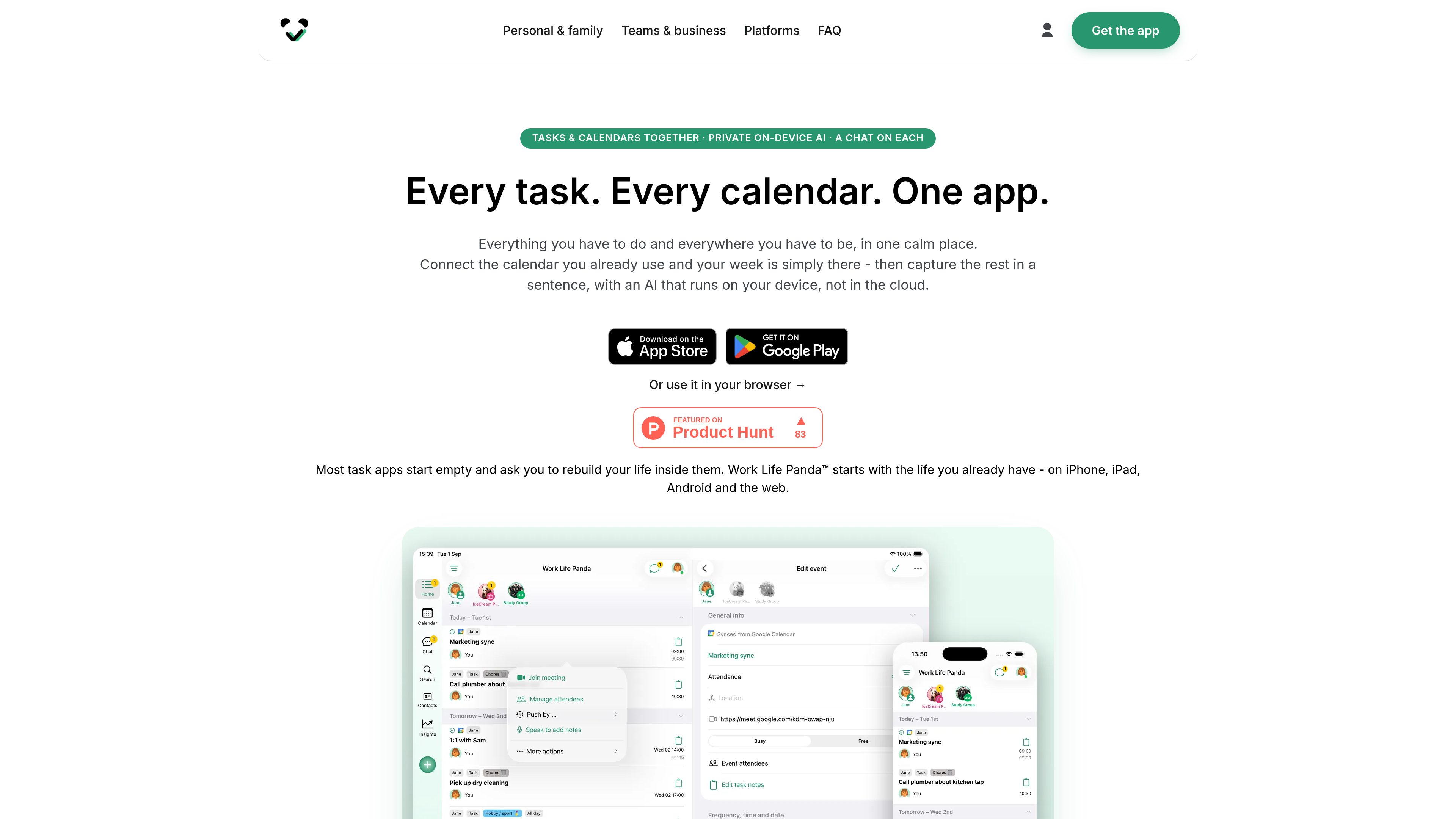
Tasks and calendars in one workspace
Combine to-dos, events, notes, files, and calendar information in a single connected view instead of managing each in a separate app.

Work Life Panda combines tasks, calendars, notes, files, and item-level conversations in one workspace for personal life, families, groups, and small teams. Its on-device AI turns typed or spoken instructions into tasks while connected calendars and email invitations help keep schedules current.
Work Life Panda is a task and calendar workspace for organizing personal responsibilities, family plans, group activities, and small-team work. It brings tasks, events, notes, files, and conversations together so planning context stays attached to the item it concerns rather than being split between separate tools.
Users can connect existing calendars and tasks, capture new work by typing or speaking, and use shared spaces to coordinate with other people. Its on-device AI turns natural-language instructions into structured tasks, while the app works offline and syncs across iPhone, iPad, Android, and the web.
Combine to-dos, events, notes, files, and calendar information in a single connected view instead of managing each in a separate app.
Sync Google Calendar and Tasks, Apple iCloud Calendar, and Microsoft Outlook Calendar and To Do. Changes made in Work Life Panda or the connected service stay in step.
Type or say an instruction such as “submit the report Friday 5pm”; the device-based AI turns it into a task with a date and category. The AI can work without an internet connection.
Each task and event has its own conversation, notes, and files, keeping decisions and supporting context attached to the relevant item.
Create shared spaces for families, groups, or teams, then assign tasks, track hand-offs, add attendees, and use RSVP on shared events.
Use the product on iPhone, iPad, Android, or the web. Capture and plan offline, then synchronize automatically when the connection returns.
Families can keep chores, routines, reminders, birthdays, notes, and shared calendar plans together, with conversations attached to the relevant task or event.
An individual can connect an existing calendar, then add new responsibilities by typing or speaking instead of rebuilding the schedule manually in a new task system.
Groups can create a shared space for plans, files, assignments, and event discussions, while RSVP shows who is attending without relying on a separate poll.
Teams and side projects can keep decisions, hand-offs, pending work, and schedule information together, reducing the need to reconstruct context from a chat thread.
It is completely free during early access, including every Pro feature. The service says paid plans may arrive later and that early members will receive its best pricing. No ads or in-app purchases are stated for the current early-access period.
Work Life Panda works on iPhone, iPad, Android, and modern web browsers. A free account keeps data synchronized across signed-in devices and enables shared spaces.
It supports two-way sync with Google Calendar and Tasks, Apple iCloud Calendar, and Microsoft Outlook Calendar and Microsoft To Do. Fastmail, Zoho, and GMX can also be connected, and users can follow calendars published as links.
Users can type or say a sentence describing a task. The AI interprets details such as timing and category on the device rather than sending the task to a cloud AI service. The AI capture workflow also works without an internet connection.
Yes. Users can create shared spaces for a family, group, or work team, invite other people, and add tasks and events. Members can discuss items in their own chats, assign or hand off work, and coordinate shared events with attendees and RSVP.
Traffic data is for reference only.

routine.co
Routine is an AI-powered workspace that brings tasks, calendars, notes, contacts, and automations together in one app for planning and connected work.

pally.com
Pally is a personal assistant that lives in your texts over iMessage or RCS, helping you manage messages, meetings, calendars, files, tasks, and web context—all from a single conversation thread.

grimoai.com
Grimo AI is an iOS productivity assistant that turns plain-language requests into tasks, calendar events, and notes. It also supports chat and voice interactions for organizing plans, reminders, and daily schedules.

www.getkima.com
Kima is a shared pet care app for households, roommates, families, and pet sitters. It coordinates care activities, medications, tasks, health records, and updates in a shared timeline.

skedpal.com
An AI calendar that turns prioritized tasks into an adaptive, time-blocked schedule.

saner.ai
An AI personal assistant for ADHD-friendly note search, task planning, email, and calendar workflows.