
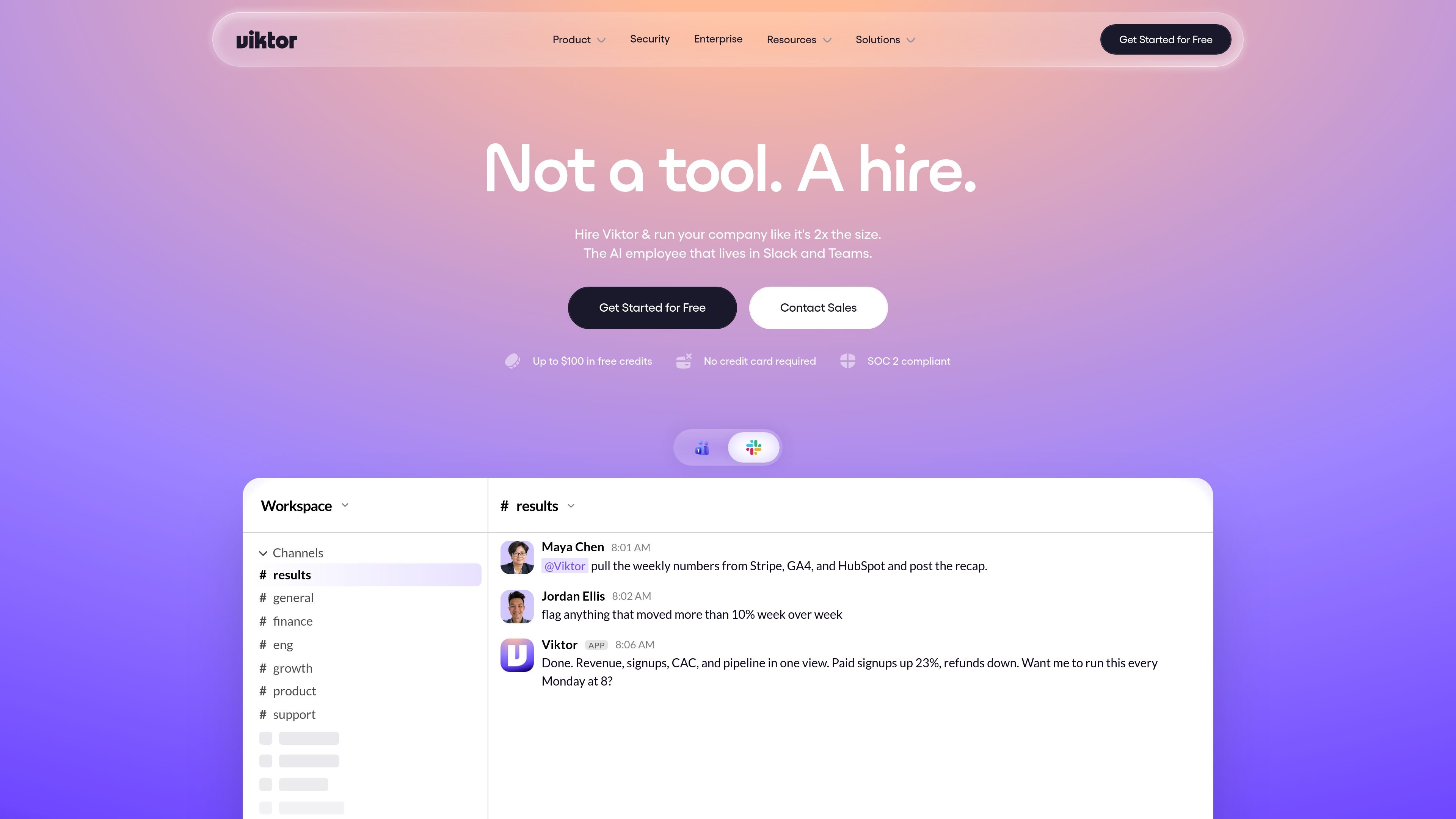
Native in Slack and Teams
Viktor lives in Slack and Microsoft Teams, so requests and results stay in the communication tools teams already use.

Viktor is an AI employee that works in Slack and Microsoft Teams, connects to 3,200+ tools, and handles reports, dashboards, code, and campaigns. Start with free credits, then choose Team or Enterprise.
Viktor is an AI employee that works inside Slack and Microsoft Teams and takes actions across connected business tools. The site positions it as something teams hire to do work such as reports, dashboards, code changes, campaign updates, support triage, onboarding tasks, and operational follow-up.
It connects to 3,200+ tools and is built around completed outputs rather than chat-only assistance. The product pages show Viktor pulling data from systems like Stripe, HubSpot, Google Analytics, Notion, QuickBooks, Zendesk, Linear, and GitHub, then returning artifacts such as recaps, drafted replies, updated pages, fixes, and documents when the target app supports them.
The pricing model is credit-based. The site says new users can start with $100 in credits without a credit card or sales call, then move to a Team plan or contact sales for Enterprise terms when they need more capacity or controls.
Viktor lives in Slack and Microsoft Teams, so requests and results stay in the communication tools teams already use.
The homepage and pricing page show Viktor connecting to 3,200+ tools and executing work across systems such as Stripe, HubSpot, Google Analytics, Notion, QuickBooks, Zendesk, Linear, and GitHub.
The pricing page highlights scheduled tasks and crons for reports, audits, and proactive check-ins, including recurring recaps delivered in-channel.
Viktor returns completed outputs such as reports, dashboards, code changes, drafts, tickets, docs, and PDFs when the connected apps support those artifacts.
The security page says sensitive actions wait for explicit approval, while admins can control integrations, pause users, and stop a running task.
The pricing and security pages describe workspace-scoped memory and persistent context so Viktor can remember preferences and previous decisions within a workspace.
Ask Viktor to gather figures from systems like Stripe, GA4, and HubSpot, then post a recap in Slack or Teams and keep it running on a schedule.
Use it to create or update onboarding work by provisioning accounts, creating tasks, booking intro meetings, and sending a welcome message.
Have Viktor reconcile invoices, flag unusual items, draft follow-up emails, and prepare month-end materials from finance systems.
Route support or feedback work into a triaged queue, merge duplicate tickets, draft replies, and open follow-up items in issue trackers.
Use it for engineering and growth work such as identifying a root cause, preparing a fix, pausing an underperforming campaign, or drafting new creatives.
Viktor is designed to work inside Slack and Microsoft Teams. The site also shows a one-click install path from inside Slack and a contact-sales flow for teams that want a personalized demo.
The pricing page says the free trial starts with $100 in credits and does not require a credit card or sales call. Paid usage starts when you are ready to upgrade.
The product pages show Viktor producing reports, dashboards, code changes, campaign actions, onboarding tasks, invoice reconciliation, and support triage. It is positioned to do the work in the connected tools rather than only returning text.
The security page says sensitive actions such as money movement, code pushes, and customer emails wait for explicit approval in Slack, and admins can disconnect integrations, pause users, or kill a running task.
The security page says Viktor uses encrypted vaults, OAuth-first connections where possible, and never trains on your data. It also lists SOC 2 Type 1, GDPR alignment, CCPA compliance, and CASA Tier 3 certification.
Traffic data is for reference only.

oomol.com
OOMOL connects Gmail, GitHub, and Notion to AI agents for reuse across Codex, Claude Code, and Cursor, with free, paid, and usage-based plans.

tessl.io
Tessl is an agent enablement platform that provides coding agents with structured, versioned context and a governed skills layer, helping teams build and manage AI-native software across Free, Team, and Enterprise plans.

superagent.com
Hyperagent is an AI agent platform for teams that need research, building, and delivery handled through ongoing workflows. Connect via Slack, Telegram, webhooks, or schedules to create websites, dashboards, slides, documents, and video.

stack-ai.com
Enterprise AI agent platform for secure, no-code workflows

devin.ai
Devin is an AI coding agent and software engineer for developers and engineering teams, with desktop, CLI, IDE, team, and enterprise access.

cline.bot
Cline is an open-source AI coding agent for VS Code, CLI, and enterprise, enabling code creation, editing, and verification through permission-based actions and usage pricing.