
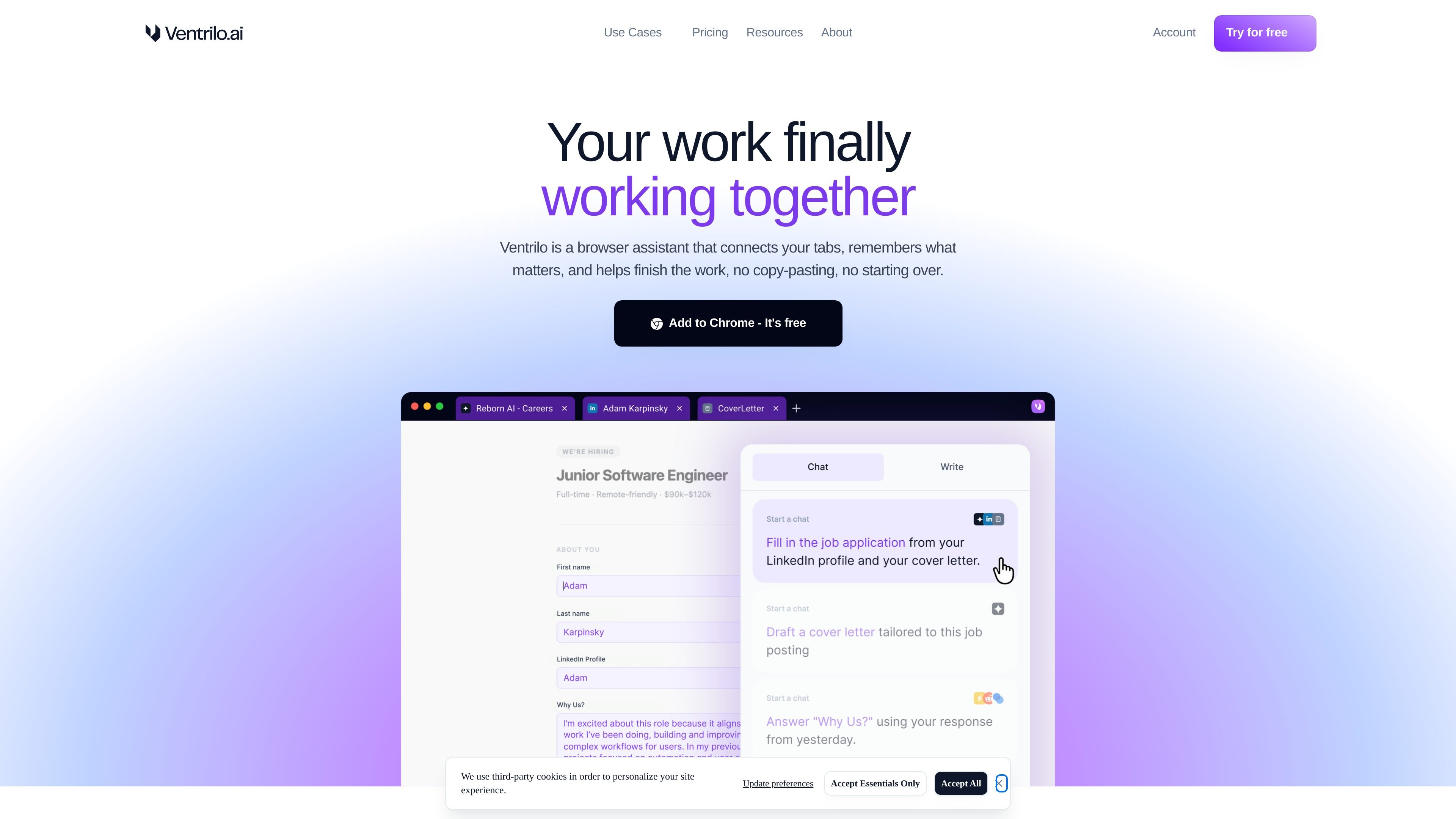
Tab-aware context
Reads across your open tabs so it can assemble context from what you already have on screen instead of starting from scratch.

Ventrilo.ai is a Chrome assistant using open tabs for writing, forms, translation, and research.
Ventrilo.ai is a browser assistant for Chrome that connects your open tabs to the work you are trying to finish. It reads context from the pages you already have open, remembers selected information, and helps turn that context into writing, form entries, and other browser tasks.
The product is positioned to reduce copy-paste between tabs and to keep you from restarting work every time you move between sources. It is aimed at people who use AI while browsing and want assistance that follows their active workflow rather than living in a separate chat window.
Reads across your open tabs so it can assemble context from what you already have on screen instead of starting from scratch.
Prepares information for form fields and lets you review and insert it with one click when it detects something to fill in.
Suggests pre-written prompts and text that are already tailored to the task at hand, helping you ask AI for the right output faster.
Provides writing assistance on any website, including drafting, rewriting, and translation workflows.
Adjusts tone by rewriting text into different personas, such as casual to professional or other style shifts mentioned on the site.
Works across webpages rather than being limited to a single destination, so it can support writing, research, and synthesis tasks in the browser.
Use Ventrilo to draft cover letters by connecting a resume and a job posting, then letting the assistant assemble a tailored draft.
Use the browser assistant to translate or rewrite text across languages when you need a quick version that fits the current page or task.
Turn lecture notes and related tabs into organized study guides when your source material is spread across multiple pages.
Convert research tabs into polished slides or briefs by pulling context from the sources you already have open.
Use Ventrilo while filling applications or other forms so it can identify fields, gather the needed information, and complete dropdowns, buttons, and text inputs.
Ventrilo offers a free Basic plan with daily usage limits, plus a free 2-week Plus trial with no credit card required.
The site describes Ventrilo as a Chrome browser assistant, so the supported experience is centered on the Chrome browser rather than mobile devices or native desktop apps.
The pricing page lists a Plus plan, but the site does not publish the specific premium model names on the pages provided.
Plus includes more autocomplete suggestions, 20x more daily usage limits, and enhanced context handling with up to 6 tabs.
The site says Ventrilo runs on subscriptions, does not sell data for advertising, and does not use tabs, chats, or memory to train AI.
Traffic data is for reference only.

getconch.ai
Browser-based writing and study assistant for academic work

resea.ai
Resea AI is a web-based research and writing agent for academic and professional work, helping users research, draft, revise, and cite papers, reports, and business documents.

samwell.ai
AI writing tool for essays, research papers, reviews, and outlines

thesisai.io
AI academic writing assistant that drafts cited papers from one prompt and exports to Word, LaTeX, and Overleaf.

litero.ai
Litero is a source-based writing partner for research, drafting, citations, and polishing.

www.deepl.com
DeepL is an AI language platform for translation, writing, voice, and API workflows, helping people and businesses communicate, create, and connect globally.