
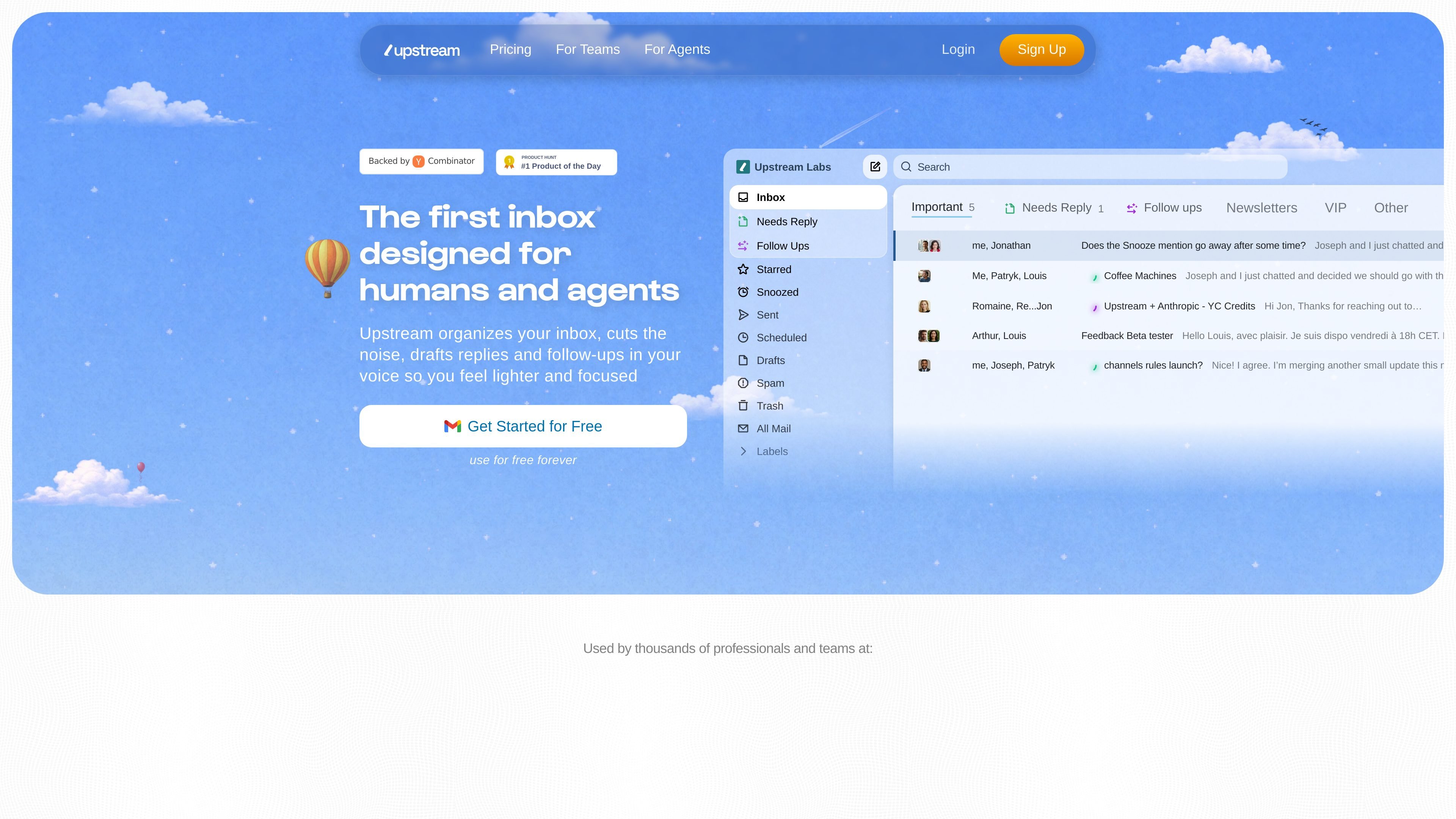
Inbox splitting
Upstream organizes messages into Splits such as Primary, Needs Reply, VIP, and Noise so people can focus on what matters and move low-priority mail out of the way.

Upstream is an email-based team messaging app that organizes inboxes, drafts replies and follow-ups, and enables shared conversations, with free and paid plans.
Upstream is a messaging app for teams built on email. The site positions it as an inbox for humans and agents that reduces noise, organizes messages into splits, and helps people handle replies and follow-ups more quickly.
The product combines AI-assisted drafting with team collaboration features. It supports shared conversations, comments, channels, and multiple inbox workflows, while the pricing page shows a free Core plan and paid Pro and Max tiers for teams that need more AI control, collaboration, or enterprise-oriented support.
Upstream organizes messages into Splits such as Primary, Needs Reply, VIP, and Noise so people can focus on what matters and move low-priority mail out of the way.
The product drafts replies in the sender’s voice and tone, using thread context and past messages to tailor the draft to the conversation.
Smart Follow Ups bring important conversations back at the right time and generate a draft when it is time to re-engage.
Team pages show shared channels, private channels, comments, followers, and conversation sharing so teammates can collaborate without forwarding threads.
Pricing pages list options for multiple inboxes, inbox splits, snooze, send later, undo send, instant send, and a command palette for fast mail handling.
The pricing page says AI features can be configured with prompts, custom voice and tone, and different model options, with support for OpenAI and Claude models in AI search.
Keep incoming mail organized by sorting messages into splits like Needs Reply, VIP, and Noise so urgent threads surface first.
Let teammates view and discuss the same thread, add comments, and follow a conversation without forwarding long email chains.
Draft replies and follow-ups in a consistent voice for sales, support, or other recurring conversations where response quality matters.
Manage multiple inboxes or accounts from one place when the same person or team handles more than one mailbox.
Use channels and private discussion spaces to route work by project or topic instead of keeping everything in a single inbox.
Upstream is designed as an email-based messaging app for teams, so setup appears centered on using it with existing email workflows rather than replacing email entirely. The source shows it supports multiple accounts on Pro, but does not give a step-by-step onboarding flow.
The site presents Upstream for both teams and agents. The team page focuses on shared conversations, comments, and channels, while the agent page is meant for handling inbox work with AI drafting and follow-ups.
Upstream drafts replies in your voice and tone, and it can also draft smart follow-ups. The pricing page says AI drafts can be customized by audience and powered by different AI models depending on plan.
The source does not list a full integration catalog. It does mention a Granola integration and support for using Upstream across multiple accounts on Pro.
The pricing page shows a free Core plan, a Pro plan billed yearly, and a Max plan billed yearly with advanced security and AI features. It also mentions free trials and demo requests for higher tiers.
Traffic data is for reference only.

hoppycopy.co
AI email marketing platform for branded newsletters, sequences, campaigns, and automation

humanic.ai
Humanic is an AI-native email marketing platform for creating, personalizing, and optimizing lifecycle and community campaigns through prompt-based workflows.

www.slashy.com
Slashy is an intelligent inbox for drafting email replies, finding conversation context, scheduling meetings, and managing follow-ups. It is designed for individuals and teams that want to handle email work from Mac, iPhone, web, iMessage, or Slack.

distribute.so
AI sales follow-up tool turning calls into shareable deal pages

usechalked.com
Chalked is a Mac reply assistant that reads the conversation you are in and prepares context-grounded responses for Gmail, LinkedIn, and, on macOS 26, Messages. It uses calendar and working context when relevant, while leaving review, editing, and sending to you.

spikenow.com
Spike is an AI-powered email and workspace platform combining email, chat, calls, notes, tasks, and calendars in one inbox-centered workflow for individuals, teams, and businesses.