
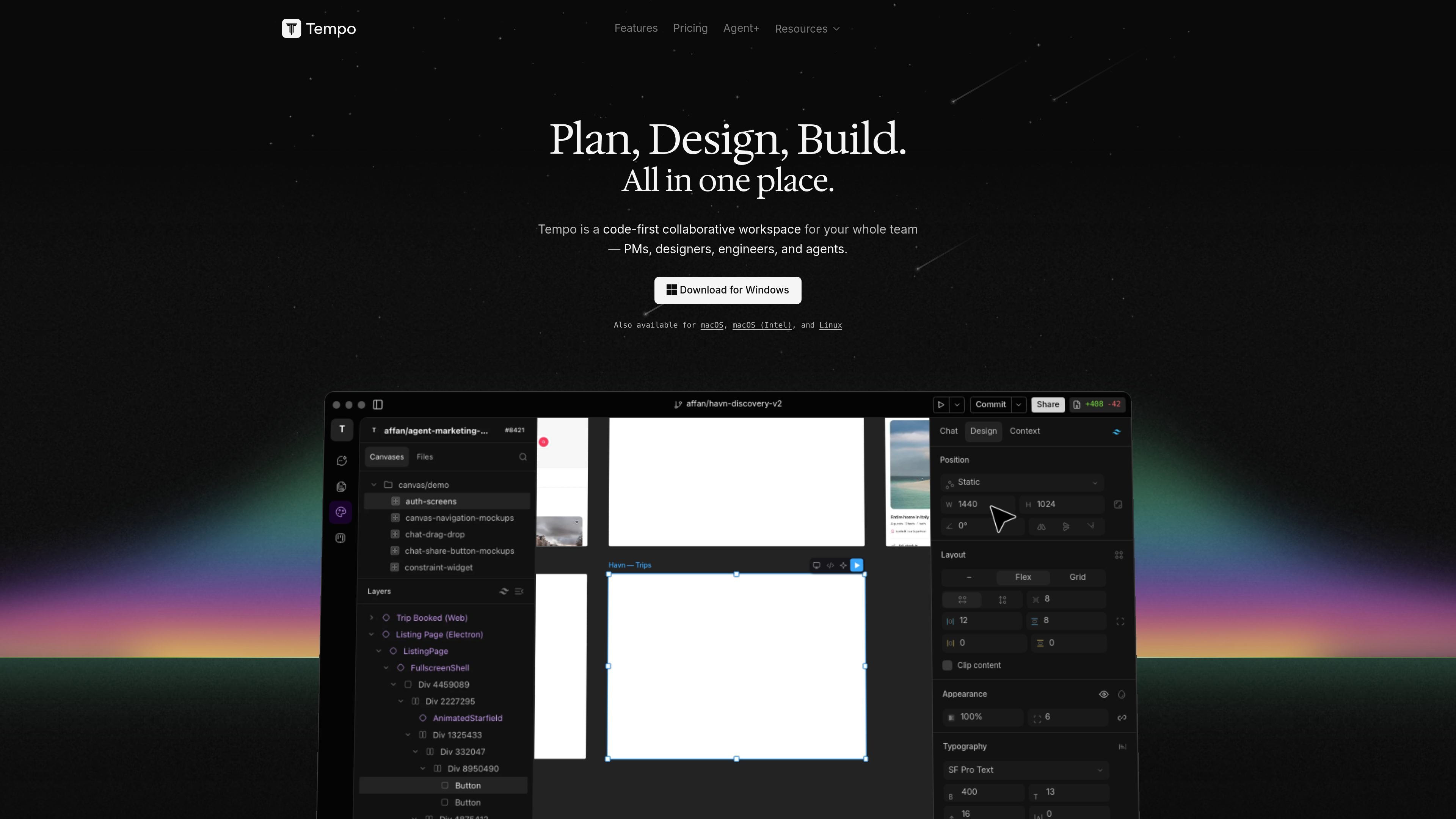
Code-first collaborative workspace
Tempo combines prompt, design, and build work in a single collaborative workspace so product teams can move from idea to implementation without switching between separate tools.

Tempo is a code-first workspace for teams to plan, design, and build together, with AI assistance and expert review.
Tempo is a code-first collaborative workspace for product teams that want to plan, design, and build in one place. The site positions it as an “everything app” for PMs, designers, engineers, and agents, with the goal of reducing the handoff gaps that happen when teams use separate tools.
The Agent+ offering adds an AI-assisted design and development subscription that combines AI agents with senior human review. Tempo says it can take a feature from scoped idea to production-ready pull request through a defined workflow that includes design, code, review, and merge, while keeping design, code, and project management in a single source of truth.
Tempo combines prompt, design, and build work in a single collaborative workspace so product teams can move from idea to implementation without switching between separate tools.
The Agent+ service pairs AI agents with senior human review, so designs and code are checked before delivery rather than passed straight through from automation.
Agent+ follows a defined workflow: define scope, receive designs, get code as a pull request, review revisions, and merge when ready.
Tempo says designs are delivered within 24 hours and that production-ready code is shipped as pull requests, which makes the output easy to review in a normal development process.
The product is positioned for team use, with PMs, designers, engineers, and agents working in the same workspace and sharing a single source of truth.
Tempo says clients retain 100% IP ownership of delivered work, and the service includes unlimited design and code revisions on the Agent+ plan.
Use Tempo when a product team wants to keep scoping, design, and implementation in one environment instead of moving work between separate tools.
Use Agent+ when you need feature work packaged as reviewed code, with AI-assisted design and development followed by human quality checks.
Use it for teams that already have a backlog and want features shipped through a repeatable workflow with revisions and merge-ready output.
Use it when you have Figma designs that need to be translated into working frontend work, since Tempo says it can integrate with existing Figma designs.
Use it for React web apps or React Native mobile apps if you want a service that is explicitly optimized for those frameworks.
Tempo says it is optimized for responsive React web apps and React Native mobile apps. The FAQ also notes plans to add support for other frameworks in the future.
Tempo says billing is applied at the start of each month. If you pause or cancel, the second payment is stopped, and the first month is refundable if the product does not meet expectations.
Tempo says it commonly uses Trello for resource planning and can integrate with existing Figma designs. It also says other platforms can be discussed if needed.
No. Tempo says clients do not need pre-existing designs or brand guidelines, although active involvement is recommended so the final product matches the team’s vision.
Tempo describes a feature as a distinct capability within a website or web application, ranging from smaller additions such as a contact form to larger functionality such as an e-commerce platform.
Traffic data is for reference only.
| Apr | 65447 |
|---|---|
| May | 68273 |
| Jun | 91840 |

creao.ai
CREAO is an AI agent platform that turns recurring business work into reusable workflows with tool integrations, schedules, and approval gates.

adam.new
Adam is a CAD copilot that streamlines hardware workflows from Slack and email.

mulerun.com
MuleRun is an AI agent platform for end-to-end workflow automation, research, document and presentation creation, web outputs, and proactive monitoring. Free, paid, and enterprise plans available.

taktile.com
Taktile is an agentic decision platform for automating financial workflows with traceable, configurable AI.

lobehub.com
LobeHub is an AI agent platform for work and life

dagworks.io
Open-source and hosted tools for reliable AI workflows with Apache Hamilton and Apache Burr