
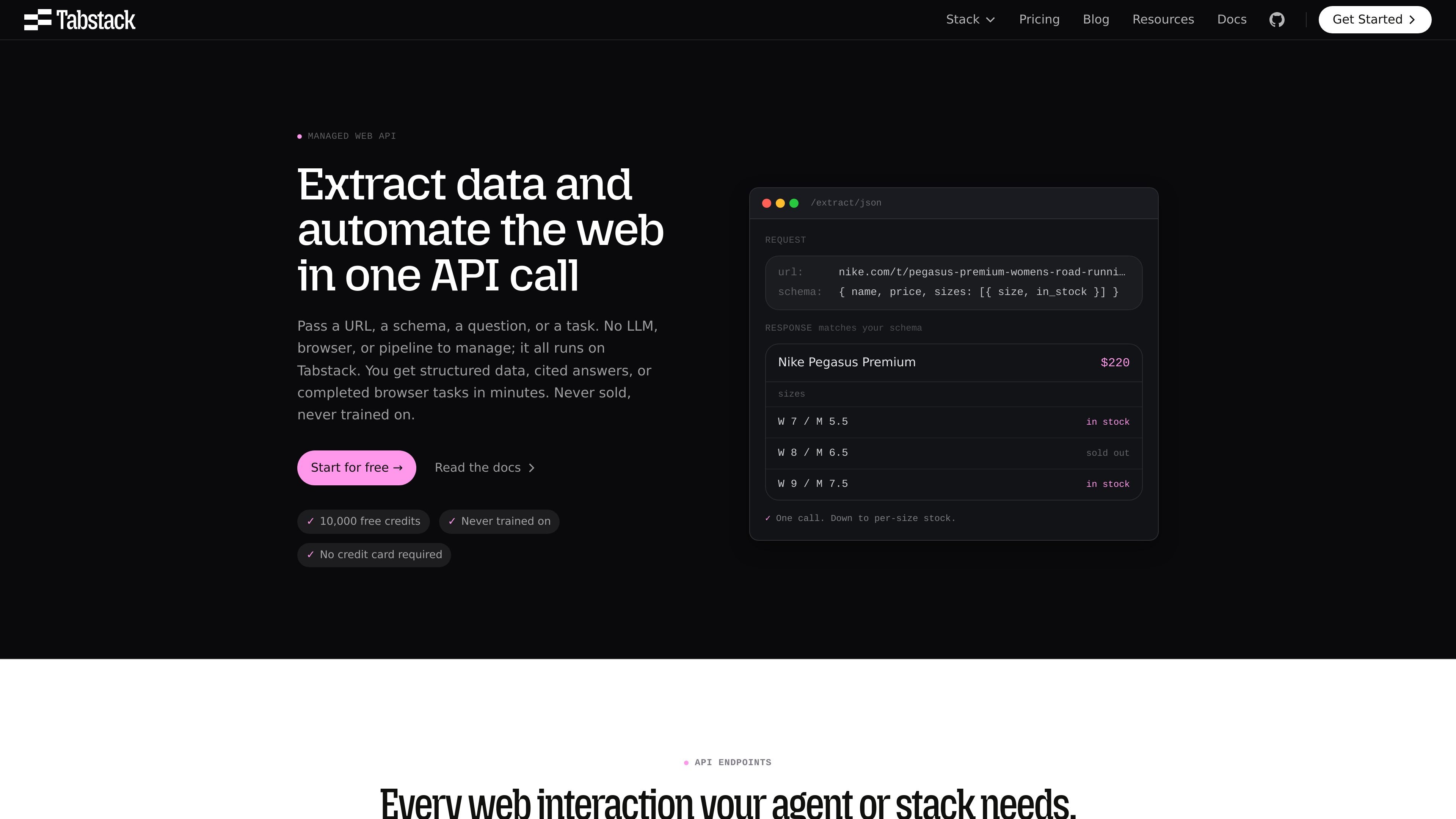
Schema-driven JSON extraction
Pass a URL and a JSON schema, and Tabstack returns data that matches the shape you defined. The source pages say this works on server-rendered, client-rendered, and JS-heavy pages.

Web data and browser automation API for extraction, cited research, and live browser tasks
Tabstack is a web data and browser automation API platform that lets developers extract structured data, run web research, and automate browser tasks through one API call. The site presents it as a way to get output in the form you need without managing LLM orchestration, browser infrastructure, or data pipelines.
Its core workflow is straightforward: pass a URL, schema, question, or task, and Tabstack handles page access, reasoning, and response formatting. The available endpoints cover JSON extraction, Markdown extraction, structured generation, cited research, and browser automation, making the product useful for teams that need live web data or repeatable web actions inside their apps or agents.
Pass a URL and a JSON schema, and Tabstack returns data that matches the shape you defined. The source pages say this works on server-rendered, client-rendered, and JS-heavy pages.
Use `/generate/json` when you need structured output that involves reasoning, not only field extraction. The site says you can combine a URL with custom instructions and a schema.
Extract clean Markdown from pages for downstream LLM or RAG workflows. The site presents this as a way to turn articles, docs, and product pages into readable input without maintaining a scraper.
Run a research agent that searches the live web and returns cited answers. The page says source selection, reading, synthesis, and citation all happen inside the call.
Describe a browser task in plain language and let Tabstack carry it out on the live page. The browser flow can navigate, click, fill forms, and complete multi-step tasks.
The site documents controls such as `nocache`, `effort`, and `geo_target`, plus streaming over SSE for research and interactive automation mode. These controls are presented as ways to tune freshness, cost, and region-specific fetching.
Monitor competitor pricing, packaging, and positioning on a schedule, then feed the results into a dashboard or internal analysis tool as structured JSON.
Enrich inbound leads by turning a company domain into fields such as headcount, tech stack, funding, or ICP fit. The site presents this as a pipeline use case rather than a one-off scrape.
Build an in-product research feature that answers questions from the live web and includes citations on each claim. This is suited to tools that need traceable summaries rather than uncited search results.
Complete booking, checkout, or form workflows on third-party sites by describing the task in plain language. The automation flow can handle navigation, clicking, form filling, and multi-step completion.
Convert documentation, product pages, or articles into clean Markdown for ingestion into a RAG or knowledge base pipeline. This avoids maintaining a custom scraper for every site layout.
Tabstack supports extracting structured JSON from a URL with a schema, generating structured answers from a URL and instructions, and automating browser tasks from plain-language prompts. The source pages show API endpoints for `/extract/json`, `/extract/markdown`, `/generate/json`, `/research`, and `/automate`.
The source pages show a TypeScript SDK, Python SDK, MCP, and CLI, and the home page says you can add it to an agent in about 30 seconds. The site also points to documentation for setup details.
Tabstack returns schema-matched JSON for extraction, clean Markdown from pages, cited research answers, and completed task results from browser automation. The examples on the site also show streaming research and automation events.
The pricing page shows a free trial with 10,000 free credits. It also shows a free Individual plan, a Team plan, and a Pro plan label, but the rendered text provided here does not include the full Pro details.
Traffic data is for reference only.

parallel.ai
Parallel is a web search and research API platform for AI builders and frontier teams, offering search, extraction, chat, monitoring, and structured research APIs.

termo.ai
Termo is an AI agent platform with isolated VMs for research, automation, and build tasks.

airtop.ai
No-code AI automation for sales and marketing teams

leeroo.com
Uniforge is Leeroo’s enterprise context engine for AI agents and their teams.

developers.cloudflare.com
Kitesurf is Cloudflare’s stateless browser for AI agents and automation workflows. Built to run on Workers, it handles page rendering, screenshots, and HTML extraction while using less CPU and memory than Chromium for common agentic tasks.

autoglm-research.zhipuai.cn
Research and reporting assistant for reports, PPTs, webpages, and more