
AI-assisted design generation
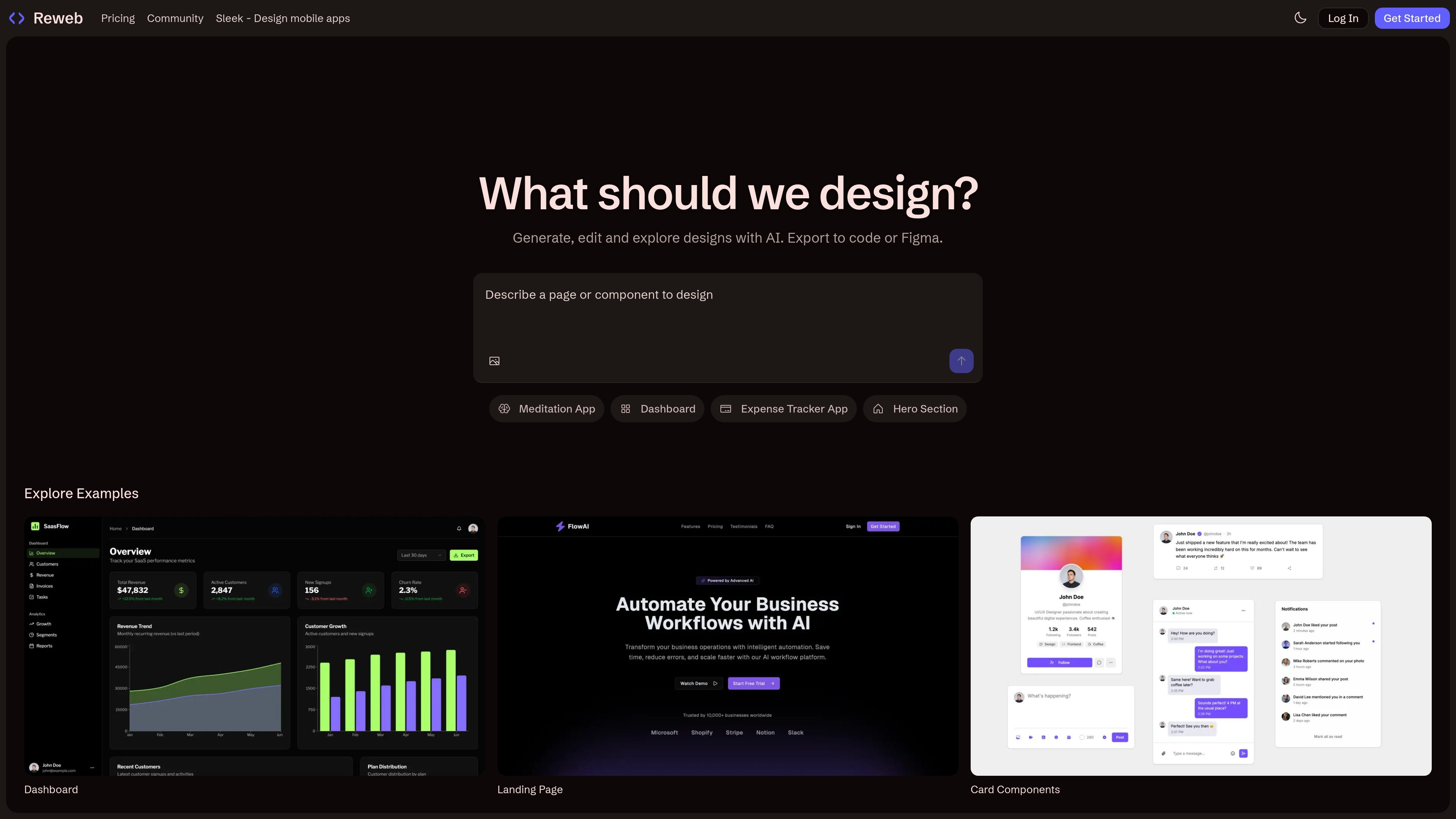
Create or explore designs with AI instead of starting from a blank canvas. The homepage presents examples such as a meditation app, dashboard, expense tracker app, hero section, landing page, and card components.

AI design tool for Figma that turns screenshots into editable designs and exports UI to Figma or code
Reweb is an AI design tool for Figma that helps turn screenshots into editable designs, generate UI with AI, and export work as production-ready React components. Its homepage positions the product around generating, editing, and exploring interface designs with AI, rather than around general-purpose image generation.
The product is aimed at UI and product design workflows where a user wants to move from an idea, screenshot, or example into something editable and exportable. The site also shows example layouts such as a meditation app, dashboard, expense tracker app, hero section, landing page, and card components, which suggests Reweb is oriented toward practical interface building tasks.
Create or explore designs with AI instead of starting from a blank canvas. The homepage presents examples such as a meditation app, dashboard, expense tracker app, hero section, landing page, and card components.
Turn screenshots into editable designs. This is the central promise described in the product metadata and positions the tool around design-to-editable workflows.
Edit existing work with AI. The homepage copy says you can generate, edit, and explore designs with AI, which suggests Reweb is meant for iterative UI work rather than one-off generation.
Export designs to code or to Figma. The pricing page specifically mentions export to Figma and export to code, and the product description says it produces production-ready React components.
Use plan-based credits for AI work. The pricing page distinguishes free, Pro, and Team access with limited or higher AI usage, making credits part of the product workflow.
Support collaboration on team plans. The pricing page calls out team collaboration and centralized billing as part of the Team tier.
Use Reweb when you already have a screenshot or visual reference and want to turn it into an editable design instead of recreating the interface manually.
Generate new UI sections such as landing pages, dashboards, hero sections, or card components with AI and then refine them in the same workflow.
Move from design to implementation by exporting production-ready React components or exporting back to Figma when the work needs to stay in a design tool.
Use the Team plan when multiple people need to collaborate on UI work and keep billing centralized.
Start on the free plan to explore the workflow before moving to a paid plan for more credits or collaboration.
Reweb offers a free plan, and its pricing page also lists paid Pro and Team plans for higher usage and collaboration needs.
The pricing page says you can change or cancel your plan at any time.
The pricing page indicates that Reweb supports exporting designs to Figma and to code.
If you use up your AI credits, Reweb’s pricing page indicates you can purchase additional credits or upgrade your plan.
The Team plan is described as including team collaboration and centralized billing.
Traffic data is for reference only.
musavir.ai
AI website builder that creates sites from a prompt or brief description

sitejourney.ai
SiteJourney is an AI website builder that creates professional websites from text prompts and lets you edit and publish them without coding, with free and paid plans.

aura.build
Aura is a web-based AI website builder for creating landing pages and small marketing sites. It combines template browsing, visual editing, CMS tools, and export options on paid plans.

butternut.ai
AI website builder for creating and publishing sites from prompts or profiles

webild.io
Webild is an AI website builder for creating, editing, and launching professional sites with hosting and analytics.

hocoos.com
AI website builder for small businesses with easy editing and downloads available until April 23, 2026