
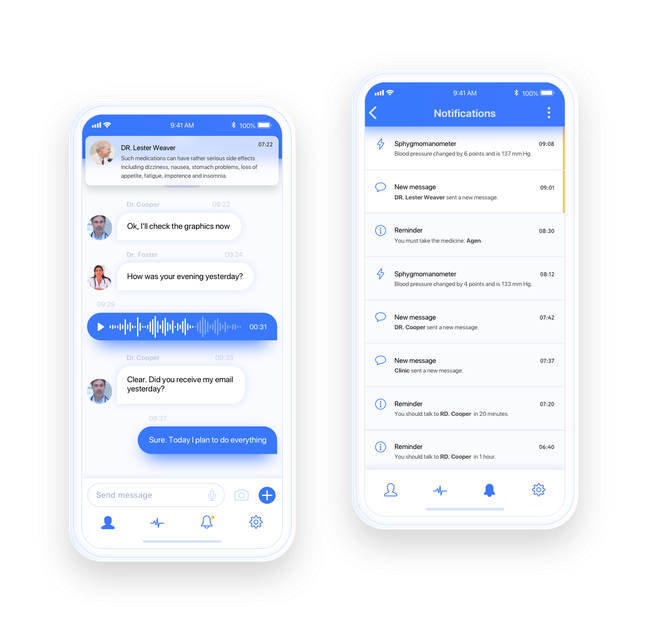
Core chat functions
Add 1-to-1 chat, group chat, public and private rooms, message history, delivery and read receipts, typing indicators, online presence, attachments, voice messages, and auto-reconnect with sync.

QuickBlox is a communications platform for adding chat, voice/video calling, UI kits, and SDKs to Android, iOS, and Web apps.
QuickBlox is a communications platform for adding in-app chat and calling to Android, iOS, and Web applications. The site positions it as a way to build secure, compliant, and scalable communication features for business products.
The product spans SDKs, APIs, UI kits, and ready-made solutions. It is aimed at teams that want either full implementation control or faster rollout with prebuilt chat interfaces and messaging workflows, including options for AI-assisted replies, translation, and message rephrasing.
The pricing page shows several commercial paths, including cloud plans, a HIPAA Cloud plan, Enterprise licensing, and separate AI Agent offerings. That makes QuickBlox relevant both for standard messaging apps and for teams that need managed infrastructure or healthcare-oriented deployments.
Add 1-to-1 chat, group chat, public and private rooms, message history, delivery and read receipts, typing indicators, online presence, attachments, voice messages, and auto-reconnect with sync.
Use peer-to-peer audio/video calls and conference audio/video calls, with calling listed as an add-on on cloud plans and included in enterprise packages.
Launch faster with open-source Chat UI Kits that include pre-built components, ready-to-use workflows, and screens for common messaging flows.
Adapt the product across iOS, Android, React, Flutter, and Web with SDKs and UI kit examples shown for multiple stacks.
Build around AI-assisted messaging features such as answer assist, translation, and message rephrase, which are called out on the homepage and UI kit page.
Use documentation, help center resources, tutorials, and code samples to implement and customize the platform.
Add real-time messaging to a mobile or web app when you need private chats, group rooms, attachments, presence, and message history without building the messaging stack from scratch.
Support telehealth or other private consultation workflows with video meetings, scheduling-related features, and a healthcare-oriented hosting option shown on the pricing page.
Build a chat experience faster by starting from prebuilt UI components and ready-made screens instead of designing each message, dialog, and member-management view yourself.
Extend a customer app with AI-assisted messaging features such as answer assist, translation, and rephrasing where the product experience benefits from guided responses.
Choose a managed commercial plan when a team needs a defined user limit, retention policy, support model, or enterprise setup rather than only SDK-level building blocks.
QuickBlox provides SDKs, APIs, and UI kits for adding in-app chat and voice/video calling to Android, iOS, and Web applications.
The pricing page shows cloud plans, HIPAA Cloud, Enterprise options, and a separate AI Agent offering. Enterprise customers can also contact QuickBlox for custom pricing.
Yes. The source specifically mentions SDKs, APIs, and UI kits for iOS, Android, React, Flutter, and Web.
The UI Kit page lists ready-made chat UI components, workflows, and screens, while the SDK page points to real-time in-app messaging and video chat capabilities.
Traffic data is for reference only.
