
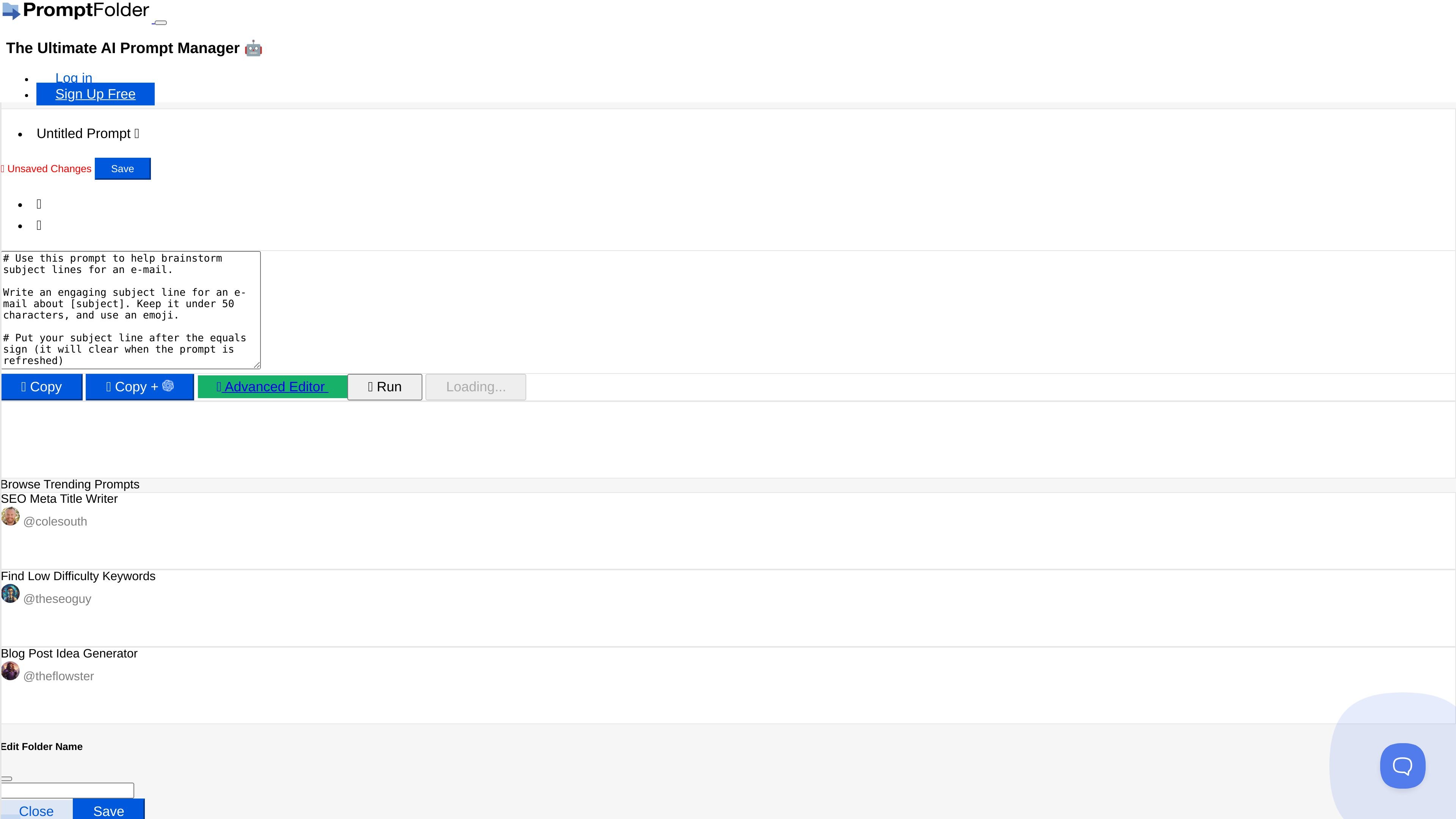
Prompt creation and saving
Create prompts in an editor with actions like copy, copy plus, run, and save, then keep them in PromptFolder for later use.

AI prompt manager for creating, organizing, and discovering prompts for ChatGPT and Midjourney, with YouTube summaries and Chrome Extension workflows.
PromptFolder is an AI prompt manager for building, saving, organizing, and discovering prompts for tools such as ChatGPT and Midjourney. The homepage positions it as a central place to keep prompts and reuse them across AI workflows, with a Chrome Extension that lets users work directly inside ChatGPT.
The product also includes utility pages and prompt helpers, such as a Midjourney prompt generator, a ChatGPT prompt helper, and an AI YouTube Summarizer. Those tools show that PromptFolder is not only a prompt library, but also a workspace for assembling prompts, copying them into external AI tools, and returning to saved work later.
Create prompts in an editor with actions like copy, copy plus, run, and save, then keep them in PromptFolder for later use.
Organize work with folders, including creating new folders, renaming folders, moving prompts between folders, and handling deleted folder contents.
Use the Chrome Extension to work directly inside ChatGPT, reducing the need to switch between tools.
Browse a built-in collection of trending prompts, such as SEO Meta Title Writer, Find Low Difficulty Keywords, and Blog Post Idea Generator.
Use specialized helpers for ChatGPT and Midjourney that guide prompt construction with controls for tone, length, aspect ratio, version, quality, style presets, and image inputs.
Run a YouTube summarizer that pulls a video's transcript, sends it to OpenAI, and returns a summary with optional advanced settings for one-off overrides.
Write prompts once, save them in folders, and return to them later when you need the same workflow again.
Use the ChatGPT Prompt Helper to shape a prompt with options such as tone and length before copying it into ChatGPT.
Build Midjourney prompts with controls for aspect ratio, version, quality, stylize, chaos, seed, and style presets.
Start from a trending prompt idea when you want a ready-made structure for SEO, content, or keyword work.
Paste a YouTube link into the summarizer to generate a transcript-based summary without doing the manual review yourself.
PromptFolder provides prompt-building and prompt-saving workflows for ChatGPT and Midjourney, and it also offers a YouTube summarizer and other free tools. The site shows prompt optimization and prompt discovery features rather than a general-purpose document editor.
The homepage shows Log in and Sign Up Free actions, plus a note that the Chrome Extension can be installed and used directly in ChatGPT. The Midjourney and ChatGPT helpers also include options to copy prompts and save them to PromptFolder.
The site shows a free sign-up path and some tools that can be used once per day without an account, with an additional daily use after creating a free account. It also references PromptFolder Pro on the YouTube summarizer page, but no public pricing details are shown in the collected source text.
The collected pages support use with ChatGPT and Midjourney, and the homepage also lists free tools including an AI YouTube Summarizer and ChatGPT Detector. The source does not provide a full integrations list beyond those examples.
The available pages focus on individual prompt management and helper tools. They do not provide clear evidence of team features, shared workspaces, or collaboration controls.
Traffic data is for reference only.

www.promptbridge.co
Prompt Bridge is a Chrome extension that helps users carry AI conversation context across supported AI platforms, so they can continue threads without starting over.

prompt-genie.com
Prompt management, optimization, and Claude Code memory for efficient AI workflows

dashworks.ai
AI assistant for workplace questions with unified search across company apps, docs, websites, and Slack

super.work
Slite is an AI knowledge base for team documentation and knowledge management. It helps teams write, verify, search, and maintain docs so information stays accurate over time.

atlas.nanonets.ai
Atlas turns your company’s documents, website, and source materials into shared rules that Claude, Cursor, and ChatGPT can follow using the same company context.

tinamind.com
TinaMind combines mind maps, whiteboards, chat, docs, and browser extensions for research, writing, and analysis.