
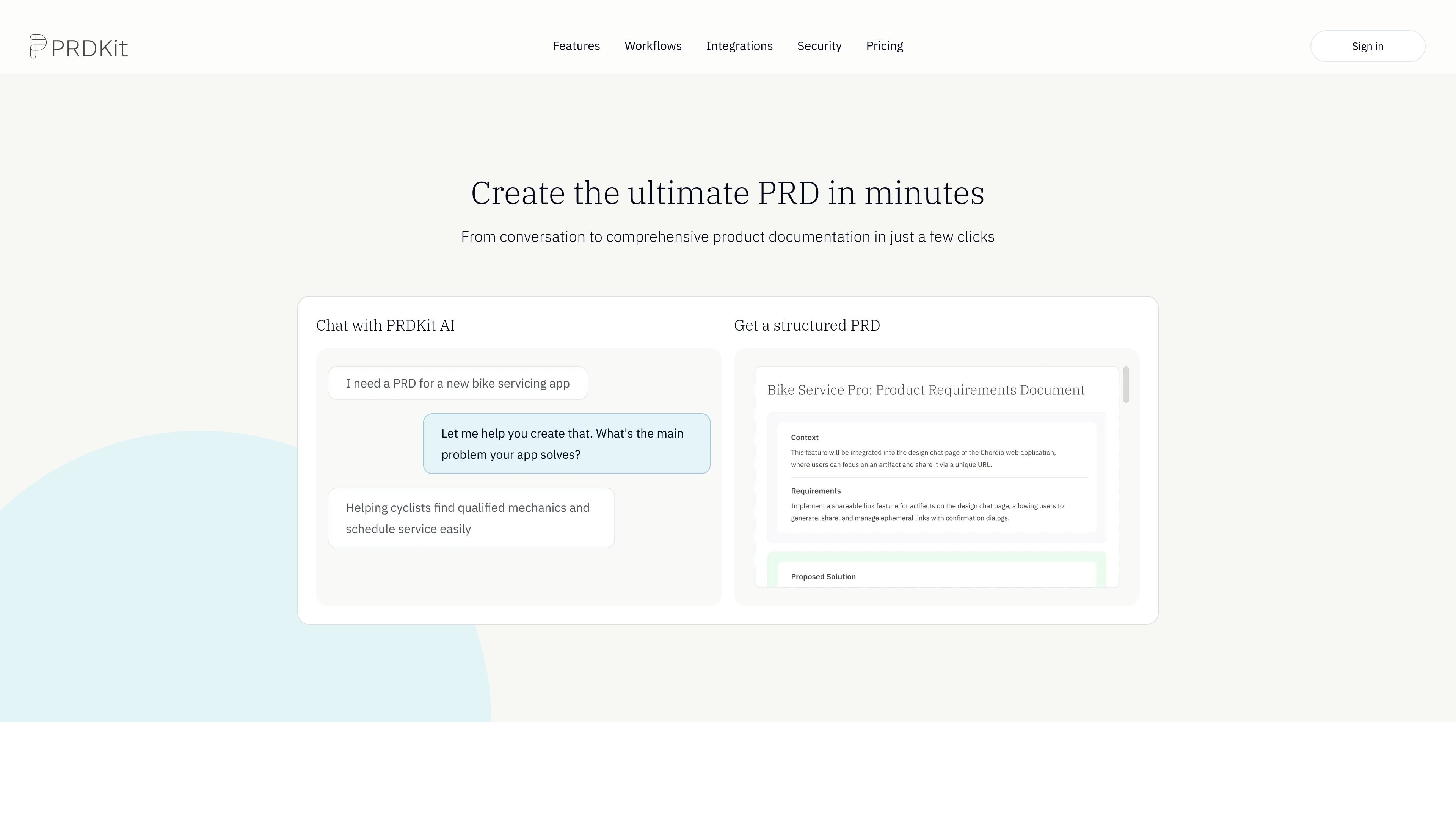
AI-powered PRD generation
Chat with PRDKit AI to turn ideas or notes into structured product requirements that can be shared across the team.

AI-powered tool for creating PRDs, user flows, launch content, and prototypes
PRDKit is an AI-powered product requirements tool for turning product context into structured documentation and related launch materials. It combines conversational PRD creation with supporting outputs such as user flows, wireframes, social posts, and simulated reviews.
The product is designed for teams that need to document an existing product or define a new one. It can gather context from a homepage URL, analyze uploaded product screens, and organize the result into content that can be shared in team workspaces or exported for live prototyping tools.
Chat with PRDKit AI to turn ideas or notes into structured product requirements that can be shared across the team.
Generate clear user flow diagrams, and review wireframes to visualize how a product should work before committing to build decisions.
Create supporting launch materials such as social posts and simulated product reviews, with press releases and demo scripts listed as coming soon.
Paste a homepage URL and let PRDKit gather product, audience, and business context automatically for existing products.
Upload product screens so PRDKit can map interface elements, functionality, and user flows from the design itself.
Share work through public or private links, or copy content into tools like Notion, Confluence, and team workspaces.
Use PRDKit to turn an early product idea into a structured requirements document, then extend it with user flows and launch-ready supporting material.
Paste an existing product homepage URL to gather context about the product, audience, and business objectives before iterating on the requirements.
Upload screens from a product design so PRDKit can infer interface elements and map the likely user flow across the experience.
Share outputs with teammates through links or copy them into Notion or Confluence to keep product, design, and engineering aligned.
Export a PRD to LLM-optimized format for live prototyping with Bolt, Lovable, v0, or Cursor.
PRDKit is a product management AI assistant that helps generate product requirements, user flows, and launch-ready content from product context.
The homepage shows workflows for chat-based PRD creation, product screen analysis, and automated context gathering from a homepage URL. It also supports a knowledge hub for personas, journeys, and business objectives.
PRDKit can produce structured PRDs, visual user flows, wireframes, social posts, simulated reviews, and other launch content. Some outputs, such as press releases and demo scripts, are labeled as coming soon on the homepage.
The pricing page offers Free, Premium, and Enterprise options. Premium adds team workspace, shared team knowledge, Slack bot access, admin tools, and priority support; Enterprise adds higher usage limits, custom integrations, priority support, and dedicated onboarding and success sessions.
The site states that PRDKit does not use customer data to train public AI models and that data is safe. The privacy policy also says the service is designed for enterprise customers and their representatives.
Traffic data is for reference only.

aichat1234.com
迅捷AI写作 is an online AI writing tool for papers, novels, office work, and content creation, with templates, online documents, and multi-format export.

narrato.io
Enterprise marketing AI platform for on-brand campaigns at scale

www.grammarly.com
Grammarly is an AI writing assistant that helps individuals, teams, and organizations proofread, rewrite, and generate text across apps and websites.

jasper.ai
Jasper is an AI marketing platform for creating, orchestrating, and governing on-brand content workflows across channels with AI agents, brand context, and collaboration tools.

www.relume.io
Relume is an AI website builder and component library for marketing sites, helping teams create sitemaps, wireframes, and style guides faster.

videotoblog.ai
Turn videos, podcasts, and webinars into publish-ready blog posts.