Pendo logo

Pendo

Claim

Pendo is an AI-powered analytics and adoption platform for software teams to understand app and AI agent usage, with product analytics, guides, session replay and AI-assisted analysis.

Pendo preview

Overview

Pendo is an AI-powered analytics and adoption platform for software builders. It brings together product analytics, in-app guidance, session replay, feedback, and AI-driven tools so teams can understand how people use their apps and agents, then act on that information in the product itself.

The homepage positions Pendo around a broad set of use cases across products and AI agents. It is designed to help teams capture behavioral data, identify where users struggle, measure adoption and outcomes, and guide users toward value without relying on heavy manual setup.

Core capabilities

Product analytics without manual tagging

Track what users do across apps and agents, with retroactive analytics that preserve historical behavior from the day you install Pendo. The analytics page says you can start collecting data with little to no engineering effort and no manual event tagging.

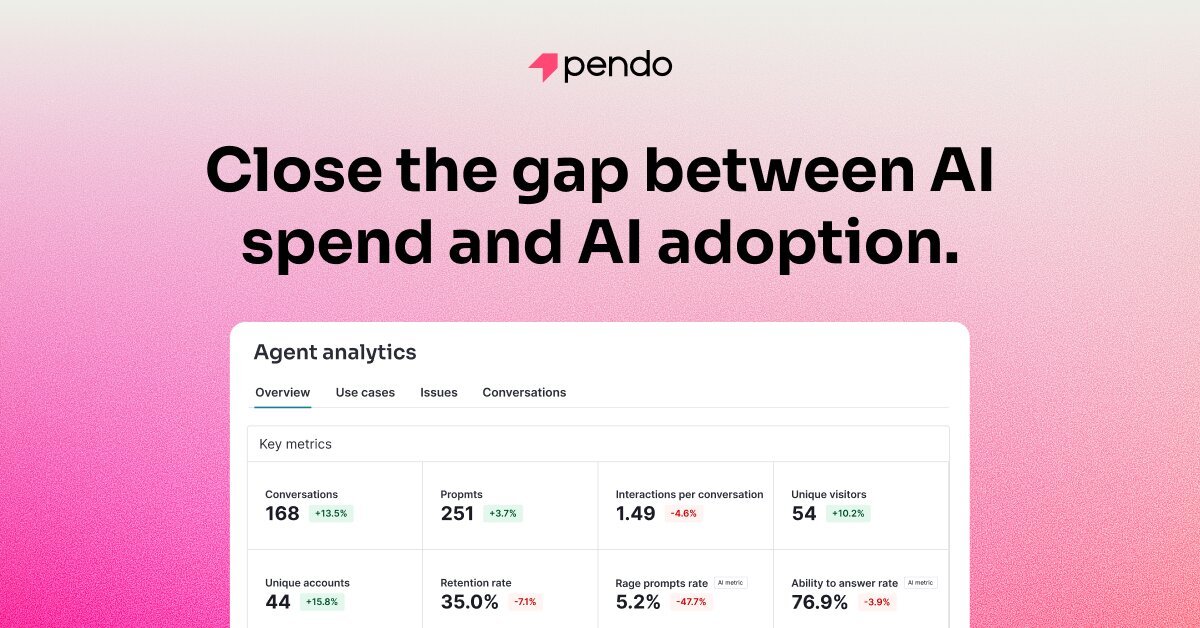
Agent analytics

Monitor AI adoption and impact by measuring how users interact with AI agents and connecting those interactions to outcomes such as retention, conversion, and revenue.

In-app guides

Deliver in-app help and prompts to guide users to value, with Guides included in plans on the pricing page and highlighted as a core platform capability.

Session replay

Review user experiences through session replays to see where users struggle and understand behavior in context. The pricing page includes Session Replay in Core and Ultimate plans, and the product page emphasizes unlimited user replays.

AI-assisted analysis and access

Ask questions in natural language with Leo, Pendo’s built-in AI, or use the MCP server to bring Pendo data into tools such as Claude or other AI tools.

Integrations and data sync

Connect Pendo with CRM, support, marketing automation, collaboration, and analytics tools, and use data sync to break down data silos across your stack.

Common use cases

  • Product teams analyzing adoption

    Use Pendo to see which features people actually use, where they drop off, and which journeys need improvement before making product changes.

  • Onboarding and in-app guidance

    Use Guides, session replay, and analytics together to surface friction points and direct users to the next best action inside the app.

  • Tracking AI agent impact

    Use Agent Analytics and related AI tools to measure whether AI agents are helping users complete tasks and move business outcomes such as retention or revenue.

  • Selecting a plan or module

    Use pricing, trial, and plan comparisons to evaluate which Pendo bundle fits a smaller team, a growing product organization, or an enterprise deployment.

  • Connecting product usage to business systems

    Connect Pendo to CRM and other operational tools to combine behavioral data with business data for reporting and follow-up workflows.

Pros and Cons

Pros

  • Combines analytics, guidance, replay, sentiment, and data sync in one platform.
  • Supports retroactive analytics, so historical product behavior is available from day one.
  • Emphasizes low engineering effort and no manual event tagging for analytics setup.
  • Includes AI-assisted workflows through Leo, Predict, and MCP access to product data.
  • Offers a free plan and a 30-day free trial, which lowers the barrier to evaluation.

Cons

  • Pricing is customized for paid plans, so teams need to request a demo or talk to sales for most package details.
  • The source material supports broad platform capabilities, but some deeper feature limits and implementation requirements are not specified on the pages provided.

FAQ

Does Pendo offer a free plan or trial?

Yes. The pricing page includes a free plan for individuals and small teams, and a 30-day free trial of the full platform is also available. Paid plans use custom pricing.

How does Pendo pricing work?

Pendo’s pricing is based on Monthly Active Users (MAUs) and the functionality included in a plan. The pricing page says the MAU count and selected capabilities determine cost, while adding more MAUs reduces the per-user cost.

What kinds of integrations does Pendo support?

The pricing page says Pendo connects with more than 85 tools across CRM, support, marketing automation, collaboration, and analytics platforms.

Is Pendo easy to set up?

Pendo’s analytics pages emphasize little to no engineering effort, no manual event tagging, and retroactive analytics that capture historical behavior from day one.

Who is Pendo for?

The homepage and pricing page frame Pendo as a platform for product teams, IT, revenue, and marketing teams that want analytics, in-app guidance, and adoption tools across apps and agents.

Quick Facts

Category
AI-powered analytics and adoption platform
Primary users
Product, IT, revenue, and marketing teams
Platform focus
Apps and AI agents
Pricing model
Free plan, free trial, and custom pricing for paid plans
Integrations
More than 85 tools across CRM, support, marketing automation, collaboration, and analytics
Website
pendo.io