
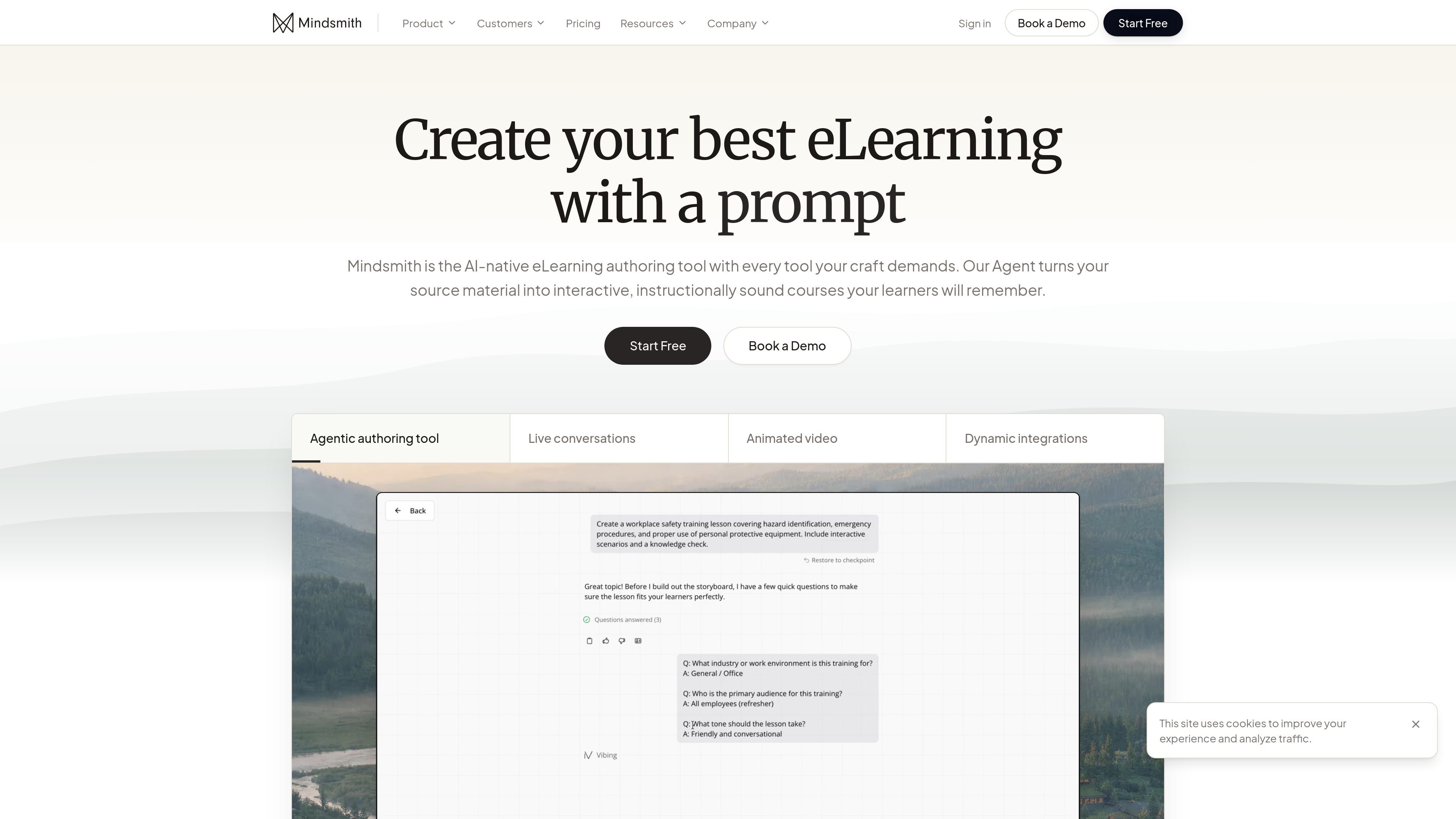
AI-assisted course generation
Turn documents, presentations, videos, course outlines, SME materials, SOP documents, and existing lessons into structured eLearning with the Agent.

AI-native eLearning authoring for interactive courses and training
Mindsmith is an AI-native eLearning authoring tool for teams that need to create interactive training content from source material without giving up editorial control. The platform’s Agent can turn documents, presentations, videos, outlines, SOPs, and SME input into lesson drafts that authors can refine in a storyboard-driven workspace.
The product is built around the full course lifecycle: generate, author, share, and analyze. It supports interactive elements such as live conversations, branching scenarios, animated video, quizzes, flashcards, and dynamic packages for sharing through link, embed, SCORM, or xAPI. The site also positions Mindsmith for enterprise use with collaboration, branding, access controls, multilingual delivery, and analytics.
Turn documents, presentations, videos, course outlines, SME materials, SOP documents, and existing lessons into structured eLearning with the Agent.
Keep authors in control with storyboards, inline commenting, and a workspace designed for editing, collaboration, and brand alignment.
Create live conversations, branching scenarios, animated videos, custom AI avatars, quizzes, flashcards, and other interactive lesson elements.
Publish lessons through link, embed, SCORM, xAPI, or dynamic modules, with automatic updates when source content changes.
Track completion rates, score breakdowns, answer distributions, and learner-level performance to understand how content is working.
Use the MCP server to connect Mindsmith with Copilot, Claude, ChatGPT, and other agents for creation and management inside external workflows.
Convert existing materials such as slide decks, SOPs, videos, or SME notes into a structured lesson draft, then refine it in the storyboard editor.
Build scenario-based practice, conversational exercises, quizzes, flashcards, and other interactions for learners who need more than static slides.
Publish the same course through link, embed, SCORM, xAPI, or dynamic packages so it can fit different LMS and sharing workflows.
Give distributed teams a way to collaborate on brand-compliant content, comment inline, and manage access as courses move from draft to published.
Review completion, scoring, and answer-distribution data to understand how learners are progressing and which items may need revision.
Mindsmith is an AI-native eLearning authoring tool for creating interactive courses. It turns source material into lessons with features such as live conversations, branching scenarios, video, quizzes, and analytics.
The source highlights document, presentation, video, course outline, SME material, SOP, and existing lesson inputs. The Agent can shape that material into a lesson, and storyboards keep the author in control of the result.
Courses can be shared through link, embed, SCORM, xAPI, or dynamic modules. The pricing page also indicates that lessons can be exported as interactive eLearning packages.
Mindsmith shows learner completion rates, score breakdowns, and answer distributions in one place. The pricing page also lists analytics by learner and PDF export of analytics on paid plans.
The site says Mindsmith supports collaborative review, brand customization, enterprise-ready access controls, and multilingual delivery. The pricing page also shows a free plan, paid plans, and an Enterprise option with custom pricing.
Traffic data is for reference only.

fullstackdeeplearning.com
The Full Stack offers free courses, bootcamps, and community resources for building AI products, from model or prompt choices to deployment, UX, and improvement.

www.trykeet.com
Keet is a personal learning app that generates interactive courses on user-selected topics. It combines structured lesson roadmaps, short explainer videos, quizzes, and knowledge-testing games for guided self-study.

open.maic.chat
OpenMAIC is an open-source AI classroom generator for turning topics or PDFs into interactive lessons.

honen.com
Honen turns documents, recordings, videos, or a topic into structured, learner-ready courses with modules, activities, projects, and a built-in tutor.

hakken.me
Hakken is an adaptive learning platform that builds courses around a learner’s goals, existing knowledge, and available time. It supports text and voice onboarding, multimedia lessons, checkpoints, review lessons, and course changes approved by the learner.

www.paradigm.study
Paradigm is an AI-powered tutoring and course-building platform that turns files, links, or text into adaptive learning paths. It supports learners, students, and course creators with feedback, progress tracking, and reminder-based guidance.