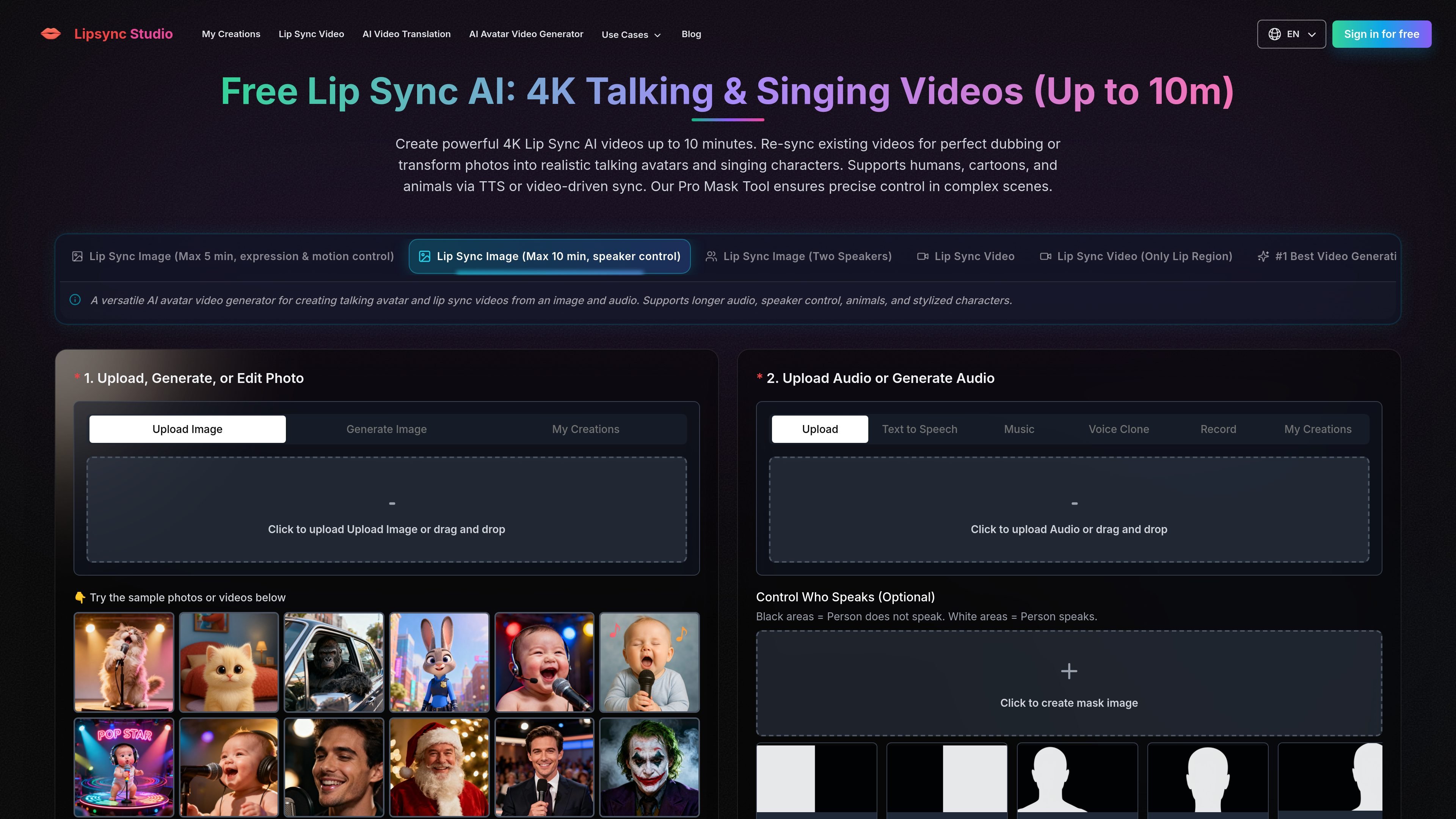
Lip Sync Studio creates AI lip-synced talking and singing videos from images, video, and audio, with speaker control, dubbing, translation, and up to 4K output.
Lip Sync Studio creates AI lip-synced talking and singing videos from images, video, and audio, with speaker control, dubbing, translation, and up to 4K output.
The product is built around several creation paths rather than one fixed editor: image-to-lip-sync, two-speaker scenes, multi-person speaker control, video lip sync, and video translation. The site says it supports humans, cartoons, and animals, and it offers output settings up to 4K for selected workflows.
What can Lip Sync Studio do?
01
Image-to-video lip sync
Generate lip-synced videos from a single image and audio, including speech, narration, and singing. The homepage highlights two image workflows: one focused on expression and motion control, and another that supports longer audio with speaker control.
02
Two-speaker scene handling
Create two-person dialogue scenes or one-speaker, one-listener videos from a two-person image. The workflow supports separate audio tracks for each speaker and can also be used when only one speaker should talk.
03
Control who speaks
Use the speaker control mask to choose which character speaks in images or videos with multiple people. The site explains that white mask areas indicate the speaking subject, with black areas excluded from speech control.
04
Video-based sync and translation
Apply lip sync to existing video, not only still images. The homepage lists a video workflow and an AI video translation workflow that translates speech and syncs the speaker's lips.
05
Output and generation controls
Generate videos at multiple resolutions, with controls shown for 360p through 4K. The interface also presents prompt, image, and audio inputs for more directed generation.
Use Cases
“Talking avatars from photos”
Turn a portrait into a talking avatar or singing character using a single image and audio track. This fits presentation clips, social posts, lectures, and music-driven portraits.
“Two-person dialogue content”
Create two-person dialogue videos or podcast-style scenes with separate audio tracks for each speaker. The workflow is aimed at interviews, conversations, and listener-style scenes.
“Video dubbing and translation”
Re-sync an existing video for dubbing or localization with translated speech and matching lip movement. The site describes this workflow for courses, product demos, ads, tutorials, and social media localization.
“Multi-person speaker control”
Control which person speaks in a crowded image or video by masking the intended speaker. This is useful when only one subject should appear to talk in a multi-person scene.
“Prompt-driven character scenes”
Create stylized talking scenes from prompts when you need camera movement, scene direction, or a specific visual setup beyond simple lip sync.
Frequently Asked Questions
What does Lip Sync Studio do?
It creates AI lip sync videos from uploaded images, videos, and audio. The source content shows workflows for single-image talking videos, two-speaker scenes, speaker-controlled multi-person scenes, video translation, and prompt-based generation.
What output quality and length does it support?
The site shows output options up to 4K, with selectable resolutions including 360p, 480p, 720p, 1080p, 2K, and 4K. The homepage also describes workflows that can run for up to 10 minutes for certain image-based lip sync models.
Does it use subscriptions or credits?
The pricing page shows Basic, Starter, and Pro subscription plans, plus one-time credit purchases. The page says annual credits are issued in full upon purchase and refreshed annually, and that one-time credits never expire.
What kinds of projects is it designed for?
The homepage describes separate workflows for human, cartoon, and animal content, plus singing, speech, dubbing, and photo-to-video style generation. It also shows a Pro Mask Tool for controlling which speaker moves in multi-person scenes.
Are integrations or an API documented?
The source text does not mention an API, third-party integrations, or docs pages. Based on the available pages, it is presented as a web-based creation tool rather than an integration platform.
Quick Facts
Category
AI video creation
Platform
Web app
Primary use
Lip sync videos and video translation
Supported content
Humans, cartoons, animals
Output options
Up to 4K in the interface
Pricing model
Subscription plans and one-time credits
Lip Sync Studio Traffic Analysis
Traffic data is for reference only.
Monthly Visits
97.9K
Global Rank
#344,749
User Bounce Rate
39.0%
Avg. Visit Duration
01:29
Pages per Visit
3.24
Domain Rating
51
Traffic Trends
Monthly Visits - 3
Jun
108707
Jul
95278
Aug
97941
Traffic Sources
Traffic analytics are not available yet.
Top Regions
Traffic analytics are not available yet.
Lip Sync Studio Alternatives
H
HiDream.ai
hidreamai.com
AI image and video creation from prompts, images, and audio
A
AIMusixer
suno-ai.me
Browser-based AI music generator for songs and singer videos
M
Mango AI
mangoanimate.com
Mango AI creates talking avatars, face swaps, and text-driven videos
C
CraftStory
craftstory.com
CraftStory is an AI video platform that turns a single photo or short video into a talking presenter clip. It’s built for creators, marketers, and teams that need repeatable video output in 30+ languages without filming.
L
LipSync
lipsync.video
LipSync is a web-based AI lip sync tool for creating talking videos from footage, audio, or scripts, with free no-sign-up access and paid credits.
G
Gaga AI
gaga.art
Gaga AI is a web-based AI video and avatar creator that turns images or audio into synchronized videos. A free tier is available, while paid plans add watermark-free exports and commercial use rights.