
Text-to-image generation
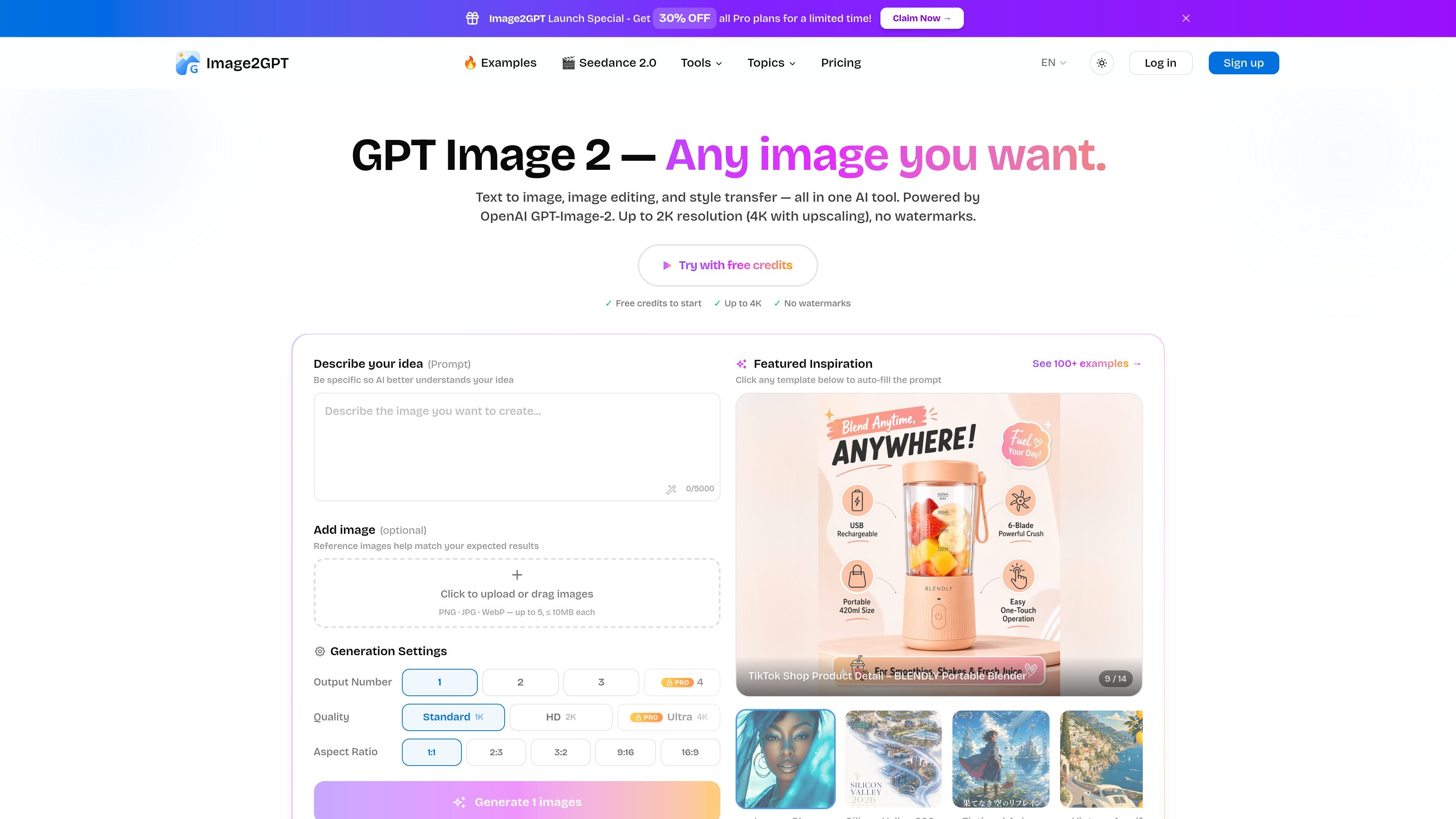
Generate images from plain-language prompts for portraits, products, landscapes, logos, and other scenes using GPT Image 2.

Image2GPT is a browser-based AI image generator and editor powered by GPT Image 2, with text-to-image, uploads, masked inpainting, and free and paid plans.
Image2GPT is an AI image generation and editing tool powered by GPT Image 2. It lets users create images from text prompts, edit uploaded images, and work with masked regions for targeted changes.
The site presents the product as a browser-based studio for common image workflows such as text-to-image, style transfer, background removal, and prompt-driven inpainting. The interface also exposes controls for output count, aspect ratio, and quality, with free credits available to start and paid plans for higher usage.
Generate images from plain-language prompts for portraits, products, landscapes, logos, and other scenes using GPT Image 2.
Upload an image and ask for edits such as background removal, style changes, added elements, or detail enhancement.
Paint a region and describe the change so only the masked area is regenerated while the rest stays unchanged.
Choose square, portrait, or landscape formats and select from output settings shown in the studio, including 1K, 2K, and 4K where available.
Generate multiple variations in one run, with the studio showing an output count selector and the pricing page noting up to 4 images per generation on paid plans.
Browse a gallery of generated images for inspiration and example workflows across portraits, posters, characters, UI/social, and comparison views.
Draft portraits, products, landscapes, logos, or stylized scenes from a written prompt when you want a fast starting point for visual concepts.
Upload an existing photo and make targeted changes such as removing a background, swapping an object, or adjusting style without rebuilding the whole image.
Paint only the area that needs work, then describe the replacement so the rest of the image remains intact for precise revisions.
Generate multiple versions in different formats or quality settings when you need options for social posts, design comps, or presentation assets.
Use the gallery and examples to explore prompt ideas and see how the model handles portraits, posters, characters, UI/social visuals, and comparisons.
Yes. The pricing page shows a Free plan with 5 credits on signup, plus paid plans for higher usage and larger output limits.
The site shows text-to-image generation, image-to-image editing with reference uploads, and a dedicated AI photo editor for mask-based inpainting.
The studio supports PNG, JPG, and WebP uploads up to 5 files, with a 10MB limit per image.
The visible UI offers Standard 1K, HD 2K, and Ultra 4K output options, though the Free plan does not include 4K output.
The pricing page lists a Free plan, Hobby at $9.9/month, and Pro at $39.9/month, with a One-Time Credit Pack also mentioned. The site does not provide full limits for every plan on the collected pages.
Traffic data is for reference only.
| May | 1163 |
|---|---|
| Jun | 592 |
| Jul | 194 |
Traffic analytics are not available yet.
Traffic analytics are not available yet.

bgsub.cn
BgSub is an online tool that automatically removes or replaces image backgrounds in your browser, with no need to upload image data. Ideal for quickly processing personal photos, product images, and marketing graphics.

erasebg.org
Erase BG removes photo backgrounds in your browser with AI, no signup required, plus color changing and image tools.

removelayer.com
RemoveLayer is a web-based AI image editor for removing backgrounds, objects, text, and other unwanted elements, creating clean visuals for ecommerce, design, marketing, and content workflows.

underlayx.com
Web-based AI image editor for background removal, text-behind effects, inpainting, cloning, and layered photo edits.

photoroom.com
AI visual editing for e-commerce photos, listings, and backgrounds

aiwatermarkremover.io
AI Watermark Remover removes watermarks from photos and videos online.