
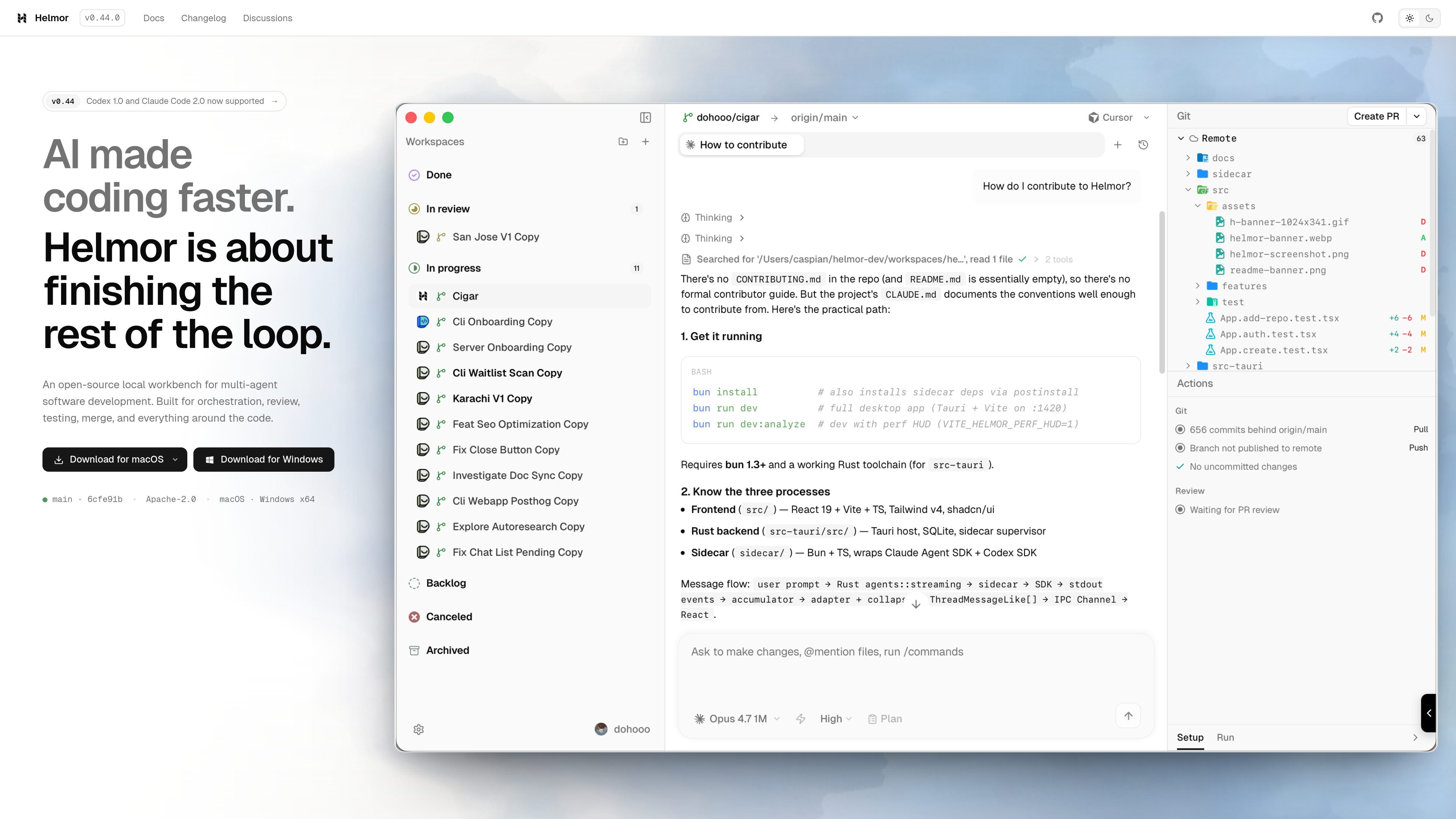
Side-by-side agent execution
Run supported coding agents, including Claude Code and Codex, in parallel task workspaces within one local workbench.

A local-first workbench for orchestrating, reviewing, testing, and merging AI-assisted code across worktrees.
Helmor is an open-source, local-first workbench for orchestrating coding agents. It runs parallel tasks in separate Git worktrees and branches on the developer’s machine, combining agent conversations, code diffs, an editor, and terminals in one window. Supported agents include Claude Code, Codex, Cursor, OpenCode, and Kimi Code.
The workflow starts with a repository and a task workspace. Prompt an agent, inspect its changes, run tests, and create or merge a pull request through GitHub or GitLab. Helmor coordinates the local workspace; connected coding agents use the developer’s own logins, API keys, or provider configuration.
Run supported coding agents, including Claude Code and Codex, in parallel task workspaces within one local workbench.
Use separate worktrees to organize concurrent coding-agent tasks and keep changes isolated during development.
Link a local clone or clone a repository URL, create a task workspace, and prompt an agent from the same interface.
Inspect diffs and use the built-in editor and terminals alongside the conversation. Run tests before creating or merging a pull request.
Use GitHub or GitLab actions to create and merge PRs or MRs, address CI issues, and resolve conflicts.
Task worktrees and branches live on the developer’s machine. Coding agents use the developer’s own accounts, API keys, or provider configuration.
Run Claude Code and Codex on related tasks in separate worktrees so their approaches can be reviewed side by side.
Start a task workspace from a repository, ask a coding agent to implement it, inspect the diff, and run tests before creating or merging a pull request.
Use the workbench to inspect and test changes before incorporating them into the main development line.
Keep repository working copies and task worktrees on the local machine while coordinating connected coding agents through one workbench.
Helmor is an open-source, local-first IDE and workbench for orchestrating multi-agent software development.
The current official README lists Claude Code, Codex, Cursor, OpenCode, and Kimi Code. Use your own agent logins, API keys, or custom providers.
Yes. Each task receives its own Git worktree and branch, with its conversation, diff, editor, and terminals in the workbench.
Add a local repository or clone one from a URL, create a workspace, and prompt an agent. On first launch, connect GitHub or GitLab and sign in to an agent. Agent CLIs are bundled. Then review the diff, run tests, and use the PR or merge actions.
The official README lists macOS on Apple Silicon and Intel, and Windows x64.
Traffic data is for reference only.