
AI content classification
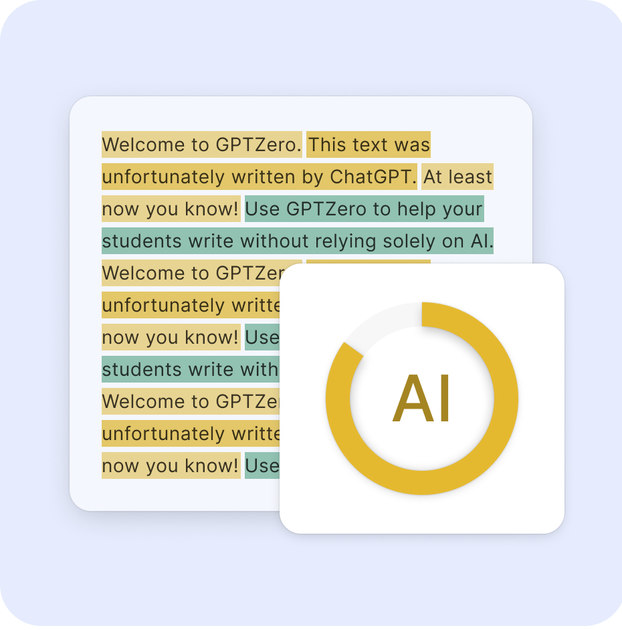
Classifies text as AI-only, human-only, or mixed, with probabilities and confidence levels so users can interpret the result instead of relying on a single yes-or-no label.

GPTZero detects AI-generated content, mixed authorship, and citation issues while verifying writing for educators, teams, and developers.
GPTZero is an AI content detection and writing verification product. It is designed to identify text generated by large language models, estimate whether content is human, AI, or mixed, and surface supporting signals that help users review a document more carefully.
The site positions GPTZero for education, publishing, hiring, legal, and other document-heavy workflows. Alongside AI detection, it offers hallucination detection for source checking, writing reports for human-writing verification, plagiarism checking, and an API and integrations for classrooms and software teams.
Classifies text as AI-only, human-only, or mixed, with probabilities and confidence levels so users can interpret the result instead of relying on a single yes-or-no label.
Supports detection of text from major models mentioned on the site, including ChatGPT, Gemini, Claude, and Llama, and says it is updated as new models appear.
Flags paraphrased or modified AI text using its Paraphraser Shield approach, which is intended to catch attempts to disguise generated writing.
Highlights likely AI-written sentences and provides document-level and granular insights through the API and product experience.
Checks for hallucinated sources and weak citations in essays and research writing, helping users review claims and bibliography issues.
Offers integrations and API access for classrooms, workspaces, and third-party products, including Google Classroom, Canvas, Google Docs, Chrome, Zapier, and developer use.
Teachers and school administrators can scan assignments for AI-generated content, review writing reports, and connect the tool to classroom systems such as Google Classroom and Canvas.
Writers, editors, and reviewers can check whether a draft looks human-written and inspect the writing process with reporting tools that help verify authorship.
Students and researchers can use the hallucination detector to find unsupported claims or suspected fake citations before turning in essays or papers.
Developers and product teams can embed GPTZero through the API or partner integrations to add AI detection inside an existing app, workflow, or platform.
Organizations handling applications, submissions, or external content can use the detector to review mixed or paraphrased AI text and to route suspicious documents for closer review.
GPTZero is an AI detection and writing analysis tool. It identifies content that may have been generated by large language models, and it also offers related tools such as a hallucination detector, writing reports, and plagiarism checking.
The source pages describe a workflow where you paste text or upload a document, then scan it for AI-generated content. The API also returns document-level classifications, probabilities, confidence categories, and sentence-level highlights.
Yes. The site mentions integrations for Google Classroom, Canvas, Chrome, Google Docs, Zapier, and an API for developers. The integrations page also separates education and workspace use cases.
GPTZero says no AI detector is perfectly accurate, that it works best on longer English prose, and that it should be used as a conversation starter rather than the final verdict.
The pricing page shows a Professional plan and Enterprise/Team options, with annual billing advertised as saving 45%. The developer page also points to API access for developers.
Traffic data is for reference only.

gptinf.com
GPTinf humanizes AI text, detects AI patterns, and checks plagiarism in one workspace.

www.zerogpt.com
ZeroGPT detects likely AI-generated text and helps refine drafts with plagiarism checks, paraphrasing, summaries, grammar tools, translation, and API access.

gowinston.ai
AI content detector and plagiarism checker for web and API integrations

smodin.io
Smodin is an AI writing assistant and plagiarism checker for drafting, rewriting, humanizing AI text, and verifying originality.

textero.io
AI essay assistant for structured drafts, citations, and academic editing

originality.ai
AI detection and content integrity platform for plagiarism, readability, grammar, facts, and quality checks.