
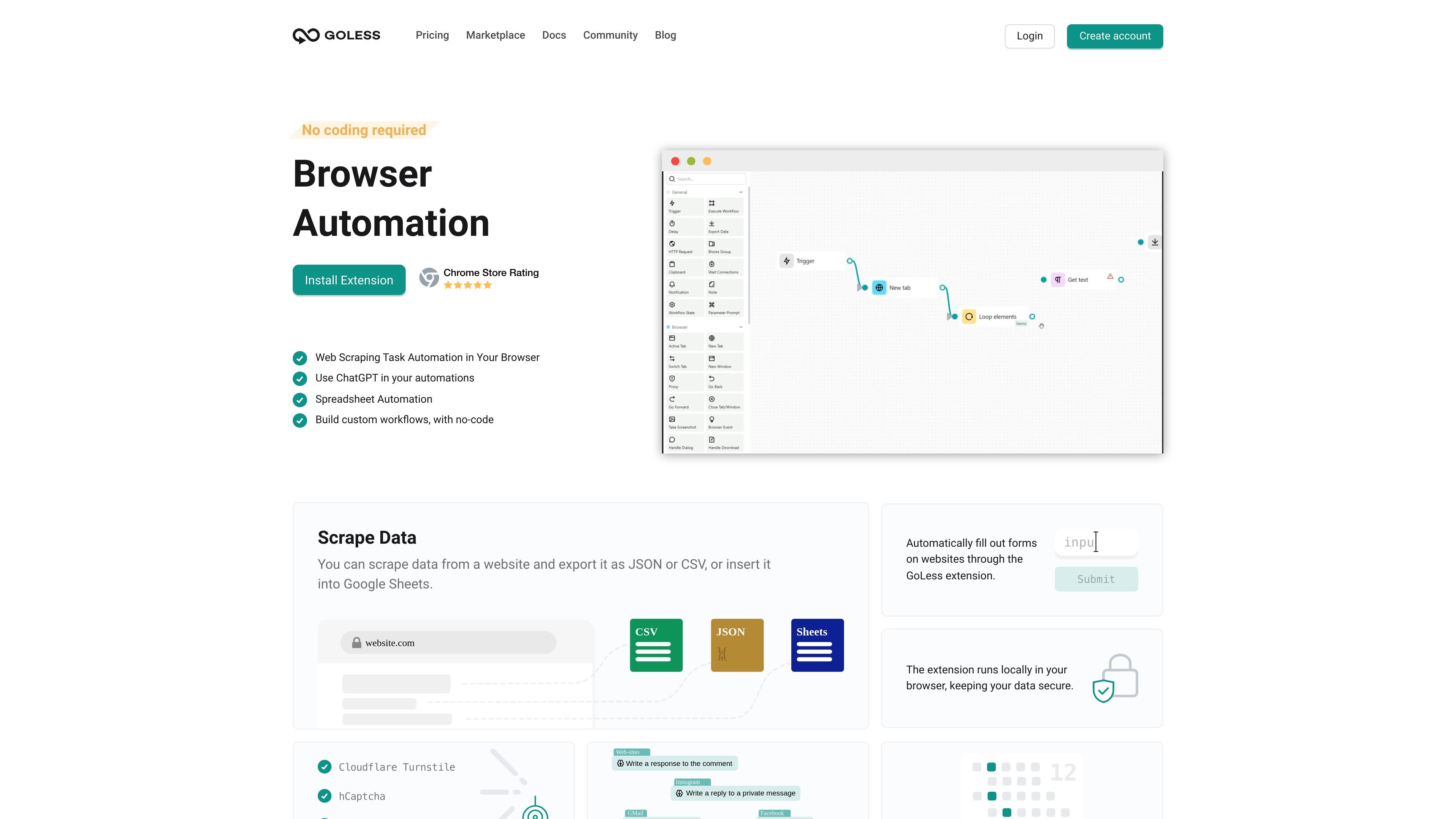
No-code workflow builder
Build automations in a visual editor rather than writing code. The pricing page and home page both describe a graphical, no-code workflow experience.

Goless is a Chrome extension for no-code browser automation, data scraping, form filling, actions, and exports.
Goless is a browser automation tool built around a Chrome extension and a no-code workflow editor. It is designed to help people automate repetitive web tasks such as clicking through pages, filling forms, extracting data, and moving that data into formats like JSON, CSV, or Google Sheets.
The product page also shows a marketplace of shared workflows and examples that cover browser-based scraping, social media actions, spreadsheet automation, and site-specific workflows. According to the pricing page, users can create workflows without coding, and the free plan allows unlimited workflows while paid plans add premium blocks.
Build automations in a visual editor rather than writing code. The pricing page and home page both describe a graphical, no-code workflow experience.
Create browser automations through the GoLess Chrome extension. The home page says workflows are built in the extension and that it is only available in the desktop version of Chrome.
Capture website data and export it as JSON or CSV, or send it to Google Sheets. The home page presents this as a way to scrape data and move it into common spreadsheet or file formats.
Automate repetitive browser actions such as filling forms, clicking through pages, and handling other interactive elements. The home page describes visually extracting data and automating website tasks directly in the browser.
Use triggers so workflows start at the right time, date, or other conditions. The home page lists triggers as a way to schedule or condition automation runs.
Share workflows with team members and browse user-created workflows in the marketplace. The site presents both collaboration and a marketplace of ready workflows as part of the product.
Use the extension to extract data from websites and send it to JSON, CSV, or Google Sheets for analysis or reporting.
Set up automations that fill forms, click buttons, and move through websites to reduce repetitive manual browsing.
Build spreadsheet workflows that automate tasks directly in spreadsheets without writing code.
Use triggers to start workflows at specific times or under specific conditions so routine tasks run on schedule.
Browse the marketplace for existing workflows, then install and customize them for site-specific tasks such as social media actions or marketplace scraping.
Goless uses a Chrome extension and a drag-and-drop workflow editor to build browser automations without code. The home page says you start by creating a workflow in the extension, then assemble blocks visually.
The pricing page states that no coding is necessary. Users can create workflows through a user-friendly graphical interface.
The home page says the extension runs locally in your browser, which is presented as a privacy and security benefit for the data used in automations.
The pricing page says the free plan allows an unlimited number of workflows, while paid plans add premium blocks. The page also mentions 5,000 credits per month and unlimited tasks, workflows, and team users on the paid plan listing shown.
The pricing page says you can cancel at any time and keep access until the end of the current billing period. It also states that refunds can be requested within the first 7 days if the service does not meet expectations.
Traffic data is for reference only.

taskmagic.com
AI automation platform for connecting apps and automating browser tasks in plain English.
www.simular.ai
Simular is an autonomous computer platform that uses AI agents to operate real computers and automate digital workflows. It serves individuals, builders, operators, and businesses that need to automate tasks across desktop applications and websites, including workflows that do not expose traditional APIs.

www.browseract.com
BrowserAct is a no-code AI web scraping and browser automation platform that builds reusable Bots from plain-language data requests. It helps teams collect structured, refreshed web data in the cloud or give local AI agents a browser layer for web tasks.

apify.com
Apify is a marketplace and platform for running web-scraping and browser-automation tools, called Actors. It helps developers and teams collect live web data, feed AI and data workflows, automate browser tasks, and connect runs to external tools.

rindler.ai
Rindler automates browser-based work on sites your team already uses, including portals with no API. It signs in, completes tasks like pulling records, downloading statements, checking status, and submitting forms, then returns finished runs and clean records.

steel.dev
Steel is open-source browser infrastructure for AI agents and web automation. It provides cloud browser sessions through an API, with support for common browser automation tools and workflows such as scraping, research, RPA, and agent-driven web tasks.