
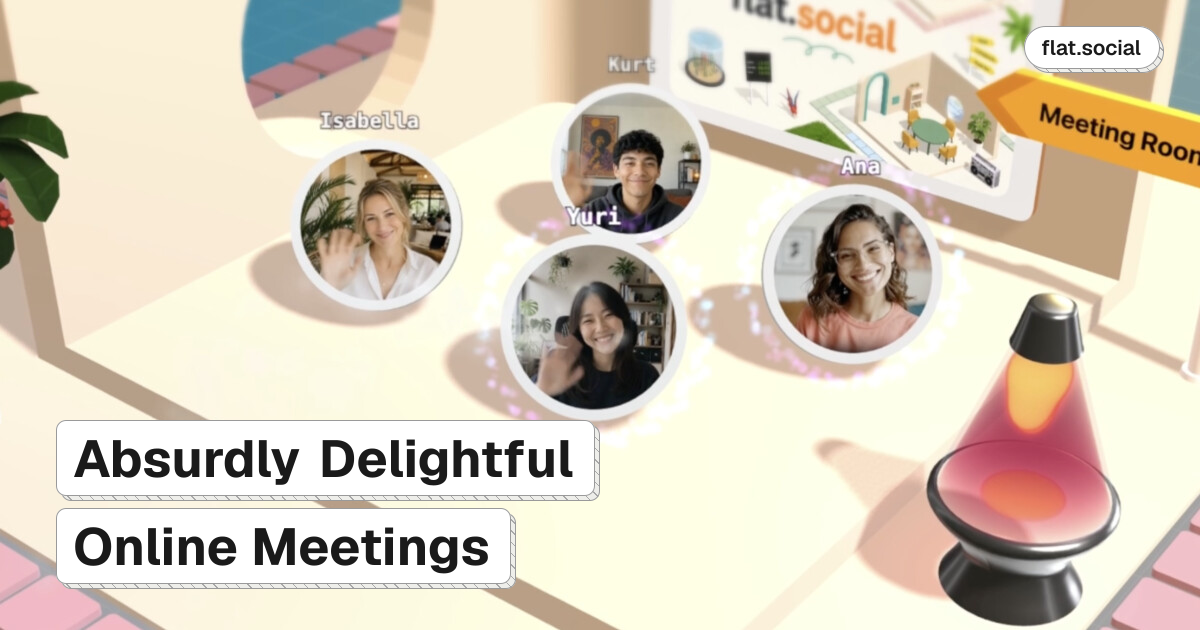
Proximity-based spatial audio and video
Participants move around a room and hear or see nearby people more prominently, allowing multiple smaller conversations to happen in the same shared space.

flat.social is a browser-based virtual space for team socials, online events, classes, and informal meetings. It combines avatar movement, proximity-based spatial audio and video, presentation rooms, chat, shared activities, and customizable rooms without requiring downloads.
flat.social is a browser-based virtual meeting and event platform for team socials, online events, classes, networking, and collaborative sessions. Instead of keeping everyone in a fixed video grid, it places participants in navigable shared spaces where they can move between groups and talk through proximity-based spatial audio and video.
A single flat can combine Open Spatial rooms for mingling, Conference rooms for presentations and screen sharing, and Chat rooms for text conversations. Hosts can add shared whiteboards, sticky notes, built-in games, reactions, and interactive objects for workshops, icebreakers, breaks, or informal interaction.
Participants join from a link in supported desktop browsers, with no application download required. Spaces can be customized with layouts, furniture, branding, backgrounds, gradients, and lighting, while roles and attendance insights support more structured team and event administration.
Participants move around a room and hear or see nearby people more prominently, allowing multiple smaller conversations to happen in the same shared space.
Combine Open Spatial rooms for movement and mingling, Conference rooms for presentations with screen sharing and speaker or gallery layouts, and Chat rooms for text communication.
Place whiteboards and sticky notes in rooms for real-time collaboration, then customize spaces with flooring, furniture, signs, 3D text, lighting, and other interactive objects.
Use activities such as football, chess, surfing, dice, and arcade cabinets, along with visual reactions including hearts, fireworks, magic, bubbles, and a backflip.
Create custom roles for building, moderation, presenting, or management; keep a flat private, allow guests, or restrict access to specified email domains.
Review attendance, peak concurrency, time spent, and popular locations. Guests can join from links in Chrome, Edge, Firefox, or Safari without installing an app.
Give distributed teams a shared space for drop-ins, watercooler conversations, happy hours, lunch breaks, and team-building activities instead of a single scheduled call.
Use spatial rooms for group activities and discussion, whiteboards for collaborative work, and Conference rooms when an instructor needs to present or share a screen.
Create an event venue where attendees can mingle, visit different rooms or areas, join presentations, and move into smaller conversations or breakout-style interactions.
Support informal introductions and several simultaneous conversations by letting participants move between groups and approach people directly.
Switch between presentation-focused rooms and shared collaborative areas for project kick-offs, brainstorming, or follow-up discussion.
No. flat.social runs in the browser, and guests join from a link with just a name. The features page lists support for Chrome, Edge, Firefox, and Safari.
In Open Spatial rooms, participants move toward one another and audio and video become more prominent with proximity. flat.social also provides room chat, lobby channels, direct messages, and Conference rooms for presentations.
Yes. Open Spatial rooms are intended for movement and mingling, while Conference rooms provide screen sharing and speaker or gallery layouts. Chat rooms can be used when text communication is more suitable.
The free plan costs $0 and supports up to five people at once with unlimited session length. The pricing page also lists paid monthly capacity plans and a Day Pass option for larger or one-off events.
Yes. Hosts can start from a template or build from scratch, customize room design and branding, and assign roles controlling who can build, moderate, present, or manage the flat.
Traffic data is for reference only.

framesketch.xyz
FrameSketch is browser-based video annotation software for animators. It lets you load local footage, draw on individual frames, and share annotations without uploading the video.

move.ai
Move AI captures optical-quality 3D motion from video without suits or markers.

voxelwall.app
VoxelWall is a native macOS live wallpaper engine that renders 51 original scenes in response to audio already playing on a Mac. It is intended for Mac users who want a reactive visual desktop rather than a static image or prerecorded video loop.