
Figma agent
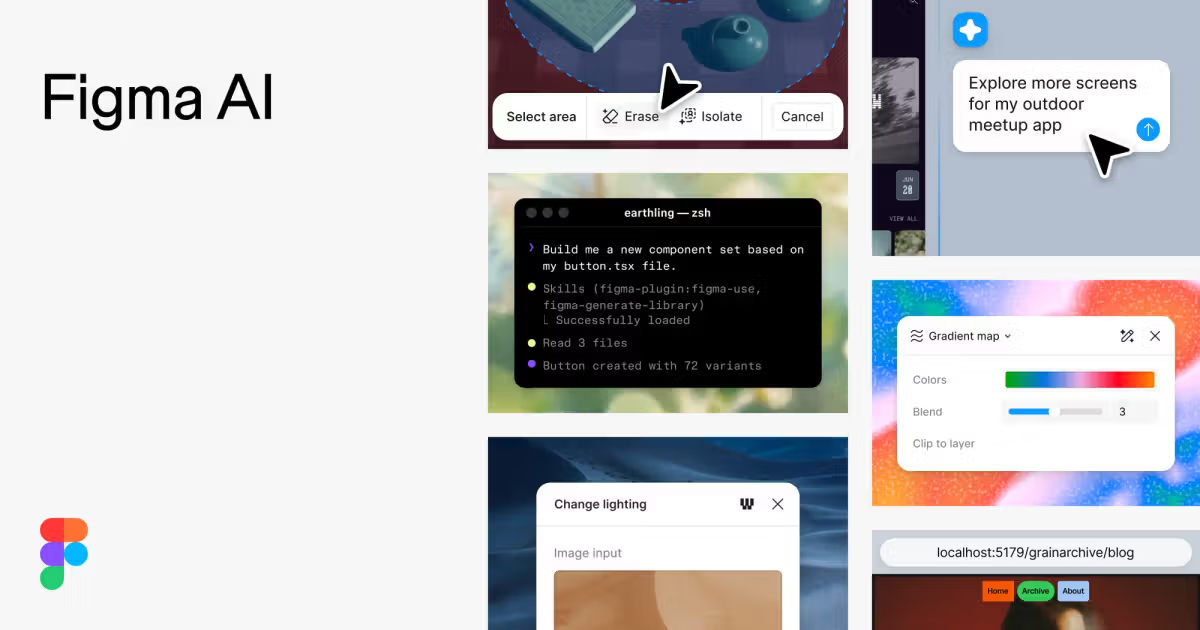
The beta Figma agent can generate and remix designs, create diagrams, automate canvas tasks, search files, and provide design feedback. Users can iterate with it directly in the canvas.

Figma AI is a set of AI-assisted tools embedded in Figma for generating and refining designs, searching files, editing images, building prototypes, and connecting design work with code. It supports designers, developers, and product teams working across the Figma canvas and related workflows.
Figma AI is a set of AI-assisted features integrated into Figma’s design, prototyping, image-editing, search, and development workflows. It helps users generate and refine visual work, automate repetitive canvas tasks, find files and assets, and move between design and code.
Its main components include the Figma agent for design generation and feedback, Figma Make for prompt-driven prototypes and web apps, AI image and text tools, visual search, and connections between Figma and external agentic tools. The product is designed for collaborative work on the Figma canvas, with some workflows extending into codebases and development environments.
The beta Figma agent can generate and remix designs, create diagrams, automate canvas tasks, search files, and provide design feedback. Users can iterate with it directly in the canvas.
Figma Make turns prompts and existing Figma designs into functional, code-backed prototypes or web apps. Outputs remain visually editable, and users can attach frames, PDFs, images, data files, and other context.
AI features support image editing such as background removal, image expansion, and object isolation, along with text replacement and tone adjustments. Design productivity actions include renaming layers and adding interactions.
Visual search helps users find components or assets in their files. Weave tools provide pre-built AI workflows for generating images and vectors, while generative plugins let teams create reusable, shareable plugins from prompts.
Figma’s MCP server gives external AI agents access to structured design context. Write-to-canvas creates or modifies Figma content from agentic workflows, while code-to-canvas turns live UI into editable Figma layers for review.
Teams can purchase shared AI credits, use pay-as-you-go, or subscribe to save. Enterprise plans add allocation and budgeting across teams or cost centers and an API for programmatic credit-usage views.
A designer or product team can ask the Figma agent to generate and remix directions, compare alternatives on the canvas, and refine the selected approach collaboratively.
A product team can prompt Figma Make from scratch or attach existing designs and reference material to create a functional prototype or web app before implementation.
Designers and developers can use the MCP server and code-to-canvas workflows to connect production code with Figma components, inspect implementation context, and bring live UI back for visual review.
Teams can use Weave tools for pre-built image and vector workflows, or create generative plugins that package repeated tasks into reusable tools shared across the organization.
Depending on the feature, it can generate or remix designs, create diagrams, edit images, adjust text, rename layers, add interactions, search for assets and components, provide design feedback, and create prototypes or web apps in Figma Make.
Figma Make is a prompt-driven tool for creating functional, code-backed prototypes and web apps. Users can start from a prompt or attach existing Figma designs and other reference materials, then edit the result visually.
Yes. The Figma MCP server allows external AI agents to read, reference, and act on design context. Write-to-canvas can create or modify Figma content, and code-to-canvas can turn live UI into editable Figma layers for review.
Figma plans include different AI-credit allocations by plan and seat type. Teams can purchase additional shared credits and choose pay-as-you-go or a subscription option. Enterprise customers can allocate and budget credits and access programmatic usage information.
No. The source identifies the Figma agent, Weave tools, generative plugins, shaders, and local-codebase workflows as beta or new features. Availability and access can therefore vary by capability and plan.

kombai.com
AI design engineer for building websites and product UIs, then shipping production-ready frontend in existing codebases.

stitch.withgoogle.com
Stitch is an AI design tool that generates UI concepts for mobile and web applications, helping teams move quickly from product ideas to early interface exploration.

www.usegalileo.ai
Stitch is an AI design tool that generates mobile and web app interfaces, helping teams move quickly from product ideas to early UI concepts.

pm-ai.cn
PMAI is a web-based AI tool for generating prototype screens and PRD drafts from text prompts.

uxpilot.ai
UX Pilot is an AI design tool for creating wireframes, UI concepts, and website templates from prompts or references, with iterative editing and Figma or code export.

banani.co
Banani is an AI UI design tool that turns prompts, references, and PRDs into editable designs and prototypes.