
Prompt-based editing
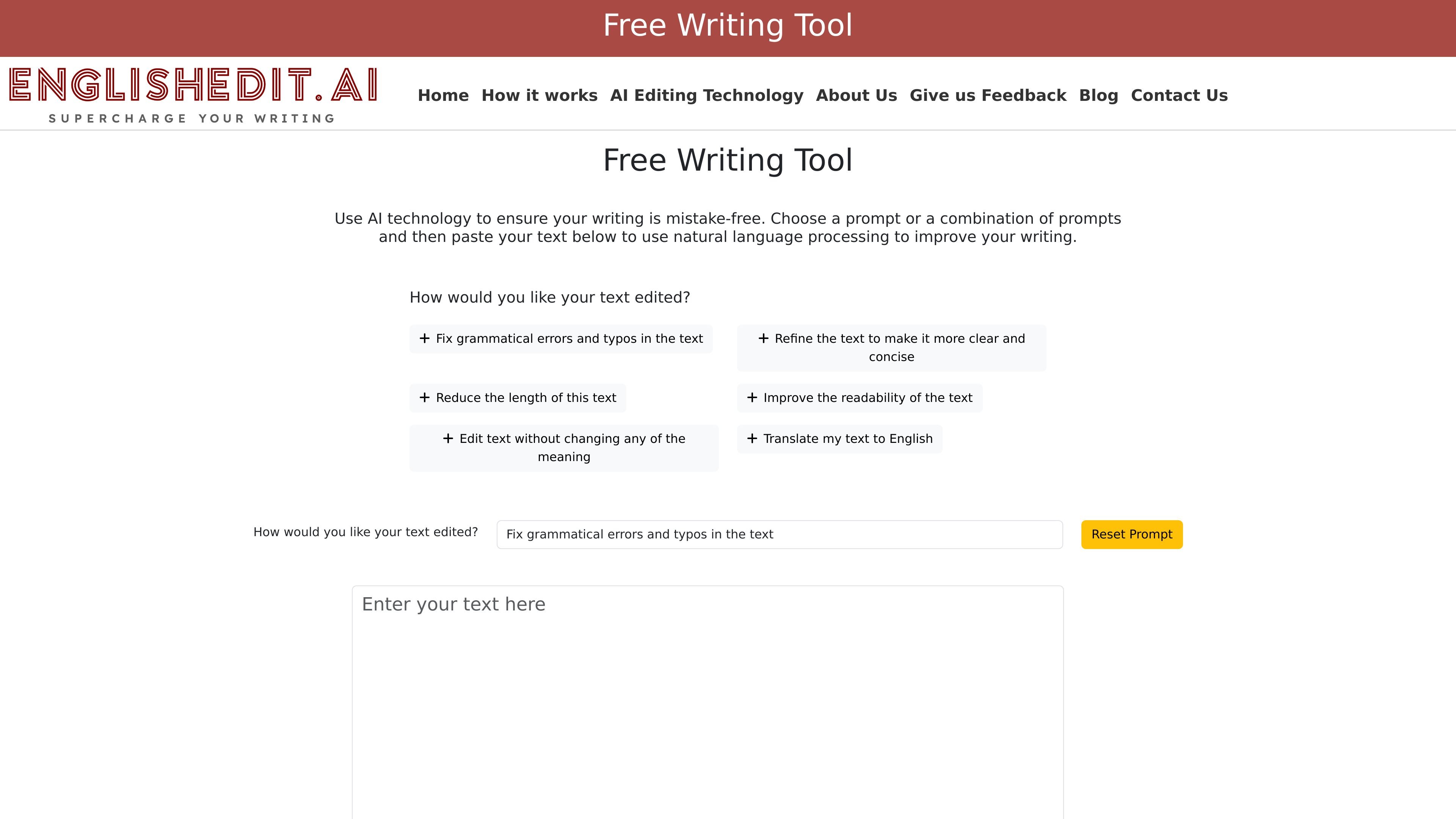
Users can choose from predefined editing prompts, combine multiple prompts, or create their own prompt before submitting text.

EnglishEdit.AI is a free, no-sign-up AI writing assistant that corrects grammar, improves clarity, shortens English text, and lets you review changes.
EnglishEdit.AI is a free AI-powered writing assistant for editing English text. It lets users paste or type content, choose one or more editing prompts, and receive a revised version with changes highlighted for review.
The site positions the product as a no-sign-up editing tool that focuses on grammar correction, clarity, concision, readability, and meaning-preserving rewrites. It is presented as part of Grammar Labs, a company that says it has long experience with English editing services and now offers this tool as a faster alternative for instant revisions.
Users can choose from predefined editing prompts, combine multiple prompts, or create their own prompt before submitting text.
The tool can correct grammar and typos, and the how-it-works page specifically mentions misplaced modifiers, subject-verb agreement issues, and verb tense inconsistencies.
It can rewrite text to be clearer and more concise, shorten longer passages, and improve readability while keeping the meaning intact when requested.
After processing, the tool displays edits with additions highlighted in green and deletions in red, which makes it easier to review what changed.
Users can copy the revised text to the clipboard or clear the editor to start a new draft without reloading the page.
The site states that the editing service is powered by OpenAI’s NLP models and processes text through cloud-based computing.
Paste a draft into the editor, choose grammar-focused prompts, and clean up typos, verb agreement, and other usage issues before sharing the text.
Use the clarity, concision, and readability prompts to tighten long or awkward passages while keeping the intended meaning.
Select multiple prompts when a paragraph needs more than one type of edit, such as shortening text and improving readability at the same time.
Review the color-coded output to see exactly what changed before copying the revised text into another document or workflow.
Use the tool as a quick browser-based editor when you want instant revisions without creating an account or waiting for manual review.
No sign-up is required. The home page describes EnglishEdit.AI as a free writing tool with no log-in and no hassle, and the workflow starts by pasting or typing text into the editor.
The tool applies AI editing after you choose one or more prompts, enter text, and click Edit My Text. It then shows the revised text with additions in green and deletions in red, with an option to hide changes.
The site says you can fix grammatical errors and typos, make text clearer and more concise, reduce length, improve readability, edit without changing meaning, or translate text to English.
The site does not provide working pricing details. The pricing page is unavailable, so free or paid plan limits are not documented beyond the product being described as free.
The public pages describe EnglishEdit.AI as an English editing tool powered by OpenAI. They do not list third-party integrations or browser/app availability.
Traffic data is for reference only.
| Mar | 63423 |
|---|---|
| Apr | 75599 |
| May | 66877 |

paperpal.com
AI academic writing tool and research assistant for students and researchers
rewriteit.ai
Web-based AI rewriting tool for emails, papers, and English learning

linguix.com
Grammar checker and AI writing app for better text across websites, browsers, and workflows.

instatext.io
Online writing and editing tool for clearer, smoother text

outwrite.com
AI writing assistant for grammar, style, clarity, and paraphrasing

humanizeai.io
Humanize AI is a web-based AI humanizer and writing assistant that rewrites AI-generated text in more natural language while preserving its meaning and keywords. It also offers related writing tools, multiple rewriting modes, and keyword-freezing controls.