
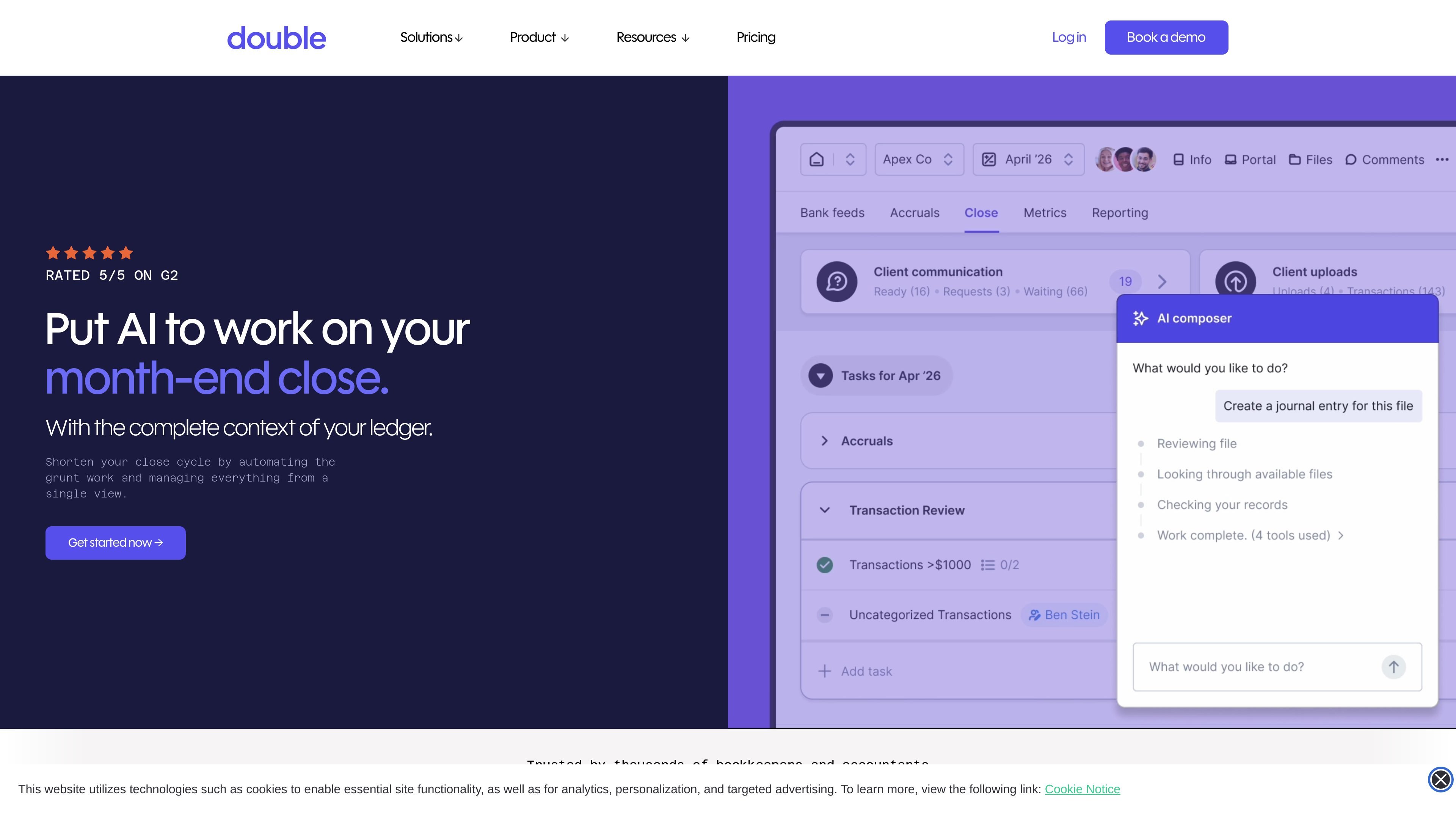
Ledger-integrated close management
Connect Double directly to QuickBooks Online, Xero, Sage, or NetSuite so close work stays tied to ledger data rather than separate spreadsheets or disconnected tools.

Month-end close management software for accounting and finance teams
Double is month-end close management software for accounting firms and internal finance teams. It is built around direct ledger connections, with support for QuickBooks Online, Xero, Sage, and NetSuite, so close work stays linked to the source financial data.
The product is designed to replace a mix of spreadsheets, checklists, and disconnected tools with one workflow for tasks, client communication, review, and AI-assisted automation. The site describes it as a platform that helps teams automate repetitive work, keep visibility across clients and entities, and move through close processes faster.
Connect Double directly to QuickBooks Online, Xero, Sage, or NetSuite so close work stays tied to ledger data rather than separate spreadsheets or disconnected tools.
Use AI-enabled automation to categorize and post transactions automatically, draft complex journal entries, and reduce repetitive work during review and reconciliation.
Track close progress across clients and entities from one view, with dependencies and financial context supporting the workflow from start to finish.
Manage tasks, client communication, and time tracking in a single platform instead of splitting work across separate systems.
Use the Tax Suite to standardize tax workflows with organizers, KBA e-signatures, file storage, and client progress tracking in the portal.
Add Emails as an integrated inbox for team communication and organization, available as an add-on on the pricing page.
Centralize month-end close work for bookkeeping or accounting teams that want ledger-linked tasks, review steps, and client communication in one place.
Automate repetitive bookkeeping work such as transaction categorization, posting, and journal entry drafting while keeping a human review step in place.
Track progress across multiple clients or entities and use the close page to see status, dependencies, and open work at a glance.
Run tax preparation in one system with organizers, document storage, and KBA e-signatures when the team wants to keep tax work and client updates together.
Use the platform as a shared client communication layer so teams can ask questions, send updates, and keep notes tied to the close process.
Double is designed for accounting firms and internal finance teams that manage month-end close work from connected ledger data. The pricing page also says it can be used by everyone from solopreneurs to large firms, including Big 4 accounting firms.
The pricing page says onboarding starts with a personalized demo, followed by a free trial and a 60-minute onboarding call. During that call, a Customer Success Representative helps with connecting clients, customizing the portal, and setting up file review reports and recurring tasks.
Yes. The pricing page says Double charges monthly per connected client, with unlimited users, and that features are packaged so firms can choose the right plan for each client. An annual Internal Finance plan is also listed separately.
Double connects directly to QuickBooks Online, Xero, Sage, and NetSuite, and its pricing page says the platform works by connecting to the client’s ledger. The Tax Suite also adds tax organizers, KBA e-signatures, and file storage.
The source materials emphasize client and team workflow management, close tracking, and AI-assisted automation, but they do not publish a full technical setup guide or every supported workflow detail on the pages provided.
Traffic data is for reference only.

www.numeric.io
Numeric is a finance data platform for accounting teams that supports close management, cash management, billing and revenue recognition, reporting, and ERP replacement. Teams can use it with an existing ERP or adopt its Financial Data Platform incrementally.

www.rillet.com
Rillet is a cloud-based, AI-native ERP for finance teams that combines a perpetual general ledger, revenue recognition, close management, reporting, and integrations with operational systems. Its Aura AI agents automate accounting workflows while keeping finance teams in control of the underlying books.

truewind.ai
AI accounting workflows that turn financial source data into reviewable close entries for finance teams.

www.vic.ai
Vic.ai is an AI-first accounts payable and accounting platform for finance teams. It automates invoice workflows, supports expense management and bill pay, and provides analytics for AP operations and financial oversight.

getcanopy.com
Cloud-based practice management for accounting and tax firms, with AI automation.

appzen.com
AppZen provides agentic AI for accounts payable and expense management, automating invoice processing, expense audits, AP inboxes, and card compliance within existing finance systems.