
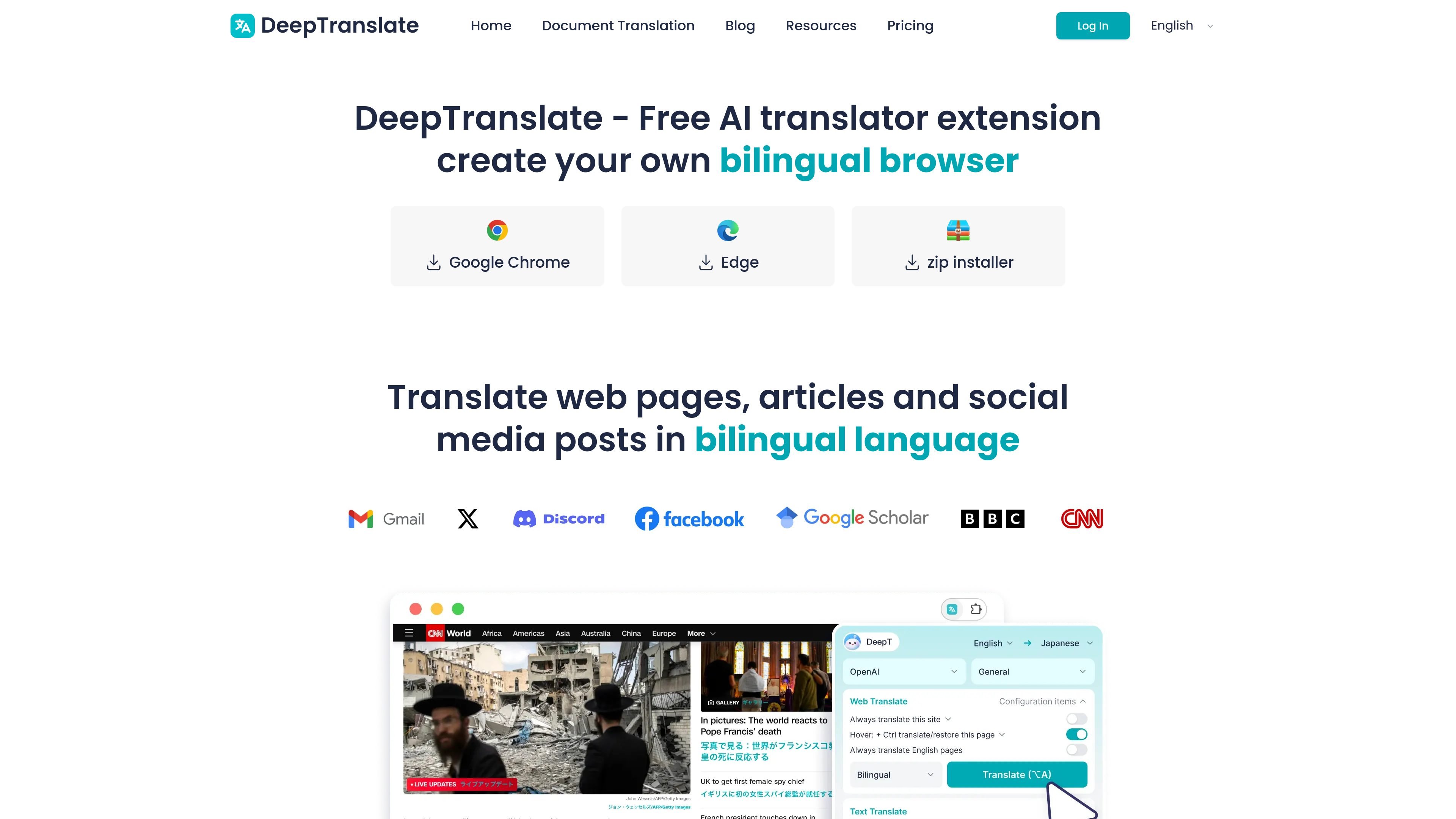
Bilingual page translation
Translate webpages while keeping the original layout visible, so you can compare languages without leaving the page.

Browser extension for bilingual web reading and translation across 140+ languages
DeepTranslate is a browser extension and web translation tool for reading websites in two languages at the same time. The site positions it as a free AI bilingual translation extension that helps users translate web pages, articles, social media posts, and PDFs while keeping the original page structure visible.
It supports 140+ languages and works through a simple browser workflow: install the extension, choose a target language and translator, then translate the current page. The product is aimed at people who read across languages for study, research, news, documentation, and everyday browsing, with a Pro plan for higher-frequency use and stronger AI models.
Translate webpages while keeping the original layout visible, so you can compare languages without leaving the page.
Supports web translation and PDF translation on the free plan, with translation modes surfaced through the browser extension interface.
The site says the service supports 140+ languages, with examples including English, Spanish, French, Chinese, and Japanese.
The extension can use multiple translation providers, including Google Translate, ChatGPT/OpenAI, Microsoft, Claude, and Gemini, depending on plan and mode.
The pricing page says AI Expert is used to enhance translation quality on the free plan, and Pro unlocks stronger models for more demanding text.
The home page describes support for social media posts and other websites, so the same workflow can be used across different reading contexts.
Use the extension to read foreign-language pages, news articles, or documentation with the original text still visible for comparison and verification.
Students and researchers can translate academic or reference material while preserving page structure, which helps when checking terminology and context across languages.
Writers, editors, and newsroom teams can scan source material in other languages and translate it quickly without leaving the browser workflow.
People following posts, comments, or updates on social platforms can translate the page directly instead of copying text into a separate tool.
Users who need stronger models for longer or more complex text can upgrade to Pro for higher-frequency translation work.
Yes. The site says DeepTranslate can be used for everyday translation for free, and the free plan supports standard models for web and PDF translation.
The pricing page says Pro unlocks stronger AI models, including OpenAI, DeepSeek, Claude, and Gemini, which are intended to improve handling of long documents and complex text.
After installing the extension, open a webpage and use the extension entry to translate the current page while keeping the original page structure visible.
The pricing page says DeepTranslate is built for repeated reading, research, documents, and multilingual browsing, so it can fit study and professional reading workflows.
The terms state the subscription is intended for personal use, and device availability can vary by plan and account status.
Traffic data is for reference only.
| May | 72382 |
|---|---|
| Jun | 88221 |
| Jul | 92624 |
Traffic analytics are not available yet.
Traffic analytics are not available yet.

subtranslateai.com
Browser-based subtitle translation for SRT and media files in 100+ languages
immersivetranslate.com
Bilingual AI translation for websites, PDFs, subtitles, meetings, images, and comics

glarity.app
Glarity summarizes and translates online content with ChatGPT-style AI.

legalesedecoder.com
AI-powered web app that translates legal documents into plain English

checksub.com
AI subtitle generation and dubbing platform for video localization

awnsy.com
Awnsy is a menu-bar translator for macOS that translates selected text or text captured from any area of the screen. It includes an offline on-device model and optional support for user-provided OpenAI or Anthropic API keys.